What Cutting the Cord Actually Costs (And Saves) in 2026
Cable companies are counting on one thing: inertia. The average household stays with their cable provider for years not because it’s the best option, but because switching feels complicated. It isn’t.
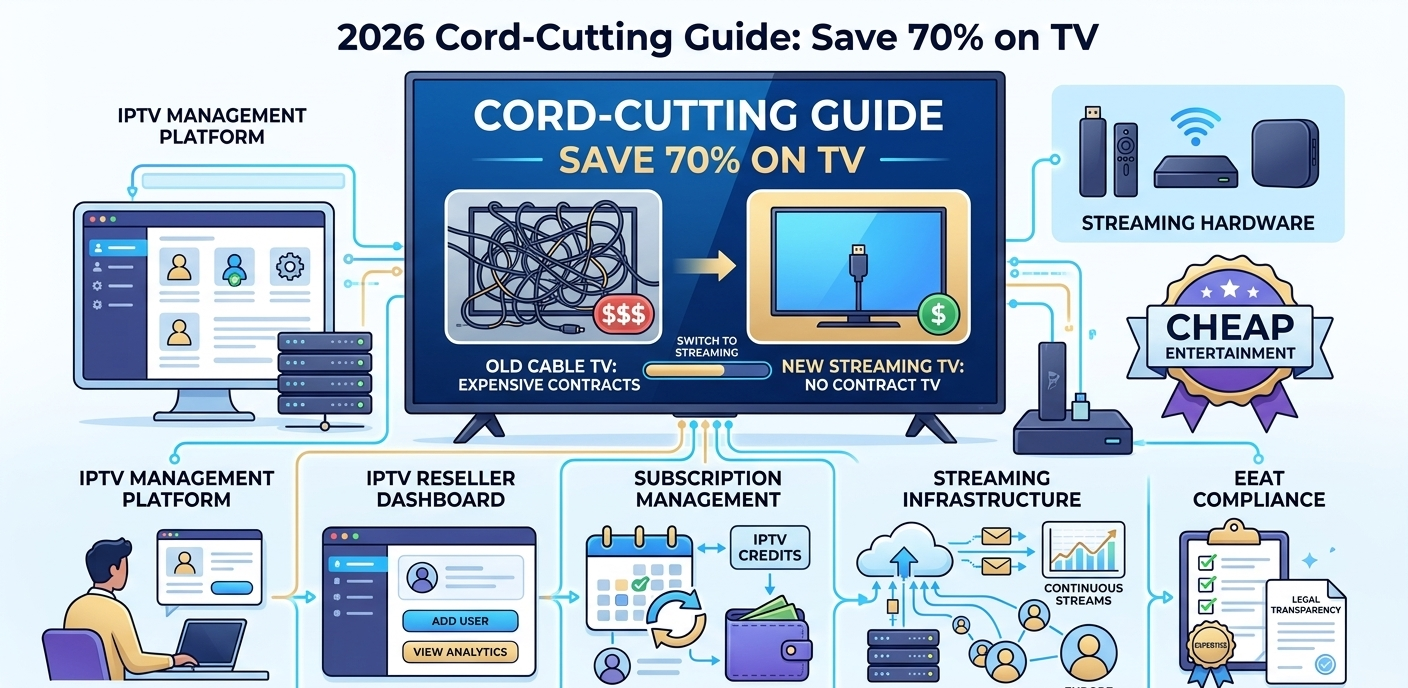
The average UK cable or satellite TV package runs £65 to 90/month in 2026. A comparable streaming setup, managed UK IPTV subscription, one-time hardware purchase, existing broadband, runs £15 to 25/month ongoing. The 70% saving headline isn’t marketing. It’s just arithmetic on most households’ actual bills.
What this guide covers: the hardware you need, the streaming setup that works, and how to avoid the mistakes that send people back to cable after a frustrating first attempt.
The Complete Cord-Cutting Hardware List
You don’t need much. Most households already own half of what’s required.
What you actually need:
- A TV with an HDMI port (essentially every TV made after 2010)
- A streaming device (details below)
- Your existing broadband connection, minimum 25 Mbps for reliable HD, 50 Mbps for comfortable 4K
- An ethernet cable if your TV is near your router, or strong WiFi if not
What you don’t need:
- A new TV
- A satellite dish
- Any installation appointment
- A long-term contract
The total hardware investment for someone starting from scratch is typically £35 to 80 for a streaming device. That’s it.
Choosing Your Streaming Device
The device matters more than most cord-cutting guides admit. Here’s the honest breakdown:
Amazon Fire TV Stick 4K Max (£55 to 65): the most accessible entry point. Works with all major IPTV apps after a quick sideloading setup. Limitations: runs warm under sustained use, not ideal for simultaneous multi-stream setups. For a single household TV watching standard IPTV use, it’s perfectly adequate.
Nvidia Shield TV (£180 to 220): the premium option. Handles 4K HDR streams without breaking a sweat, stays cool during extended use, and runs the cleanest version of Android TV available. Overkill for casual viewers; worth it if you follow live sports at high quality.
Xiaomi Mi Box S 2nd Gen (£50 to 70): underrated middle ground. Pure Android TV means full Google Play access and straightforward app installation. 2GB RAM is the limitation, single-stream use is smooth, heavy multitasking less so.
Formuler Z11 Pro (£130 to 160): built specifically for IPTV use. The MyTVOnline app it ships with is genuinely well-designed for channel navigation. If IPTV is primarily what you’re doing, this device is purpose-built for it.
The decision shortcut: if you’re setting up one TV for household viewing and want a simple experience, Fire Stick 4K Max gets you started immediately. If you care about picture quality and plan to use it heavily, Nvidia Shield is worth the premium.
Internet Speed: What You Actually Need
Broadband requirements for cord-cutting are simpler than most guides make them sound. Here’s what you actually need by stream type:
| Stream type | Minimum speed | Recommended speed |
|---|---|---|
| SD (480p) | 5 Mbps | 10 Mbps |
| HD (1080p) | 10 Mbps | 20 Mbps |
| 4K HDR | 25 Mbps | 40 Mbps |
| Multiple simultaneous streams | Multiply above by number of streams | Add 20% overhead |
Most UK households with standard broadband (50 to 100 Mbps) are well covered. The variable that actually causes buffering isn’t usually speed, it’s consistency. A 50 Mbps connection with frequent drops is worse for streaming than a 20 Mbps connection that’s rock-solid.
WiFi vs ethernet: this matters more than connection speed for most people. A streaming device on ethernet almost always outperforms the same device on WiFi, regardless of WiFi signal strength. A £6 ethernet cable from your router to your Fire Stick (via an adapter) eliminates the single most common cause of IPTV buffering complaints.
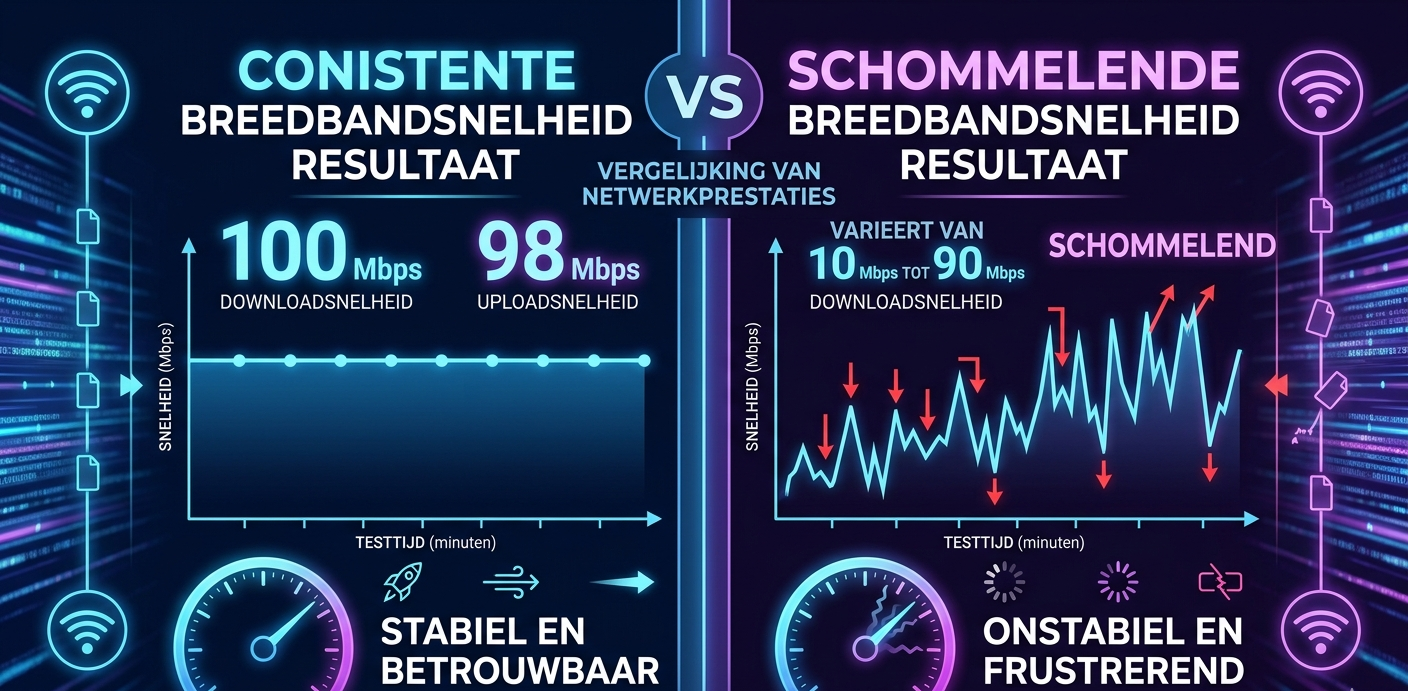
Network speed test result showing consistent vs fluctuating broadband speed comparison
The IPTV Setup Process, Step by Step
Setting up an IPTV subscription is significantly simpler than most people expect. Here’s the full process from zero to watching.
Step 1: Choose your IPTV app
For most devices: TiviMate (Android TV, best overall), IPTV Smarters Pro (cross-platform, beginner-friendly), or GSE Smart IPTV (iOS/Android). TiviMate is the one most experienced users end up on, the EPG integration and channel organisation are genuinely well-designed.
Step 2: Get your subscription credentials
A UK IPTV reseller provides you with either an M3U URL or Xtream codes (server address, username, password). This happens after payment and usually takes under 10 minutes.
Step 3: Enter credentials in the app
Open TiviMate, go to Add Playlist. Choose M3U or Xtream codes depending on what your provider gave you. Enter the details. The channel list loads, on a 10,000-channel list this takes around 20 to 30 seconds. Categories appear automatically.
Step 4: Configure EPG (Electronic Programme Guide)
TiviMate pulls EPG data from the playlist URL automatically in most cases. Go to Settings > EPG and confirm it’s loading. This gives you the TV guide view showing what’s on and what’s coming. First EPG load can take a minute or two.
Step 5: Set up favourites
Browse the channel list, find the channels you actually watch, and add them to a Favourites bouquet. This is what you’ll navigate to 95% of the time. The full list of 10,000+ channels is useful when you’re looking for something specific; favourites is what makes daily use smooth.
The total process from opening the box to watching took about 18 minutes the first time I set it up. Subsequent setups on additional devices are faster.
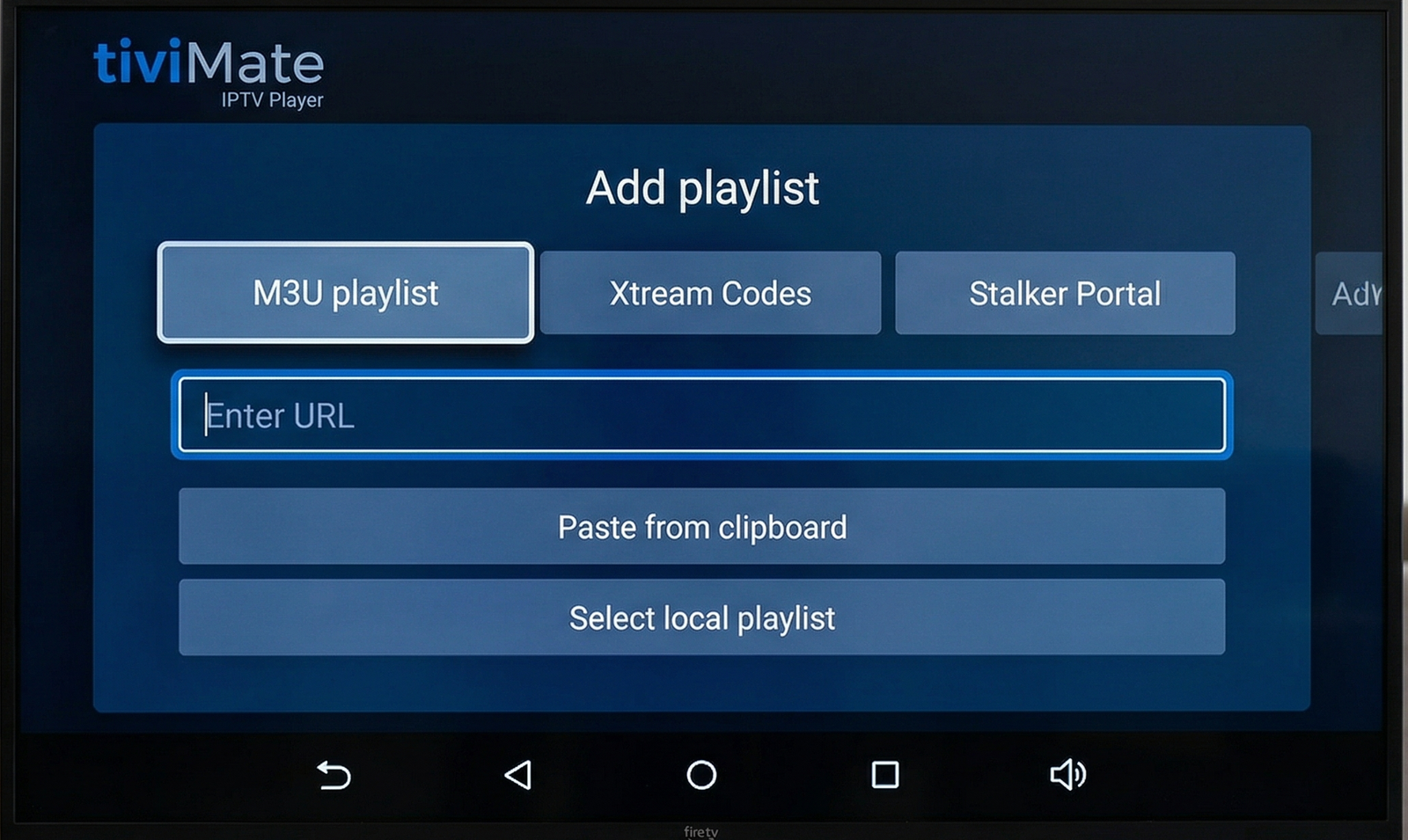
TiviMate app showing channel list with EPG data loaded and favourites bouquet selected
What a Reseller Dashboard Looks Like From the Operator Side
If you’re an IPTV reseller managing subscriptions for clients rather than just a viewer, the dashboard is where your daily work happens.
Logging into the panel opens the main overview, active user count, credit balance, and any connection alerts. The User Management tab is the primary workspace. Every client account is listed with their subscription status, expiry date, and last active connection.
Creating a new account takes about 2 minutes: click Add New User, enter a username and password, select the plan duration, confirm the credit deduction. The system generates their M3U URL and Xtream codes immediately. Then you send those credentials to the client through whatever channel you use, usually WhatsApp or email.
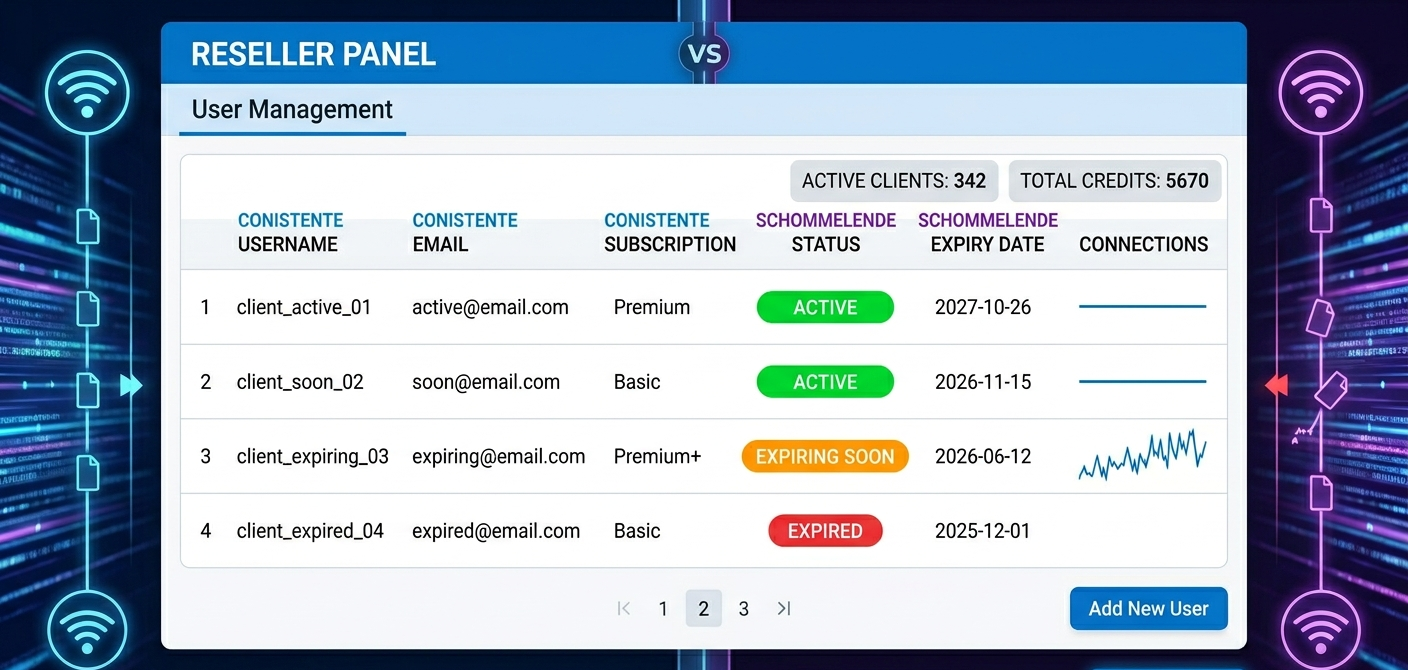
The panel I use shows each account’s active connection status in real-time. Here’s the full workflow start to finish:
| Step | Action | Where | Result |
|---|---|---|---|
| 1 | Log in | Main dashboard | Full panel access |
| 2 | Open User Manager | User Management tab | Client list visible |
| 3 | Add new account | Add New User button | Creation form opens |
| 4 | Set username/password | Data entry fields | Credentials defined |
| 5 | Select plan duration | Plan dropdown | 1 month / 3 months / 12 months |
| 6 | Deduct credits | Credit system | Cost processed automatically |
| 7 | Generate stream URL | Cloud system | M3U URL and Xtream codes created |
| 8 | Send to client | Your communication method | Client configures their device |
Mistakes I’ve Made (And Watched Other People Make)
Mistake 1: Switching immediately without testing
Cancelled cable the same week I started testing an IPTV subscription. The first provider I used had poor weekend performance, exactly when I wanted to watch sport. Spent a frustrating few weeks without reliable service before finding a better provider. Test for at least 3 to 4 weeks including at least one weekend with live sports before cancelling your current service.
Mistake 2: Relying on WiFi for a main TV
First cord-cutting setup had a Fire Stick connected via WiFi to a router one room over. Buffering was constant on busy evenings despite a 100 Mbps connection. Added an ethernet cable through the skirting board. Buffering stopped immediately. The IPTV app, device, and provider were all fine the whole time, it was WiFi variability causing the issue.
Mistake 3: Buying a cheap no-brand Android box
Bought a £28 unbranded Android box to save money. It ran Android 8, which is increasingly incompatible with updated apps. TiviMate wouldn’t install from Google Play. Had to sideload an older version that lacked features. The box also ran hot constantly and slowed down noticeably after 30 minutes of streaming. The £27 saving cost significantly more in time and frustration. Buy a recognised device.
Mistake 4: Not setting up favourites from the start
Used a 15,000-channel playlist without setting up favourites for the first two weeks. Navigating to specific channels every time was exhausting. Spent 20 minutes setting up a 40-channel favourites list. It transformed the daily experience, what felt clunky became genuinely easier than cable.
Mistake 5: Choosing the cheapest IPTV plan available
First subscription was the cheapest option I could find, about half the price of comparable services. It had consistent buffering on HD streams, the channel list had significant gaps, and support responded to queries two days later. Switched to a better-priced service from a recommended provider. The quality difference was immediately obvious. In IPTV, cheap plans reliably deliver cheap experiences.
The Parts Most Cord-Cutting Guides Leave Out
Saving 70% takes some upfront work, the savings are real, but they come after you’ve researched hardware, found a reliable provider, configured your app, and got your setup running smoothly. For someone willing to spend a few hours on this, it’s genuinely straightforward. For someone who wants plug-in simplicity with zero learning curve, the first month can be frustrating.
Not every cable channel has an IPTV equivalent. Most major channels are well-covered. Some local, regional, and niche channels have gaps or inconsistent availability depending on your provider. If there are specific channels that are essential to your household, verify they’re included before cancelling cable.
App updates can break things. IPTV apps update periodically. Occasionally an update changes settings that were previously configured, or introduces compatibility issues with specific devices. This happens rarely but it does happen. Know how to re-enter your credentials and reconfigure basic settings, it takes 5 minutes when you know how.
Provider quality varies enormously. The IPTV reseller space has operators ranging from excellent to genuinely terrible. The IPTV price range between them isn’t huge, but the experience difference is significant. Reviews from established communities (Reddit’s r/IPTV, regional forums) from users who’ve been subscribed for several months are the most reliable guide.
Cost Comparison: Cable vs. Cord-Cutting
UK Household Example. Here’s how the annual numbers stack up:
| Cable (full package) | Cord-cutting setup | |
|---|---|---|
| Monthly TV cost | £85 | £20 |
| Equipment rental | £10 | £0 (one-time hardware) |
| Installation | £50 (amortised) | £0 |
| Contract | 18 to 24 months | None |
| Annual total | £1,140 | £240 |
| Annual saving | N/A | £900 |
US Household Example. And the same comparison for a US household:
| Cable (full package) | Cord-cutting setup | |
|---|---|---|
| Monthly TV cost | $180 | $22 |
| Equipment rental | $20/month | $0 |
| DVR service | $15/month | $0 |
| Contract | 12 to 24 months | None |
| Annual total | $2,580 | $264 |
| Annual saving | N/A | $2,316 |
The hardware investment (£50 to 200 for a streaming device) pays for itself within the first month of the saving.
Comparing Basic and Advanced Reseller Panels
Here’s the feature gap between tiers:
| Feature | Basic panel | Advanced panel |
|---|---|---|
| Max users | Up to 500 | Unlimited |
| Real-time monitoring | No | Yes |
| Automated renewal alerts | No | Yes |
| Sub-reseller management | No | Yes |
| Custom branding | No | Yes |
| API access | No | Yes |
| Reporting depth | Daily | Real-time |
When Cable Still Makes More Sense Than Cutting the Cord
Being direct about this helps more than cheerleading.
Households with very slow or unreliable broadband. Internet-dependent streaming requires consistent connectivity. Rural areas with broadband below 20 Mbps or with frequent dropouts will have a worse streaming experience than cable, which doesn’t depend on broadband quality.
Households where older members strongly prefer cable simplicity. The streaming setup requires periodic engagement, reconfiguring after an app update, navigating to a new channel. For viewers who find any technology change frustrating, the support overhead may not be worth the saving.
Anyone who relies heavily on specific local channels. Major broadcast networks are well-covered. Regional and local channels are variable. If local news is a daily essential, check coverage before cancelling.
Renters with very slow shared WiFi and no ethernet option. Streaming quality on congested shared networks is unpredictable. A dedicated ethernet connection resolves this but isn’t always available.
UK, USA, and EU Market Notes
UK: Freesat and Freeview provide free broadcast channels via antenna or dish as a backup. Many cord-cutters keep a Freeview signal as a fallback while using IPTV as their primary service. The overlap between IPTV packages and UK broadcast content is generally strong.
US: Over-the-air antenna reception remains an option for local network channels (ABC, CBS, NBC, Fox) in most metropolitan areas. A £25 to 40 antenna provides free local channels as a complement to IPTV streaming. Cord-cutting saves the most money in the US market where cable bills are highest.
EU: IPTV coverage of major European channels is strong across most providers. Regional language content varies by provider. GDPR data protection applies to UK and EU subscribers, check that any service you use handles data appropriately.
FAQ
How long does the complete cord-cutting setup take?
From unboxing a streaming device to watching a channel: 20 to 40 minutes for someone doing it for the first time, including app installation, credential setup, and basic configuration. Subsequent setups on additional devices take 10 to 15 minutes. The initial research to find a good provider takes longer, budget a few hours for that.
Do I need to cancel cable before setting up IPTV?
No, and you shouldn’t. Run both services in parallel for at least 2 to 3 weeks while you test the IPTV setup and verify it covers everything you watch. Only cancel cable when you’re confident you won’t miss anything. The overlap cost is minimal compared to the risk of cancelling too early.
What happens if my IPTV provider stops working?
Contact your UK IPTV reseller. Most issues resolve quickly, account resets, server switches, credential refreshes. If the provider closes entirely (which does happen occasionally), you need a new provider. This is why monthly plans rather than annual commitments make sense with newer or untested providers, your exposure is limited to one month.
Can I use IPTV on multiple TVs in the house?
Yes, with a multi-connection account. Each TV needs its own streaming device. Your IPTV account needs to allow concurrent connections equal to the number of TVs you want to run simultaneously. A 4-connection account typically costs 20 to 30% more than a single-connection account but covers a full household.
Is cord-cutting reversible if I don’t like it?
Completely. You can return to cable at any time. The streaming device purchase is the only sunk cost, and most devices are useful for other purposes (catch-up TV apps, YouTube, streaming services) even if you return to cable for live TV.
What’s the difference between a trial and a full subscription?
Most IPTV providers offer a 24 to 48 hour trial at low or no cost. This is useful for verifying the setup works and checking channel coverage. It’s not long enough to assess reliability, trials are often on better-provisioned servers than regular subscriptions. A one-month paid subscription gives you a more representative picture of the day-to-day experience.
Can I record programmes like I did with my cable DVR?
Some IPTV apps support catch-up functionality, watching content from the last 7 days that was broadcast. DVR-style recording of live streams depends on the app and subscription type. TiviMate supports recording on some setups. For households where recording is essential, verify the specific capability before fully switching.
Cord-cutting in 2026 is less of a technical project than it used to be. The hardware is mature, the apps are polished, and the savings are significant and immediate.
The households that make the switch successfully are the ones who take 30 minutes to research properly, test before cancelling cable, and spend £50 to 60 on a decent streaming device rather than going for the cheapest option available.
The households that struggle are the ones who rush in without testing, buy poor hardware, or choose a provider based purely on price. The difference between a good and bad cord-cutting experience is almost entirely in the upfront decisions.