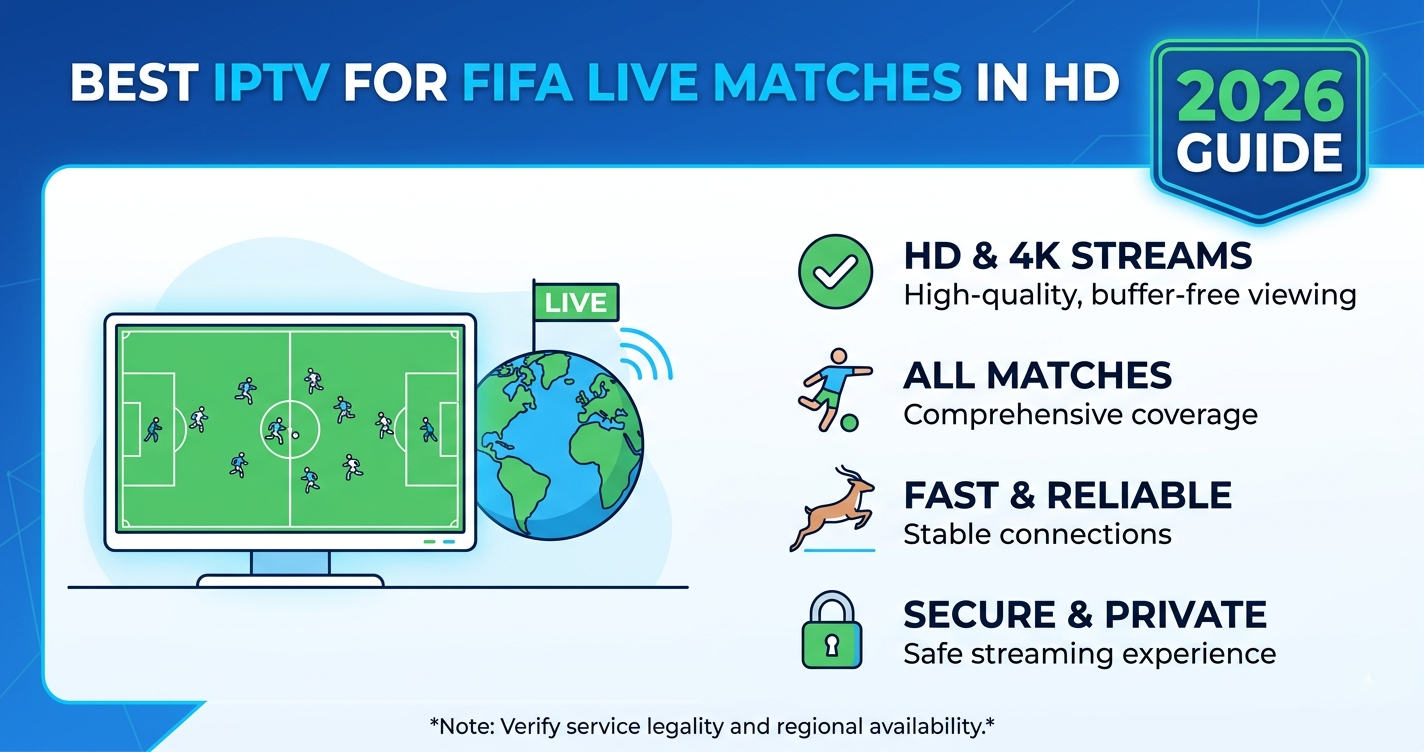

IPTV for FIFA Live Matches in HD in 2026: What the Stream Actually Demands
Most IPTV customers find out their service has a problem the moment the tournament kicks off. Not on a quiet Tuesday night. Not during a League Cup replay. It happens at 17:58 on a World Cup matchday when 40,000 other subscribers are pressing play at exactly the same time.
IPTV for FIFA live matches in HD is not the same product as everyday streaming. It behaves differently, fails differently, and demands far more from every layer of the infrastructure chain. If your provider has not built for concurrent load, you will know within the first ten minutes of a group-stage opener.
The short answer: IPTV for FIFA live matches in HD works reliably when the provider runs multi-source delivery, proper CDN routing, and failover systems capable of handling sudden traffic spikes. If any of those are missing, HD quality degrades to SD or worse — the stream drops entirely right after kick-off.
Why FIFA Matches Destroy Average IPTV Infrastructure
Everyday IPTV traffic is predictable. A few thousand subscribers spread across different time zones watching different channels generates a manageable, distributed load.
FIFA World Cup 2026 is the opposite. England vs. USA. Australia vs. Argentina. A final involving any of the major footballing nations. These events generate simultaneous viewing spikes that can multiply normal traffic by six to ten times within minutes of broadcast starting.
Most providers never stress-test their infrastructure under those conditions. They scale for average weeknight usage, which looks nothing like a World Cup knockout match. When the spike hits, the delivery network buckles.
What actually breaks during a spike:
- Origin servers become overwhelmed when CDN caching fails
- HLS segment delivery slows, causing rebuffering every 30–90 seconds
- DNS resolution fails under high query volume, blocking new connections
- Load balancers saturate and begin dropping sessions
- Backup uplinks either do not exist or are too slow to absorb overflow traffic
One reseller we worked with during a major international tournament had over 600 active subscribers. He had no CDN layer, no backup uplink, and no load balancer. Within eight minutes of kickoff, 40 percent of his customer base had opened support tickets. He lost 70 subscriptions that month.
What HD Actually Means for FIFA Streams in 2026
HD is not a single standard. In 2026, IPTV providers use the term loosely, and that creates real confusion for subscribers trying to evaluate what they are paying for.
| Stream Quality | Resolution | Bitrate Required | Best For |
|---|---|---|---|
| SD | 576p | 2–4 Mbps | Basic viewing |
| HD Ready | 720p | 5–8 Mbps | Most home broadband |
| Full HD | 1080p | 10–15 Mbps | Smart TVs, Firestick 4K |
| 4K HDR | 2160p | 25–40 Mbps | Flagship devices only |
FIFA broadcasts in 2026 are being produced in 4K HDR for the host broadcast. Whether your IPTV service actually delivers 4K depends entirely on whether the provider has licensed or sourced a 4K feed and whether their infrastructure can push 35+ Mbps to each concurrent viewer without degradation.
The honest reality: most IPTV providers offering IPTV for FIFA live matches in HD are delivering 1080p at best. A genuine 4K HDR FIFA stream at scale requires significant infrastructure investment that most mid-tier providers simply do not have.
Pro Tip: Before the tournament starts, run a test stream during a Champions League or Premier League match on a peak Saturday evening. If you see buffering or quality drops then, expect the same or worse during FIFA. Do not wait for the World Cup opener to discover your service cannot handle it.
How ISP Throttling Hits IPTV for FIFA Live Matches in HD Hardest
ISP throttling of IPTV traffic did not disappear. In 2026 it has evolved. Major ISPs in the UK, Australia, Canada, and the US are now using deep packet inspection combined with AI-driven traffic classification to identify IPTV streams — particularly HLS and MPEG-TS delivery — and apply rate limits selectively.
This creates a specific problem for IPTV for FIFA live matches in HD because:
- HD streams are large. A 1080p stream needs 10–15 Mbps sustained. Throttling to 6 Mbps breaks HD delivery instantly.
- FIFA events drive traffic spikes that trigger ISP anomaly detection. Unusual bursts from a single IP or port range get flagged automatically.
- Some ISPs specifically target known IPTV source IP ranges during major sporting events, knowing the traffic volume will be highest.
The workaround most experienced operators use is VPN-over-IPTV routing, pushing traffic through encrypted tunnels to avoid DPI classification. But this adds latency, and latency during live football matters — viewers get commentary on social media before their stream catches up.
Better providers mitigate this by rotating delivery IPs, using non-standard ports, and distributing traffic across multiple CDN edge nodes so no single source IP triggers ISP rate-limiting thresholds.
DNS Failover: The Infrastructure Detail Most Subscribers Never Think About
When a subscriber launches their IPTV app to watch IPTV for FIFA live matches in HD, the first thing that happens is a DNS query. The device asks: where is the server for this stream?
If that DNS query fails — due to DNS poisoning, server overload, or propagation delay — the subscriber gets nothing. No error message that makes sense. Just a frozen screen or a “cannot connect” notification.
During FIFA 2026 group stage matches, DNS query volumes spike sharply as hundreds of thousands of subscribers launch apps simultaneously. Providers running single-DNS configurations simply cannot handle that volume.
Professional IPTV infrastructure uses:
- Primary DNS with geographic routing (closest edge node serves the query)
- Secondary DNS failover (automatic reroute if primary fails)
- TTL management (low time-to-live values allow rapid failover)
- DNS health monitoring (detects and responds to poisoning attempts)
When we reviewed infrastructure failures across multiple providers during a major 2024 sporting event, the majority of outages traced back to DNS — not origin server failures. The origin servers were fine. The DNS layer collapsed under load and took everything else with it.
Pro Tip: Ask your IPTV provider directly whether they use redundant DNS with geographic routing. A provider that cannot answer that question clearly is almost certainly running a single DNS configuration.
Device Compatibility for HD FIFA Streams
Not every device handles HD IPTV streams equally. This becomes obvious during FIFA because HD content pushes hardware decoders harder than SD streams.
Devices that handle IPTV for FIFA live matches in HD reliably:
- Amazon Firestick 4K Max (HEVC hardware decode, strong Wi-Fi performance)
- NVIDIA SHIELD Pro (best-in-class hardware for IPTV)
- Apple TV 4K Gen 3 (excellent HLS handling)
- Android TV boxes with Amlogic S905X4 chipset or newer
Devices that frequently struggle with HD FIFA streams:
- Older Firestick models (2nd and 3rd generation) on 1080p streams — CPU throttling causes frame drops
- MAG boxes running outdated firmware — buffering issues on streams above 10 Mbps
- Smart TVs using built-in IPTV apps without hardware HLS decode support
The player application matters as much as the hardware. TiviMate with hardware decode enabled consistently outperforms IPTV Smarters Pro on identical devices when streaming 1080p FIFA content. IPTV Smarters uses software decode by default on some devices, which increases CPU load and causes frame rate drops during fast action — exactly when you do not want it.
What Separates Reliable IPTV for FIFA Live Matches in HD From Budget Services
After reviewing the infrastructure behind dozens of IPTV providers across the UK, Australia, US, and Canada, a clear pattern emerges. Reliability during FIFA events is almost entirely determined by decisions made months before the tournament begins.
| Budget IPTV Infrastructure | Professional IPTV Infrastructure |
|---|---|
| Single origin server | Multi-region origin with CDN |
| No load balancer | Active load balancing |
| Single DNS | Redundant DNS with failover |
| No traffic monitoring | Real-time monitoring with alerts |
| No backup uplink | Secondary and tertiary uplinks |
| Fixed delivery IP | Rotating delivery IPs |
| SD fallback only | HD maintained under load |
The providers that deliver reliable IPTV for FIFA live matches in HD without degradation are not necessarily the most expensive. But they have all made a specific architectural decision: they treat sports events as the design case, not an edge case.
Budget services are built around the average Tuesday night. Professional infrastructure is built around a World Cup final.
How Resellers Can Manage FIFA Traffic Spikes
IPTV resellers face a specific challenge during FIFA 2026: their upstream provider controls the infrastructure, but their customers blame the reseller when streams fail.
Resellers who have been through major tournament cycles know this dynamic well. An IPTV reseller with 200 active lines sitting on a provider with weak infrastructure will spend the entire tournament fielding complaints they cannot resolve.
Before FIFA 2026 begins, every IPTV reseller should:
- Test their provider’s infrastructure during a comparable high-traffic event (Champions League final, Premier League title decider)
- Ask the provider directly about FIFA-specific capacity planning
- Understand whether their reseller panel allows temporary credit holds or refunds for downtime
- Have a secondary provider relationship ready as emergency failover
An experienced panel owner does not stake their entire subscriber base on a single upstream source during a FIFA event. The reseller panel that gives you flexibility to migrate lines quickly is worth more during a tournament than a slightly cheaper per-credit cost.
Pro Tip: If you are running an IPTV reseller operation heading into FIFA 2026, treat the round of 16 as your real stress test. By that point you know which provider holds under pressure and which one starts issuing apology notices.
The IPTV reseller panel you manage is only as reliable as the infrastructure behind it. That is worth repeating. Sub-resellers you manage will escalate to you. You will escalate to the provider. If the provider cannot answer capacity questions, that gap will show up in your churn figures after the tournament ends.
For UK IPTV resellers looking to benchmark providers and compare panel options before the tournament, britishreseller.com offers a structured overview of reseller services with FIFA-season considerations covered.
Bandwidth Planning for HD FIFA Streams at Home
Most broadband connections in English-speaking markets can handle IPTV for FIFA live matches in HD without issue — on paper. The real problem is contention.
Home broadband is a shared medium at the local exchange level. During a major FIFA match, everyone in your area is streaming simultaneously. Your 80 Mbps connection may effectively deliver 30–40 Mbps during peak contention because the local infrastructure is saturated.
Recommended minimum speeds for FIFA HD streaming:
- 1080p HD single stream: 15 Mbps minimum (25 Mbps recommended)
- 4K stream: 40 Mbps minimum (60 Mbps recommended with headroom)
- Multiple devices on the same network: add 15 Mbps per additional HD stream
Wi-Fi adds another layer of risk. A 5GHz Wi-Fi connection two rooms from your router loses significant throughput through walls. For FIFA finals and knockout matches, a wired Ethernet connection to your IPTV device removes one variable from the reliability equation entirely.
Frequently Asked Questions
Why does IPTV for FIFA live matches in HD buffer even with fast internet?
Fast internet does not guarantee stable IPTV for FIFA live matches in HD. Buffering during FIFA events is usually caused by provider-side infrastructure problems — overwhelmed origin servers, saturated CDN nodes, or DNS failures under concurrent load — rather than your home broadband speed. Checking whether the buffer occurs on provider-side by testing a different channel simultaneously helps isolate the cause.
What is the best bitrate for IPTV FIFA HD streams?
For reliable IPTV for FIFA live matches in HD at 1080p, a sustained delivery bitrate of 10–15 Mbps per stream is standard. Some providers cap at 8 Mbps to reduce infrastructure cost, which results in compression artefacts during fast match action — visible blocking on player movement and ball tracking. A genuine 1080p HD FIFA stream should never be delivered below 10 Mbps.
Can ISPs block IPTV during FIFA 2026?
Yes. ISPs in the UK, Australia, Canada, and parts of the US use deep packet inspection to identify and throttle IPTV traffic. During FIFA 2026, enforcement is expected to increase because rights holders apply pressure on ISPs to prioritise official broadcast traffic. Using a VPN reduces throttling risk but adds latency. Choosing a provider that rotates delivery IPs and avoids flagged CDN ranges is a more sustainable approach.
What devices are best for IPTV FIFA HD viewing?
The Amazon Firestick 4K Max, NVIDIA SHIELD Pro, and Apple TV 4K Gen 3 are the most reliable devices for IPTV for FIFA live matches in HD. Hardware H.265 decode support is the key specification. Older Firestick models and budget Android boxes struggle with sustained 1080p streams during action-heavy sequences because their processors cannot maintain hardware decode without throttling.
How should an IPTV reseller prepare for FIFA 2026 traffic?
An IPTV reseller should validate their upstream provider’s FIFA capacity at least six weeks before the tournament. This means running load tests during comparable live events, asking direct questions about CDN and failover architecture, and confirming the reseller panel allows flexible credit management during outages. An IPTV reseller that enters the World Cup without backup provider options is taking an unnecessary risk with their entire subscriber base.
Does IPTV for FIFA live matches in HD require a special subscription?
Not always. Most full IPTV subscriptions include sports packages covering FIFA World Cup 2026. However, whether FIFA matches are delivered in HD depends on the provider’s feed quality and infrastructure. Some providers offer a standard package with SD FIFA coverage and an upgraded plan for HD FIFA channels. Confirming HD quality before the tournament is worth the extra conversation with your provider.
Why do FIFA streams look worse than regular Premier League streams on IPTV?
The FIFA broadcast signal itself uses higher bitrate encoding than many domestic league productions, which means providers with marginal infrastructure show more degradation under load. A provider that handles weekly Premier League in acceptable HD may fail on a simultaneous FIFA event because the feed demand and concurrent viewer count are both higher. IPTV for FIFA live matches in HD reveals infrastructure gaps that everyday usage hides.
What should I do if my IPTV stream drops during a FIFA match?
First, switch to a backup stream URL if your provider supplies one — most professional providers maintain mirror streams during major events. Second, restart your DNS cache (reboot your router or flush DNS on the device). Third, switch from Wi-Fi to wired if possible. If the problem persists, it is almost certainly provider-side and only resolves when their infrastructure recovers. Document the outage time and contact support immediately with timestamps.
Success Checklist
Subscribers:
- Test your IPTV stream during a live Premier League or Champions League match before FIFA 2026 begins
- Switch from Wi-Fi to wired Ethernet for any knockout or final match
- Confirm with your provider whether FIFA channels are delivered in HD or SD on your package
- Install TiviMate with hardware decode enabled if using Firestick 4K Max or Android TV
- Bookmark your provider’s backup stream URLs before the tournament starts
- Check your broadband speed during peak evening hours, not just during off-peak testing
Resellers:
- Stress-test your upstream provider during a high-traffic live event at least 6 weeks before FIFA
- Confirm your provider uses CDN routing and redundant DNS — get specific answers, not generic assurances
- Establish a secondary provider relationship before the tournament, not during it
- Review your reseller panel’s credit and refund policies for service outages
- Pre-communicate FIFA streaming expectations to your subscriber base to reduce support ticket volume
- Document outage timestamps and escalate to your provider immediately — vague complaints get slow responses
Sub-Resellers:
- Confirm with your panel owner that their upstream infrastructure has been reviewed for FIFA capacity
- Understand your escalation path before the tournament: who do you contact and how fast do they respond?
- Keep a list of active subscriber lines so you can prioritise support responses during peak outage periods
- Advise your customers in advance to use wired connections and hardware-decode capable devices
- Prepare a short communication template for outage notifications — generic messages lose customer trust faster than honest, specific ones
Conclusion
IPTV for FIFA live matches in HD in 2026 is not a marketing claim — it is an infrastructure challenge. The providers, resellers, and panel owners who have genuinely invested in CDN architecture, redundant DNS, load balancing, and failover will deliver an experience that retains customers. Everyone else will spend the World Cup issuing apologies.
For subscribers, the practical takeaway is simple: test before the tournament, not during it. For resellers and sub-resellers, the lesson is more operational — the reseller panel you manage reflects the infrastructure behind it, and FIFA 2026 will expose every gap in that chain.
The single most important lesson from every major IPTV sports event is this: infrastructure problems do not appear during the tournament — they existed months before it, hidden behind low traffic loads. Providers who treat FIFA 2026 as an ordinary event will lose subscribers they will never recover. UK IPTV Resellers who choose providers based solely on credit pricing, rather than proven performance under load, will learn that lesson the hard way.