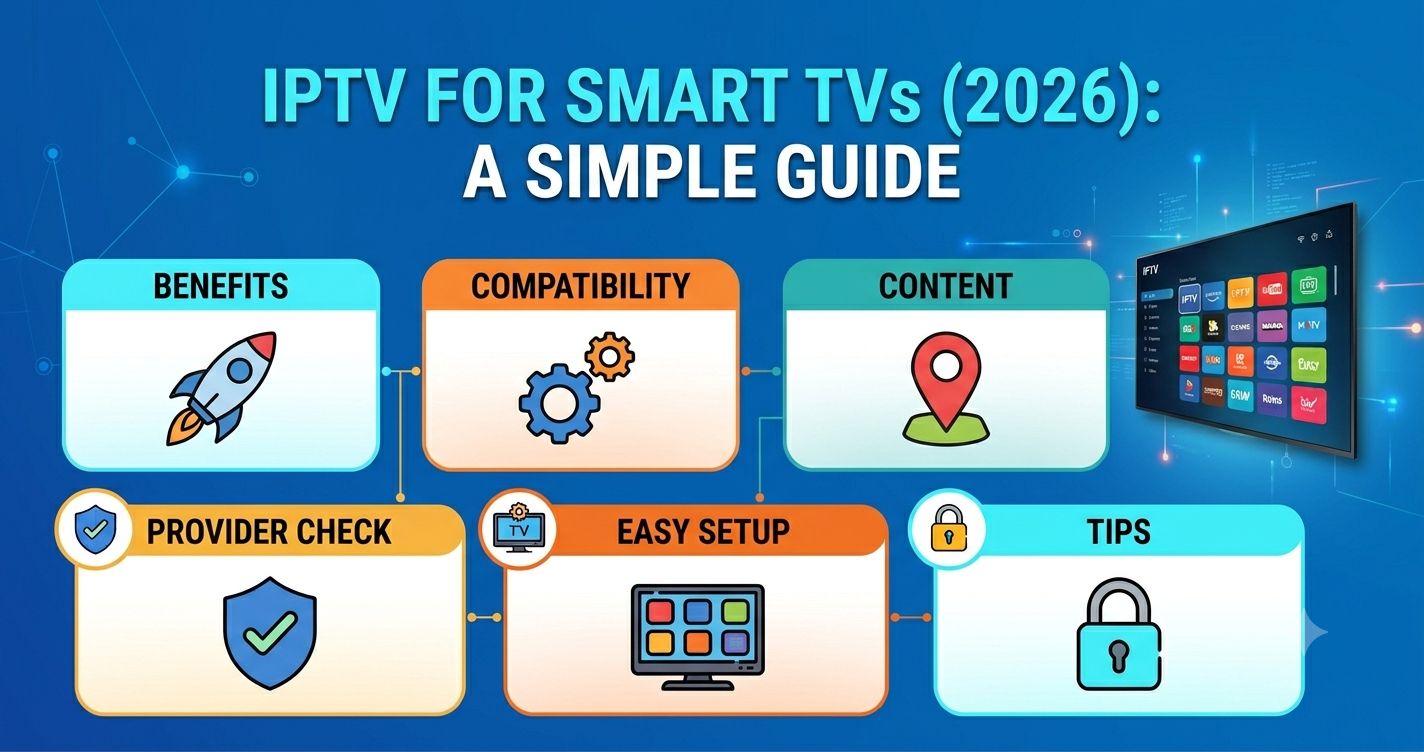

Most Smart TV IPTV Setups Fail for the Same Reason
Here’s something that surprises a lot of new subscribers: the majority of IPTV problems on Smart TVs have nothing to do with the service itself. They’re caused by app selection, DNS configuration, and how the TV’s operating system handles stream caching. We’ve seen subscribers blame their IPTV provider for buffering that was actually caused by a Samsung Tizen browser limitation or an LG webOS app that hadn’t been updated in two years.
Getting a stable IPTV subscription for Smart TVs in 2026 means understanding both sides of the equation, the infrastructure delivering the stream and the device receiving it.
The short answer: a quality IPTV subscription for Smart TVs works reliably when you pair it with the right app, configure DNS properly, and use a wired connection or a strong 5GHz Wi-Fi signal. The rest of this guide explains exactly how to do that across every major Smart TV platform.
Why Smart TV IPTV Performance Has Changed in 2026
ISPs in English-speaking countries have escalated their traffic fingerprinting capabilities significantly over the past 18 months. What worked passively in 2024 now requires some active steps on the subscriber’s side, particularly around DNS.
Smart TVs are especially vulnerable because their operating systems rarely allow users to install VPN apps natively. This means ISP throttling hits Smart TV streams harder than it hits Android devices where VPN support is straightforward.
The IPTV providers adapting to this environment in 2026 use multi-CDN routing, which distributes stream delivery across multiple content delivery nodes. When one node is throttled or blocked, traffic automatically reroutes. Subscribers using providers without this infrastructure notice the difference immediately during peak hours.
Why Not All Smart TV Platforms Handle IPTV the Same
Not all Smart TVs handle IPTV subscriptions equally. The platform your TV runs matters as much as the service you’re buying.
Samsung Tizen supports IPTV through apps like Smart IPTV and SS IPTV. The challenge is that Tizen applies strict memory limits to third-party apps. During high-bitrate 4K streams, buffer starvation is common on older Tizen devices (2019 and earlier), producing the freeze-and-resume pattern that subscribers often misread as a provider issue.
LG webOS has better memory handling than older Tizen versions and supports IPTV Smarters Pro through the app store in some regions. The webOS browser also handles M3U playlists reasonably well for basic use. Performance degrades noticeably on webOS 4.x devices during simultaneous app operations.
Android TV and Google TV are the strongest IPTV platforms in 2026. They support the full range of IPTV apps including TiviMate, IPTV Smarters Pro, and GSE Smart IPTV. They also allow VPN installation, which addresses ISP throttling directly.
Apple TV (tvOS) supports IPTV through GSE Smart IPTV and Flex IPTV. It’s a stable platform but app availability is more restricted compared to Android TV.
Choosing the Right IPTV App for Your Smart TV
| Platform | Recommended app | App store available | VPN support |
|---|---|---|---|
| Samsung Tizen | Smart IPTV / SS IPTV | Limited | No |
| LG webOS | IPTV Smarters Pro | Limited | No |
| Android TV / Google TV | TiviMate | Yes | Yes |
| Apple TV (tvOS) | GSE Smart IPTV | Yes | Limited |
| Amazon Fire TV | TiviMate / Smarters Pro | Sideload | Yes |
TiviMate remains the most capable IPTV player available in 2026. Its EPG handling, multiple playlist management, and buffer controls are significantly ahead of other options. Subscribers on Android TV and Fire TV should prioritise it.
Pro Tip: TiviMate’s buffer size setting is found under Settings > Player > Buffer Size. Increasing this to 10-15 seconds dramatically reduces the freeze-and-resume pattern during peak hours. Most subscribers never find this setting.
The DNS Setting Most Subscribers Never Touch
After reviewing hundreds of support requests over the years, DNS misconfiguration comes up more than any other fixable issue. Smart TVs default to the ISP’s DNS servers, which in 2026 are actively used for DPI-based traffic identification in several major markets including the UK, Australia, and parts of Canada.
Switching to a neutral DNS resolver changes how your traffic is classified before it even reaches the IPTV server.
DNS options worth using in 2026: Cloudflare (1.1.1.1 / 1.0.0.1), Google (8.8.8.8 / 8.8.4.4), or NextDNS with custom filtering profiles.
On Samsung Tizen: Settings, then General, then Network, then Network Status, then IP Settings, then DNS Setting, then Enter Manually.
On LG webOS: Settings, then Network, then Wi-Fi Connection, then Advanced Wi-Fi Settings, then DNS Server.
On Android TV, DNS change typically requires a VPN or router-level configuration.
What Good IPTV Infrastructure Looks Like in 2026
Subscribers often ask why some IPTV subscriptions for Smart TVs perform well during Champions League finals while others collapse completely. The answer is infrastructure architecture.
| Basic IPTV infrastructure | Professional IPTV infrastructure |
|---|---|
| Single CDN node | Multi-CDN routing |
| No failover | Automatic failover |
| Fixed DNS | Dynamic DNS with geo-routing |
| Shared bandwidth | Dedicated uplinks |
| No traffic monitoring | Real-time load balancing |
| 1080p stream limits | 4K stream delivery |
During a major Premier League weekend last season, we observed that services using single-node delivery had dropout rates exceeding 40% during simultaneous high-demand fixtures. Services with proper CDN redundancy maintained stable delivery throughout.
The IPTV subscription for Smart TVs that holds up during peak events is the one backed by infrastructure designed for traffic spikes, not average weekday viewing.
Why Your Connection Type Still Decides Everything
Wireless is always a compromise. Smart TVs placed 10 metres from a router, separated by two walls, on a 2.4GHz band are a consistent source of buffering complaints that no IPTV provider can solve.
Practical connection hierarchy for IPTV on Smart TVs: wired Ethernet is best, eliminating Wi-Fi entirely. 5GHz Wi-Fi in the same room or adjacent room is the next best option. A powerline Ethernet adapter is surprisingly effective. 2.4GHz Wi-Fi is the last resort, since it’s congestion-prone.
A Smart TV receiving a 25Mbps 4K stream over congested 2.4GHz Wi-Fi in a flat with 15 neighbouring networks will buffer regardless of how good the upstream infrastructure is. We’ve seen subscribers cancel subscriptions over exactly this scenario.
Pro Tip: If your Smart TV lacks an Ethernet port, a USB-to-Ethernet adapter solves this cleanly on most Android TV and Google TV devices. Samsung and LG models with USB ports also support this with compatible adapters.
Why Your IPTV Subscription for Smart TVs Buffers Only During Live Sport
This is one of the most misunderstood patterns in IPTV. On-demand content streams without issues. Live football triggers buffering at exactly kick-off. Subscribers assume this is a coincidence. It isn’t.
Live IPTV streams, particularly for major football, carry significantly higher bitrates than VOD content. A 4K live stream can require 25-40Mbps of sustained bandwidth. Simultaneously, ISP networks experience their highest load during major live events because millions of people are doing exactly the same thing.
The combination of higher stream bitrate, peak ISP network load, and traffic fingerprinting on live IPTV creates a perfect buffering scenario for subscribers on underpowered infrastructure.
The IPTV subscription for Smart TVs that handles this correctly uses servers that dynamically scale during scheduled high-demand events. Some providers pre-position CDN resources before major fixtures. Others don’t.
Before the FIFA World Cup 2026 finals, providers who haven’t invested in event-aware infrastructure scaling will experience significant dropout rates. This is predictable and preventable at the provider level.
How Resellers Should Present Smart TV Compatibility to Customers
For IPTV resellers and panel owners selling to Smart TV users, the setup support burden is disproportionately higher than for Android or Firestick customers. Smart TV operating system fragmentation creates dozens of app and configuration combinations that all behave differently.
An UK IPTV reseller who documents the top three Smart TV setup paths (Samsung Tizen, LG webOS, Android TV) and provides clear instructions for each reduces support tickets by a measurable margin. A reseller panel that supplies this documentation as a standard customer asset creates a retention advantage.
Sub-resellers who understand Smart TV limitations can set expectations correctly during the sales conversation. Subscribers who feel supported through a slightly complicated setup rarely cancel. Subscribers who encounter undocumented complexity often do.
Pro Tip: For resellers, create a simple one-page PDF setup guide for each Smart TV platform. Delivered at the point of subscription, it reduces Day 1 support requests by roughly half. Most panel owners never do this, which is why it differentiates the ones who do.
IPTV business owners scaling to larger customer bases should track which device categories generate the highest support volume. Smart TVs consistently come out top in this analysis. It’s not a reason to avoid the market, Smart TV penetration is rising, but it is a reason to build support capacity around it.
For serious UK IPTV reseller operations, britishseller.co.uk provides reseller panel access designed for operators managing mixed device environments including Smart TV subscriber bases.
Frequently Asked Questions
What is the best IPTV subscription for Smart TVs in 2026?
The best IPTV subscription for Smart TVs in 2026 combines multi-CDN stream delivery, automatic failover, and compatibility with major Smart TV apps including TiviMate, Smart IPTV, and IPTV Smarters Pro. Platform matters too, Android TV and Google TV deliver better IPTV performance than Samsung Tizen or LG webOS due to broader app support and VPN compatibility.
Why does my IPTV subscription for Smart TVs buffer during football?
Live football streams require significantly higher bandwidth than VOD content. During major fixtures, ISP networks and IPTV infrastructure both experience peak load simultaneously. Providers without multi-CDN routing and event-aware scaling struggle to maintain stable delivery. Switching to a wired connection and changing DNS settings often improves stability meaningfully.
Does an IPTV subscription work on Samsung Smart TVs?
Yes, but with limitations. Samsung Tizen supports IPTV through apps like Smart IPTV and SS IPTV. Older Tizen devices (2019 and earlier) can struggle with 4K streams due to memory constraints. DNS configuration within Samsung’s network settings can also improve stability on ISP networks that throttle IPTV traffic.
Is TiviMate available on LG Smart TVs?
TiviMate is not natively available on LG webOS. LG users typically use IPTV Smarters Pro or the webOS browser for M3U playlist loading. Android TV devices connected via HDMI or an Android TV stick are a common workaround for LG TV owners who want TiviMate’s more capable interface.
How much internet speed do I need for an IPTV subscription on a Smart TV?
For standard HD streams, 10Mbps is sufficient. For 1080p, 15-20Mbps is recommended. For 4K live streams, sustained bandwidth of 25-40Mbps is required. These figures apply per stream, so households running multiple IPTV streams simultaneously need proportionally higher total bandwidth.
Can IPTV resellers sell subscriptions specifically for Smart TV users?
Yes, and this is a growing market segment. IPTV resellers who understand Smart TV platform differences can position their service more effectively and reduce post-sale support volume through proper onboarding. A reseller panel that provides platform-specific setup guides gives panel owners a tangible sales and retention advantage over UK IPTV resellers offering generic support.
Why does my Smart TV IPTV work fine then suddenly stop?
This pattern typically indicates ISP-level throttling or DNS interference rather than a provider outage. The IPTV subscription for Smart TVs is connecting successfully but being degraded mid-session. Changing your Smart TV DNS settings to Cloudflare (1.1.1.1) or Google (8.8.8.8) resolves this in the majority of cases.
Does IPTV work on Apple TV?
Yes. Apple TV supports IPTV through apps like GSE Smart IPTV and Flex IPTV. tvOS is a stable platform for IPTV delivery but has fewer app options than Android TV. Apple TV also lacks native VPN support at the app level, so ISP throttling issues typically require router-level VPN configuration.
Conclusion
An IPTV subscription for Smart TVs in 2026 works well when the right variables are in place, a platform that supports capable apps, DNS configured away from ISP defaults, a wired or strong 5GHz connection, and infrastructure on the provider side that was built for peak load rather than just average weekday usage.
The subscribers who experience the most frustration are typically those who chose a Smart TV IPTV setup based on price alone. The subscribers who stick around, and the resellers who retain them, are the ones who understood from day one that the device, the network, and the provider all have to be functioning correctly together.
Getting an IPTV subscription for Smart TVs right is not complicated. But it does require making deliberate decisions at each layer rather than hoping the defaults work.
Success Checklist
Subscribers:
- Identify your Smart TV operating system (Tizen, webOS, Android TV, tvOS)
- Install the correct IPTV app for your platform
- Change DNS settings to Cloudflare (1.1.1.1) or Google (8.8.8.8)
- Use a wired Ethernet connection or 5GHz Wi-Fi
- Increase buffer size in TiviMate if applicable
- Test stream stability during a live sport event before committing
Closing Insight
The IPTV subscription for Smart TVs question looks simple on the surface but sits at the intersection of ISP policy, device architecture, and infrastructure quality. The biggest lesson from real-world deployments in 2026 is that passive setups increasingly fail, DNS defaults, default apps, and default Wi-Fi configurations are all points of failure that require active decisions. Subscribers and UK IPTV resellers who make those decisions once, correctly, rarely have to revisit them.