
How to Pull M3U Links and Xtream Codes From Your IPTV Panel
So you’ve got panel access, you’re logged in, and the screen in front of you looks like a spreadsheet had an argument with a control room. Usernames everywhere, little red clipboard icons, ratios that mean nothing yet, and a sidebar full of tabs you haven’t touched. I remember that exact moment. The good news is that ninety percent of what you’re looking at, you’ll never need on a daily basis. The part that matters fits on one screen, and once it clicks, the rest fades into the background.
This walkthrough covers how to pull M3U links and Xtream Codes out of a live panel and hand them to a customer without the back-and-forth that usually eats your evening. I’ll flag the spots that caught me out early on, because they’re the same ones that catch everyone.
Reading the Dashboard Without Getting Overwhelmed
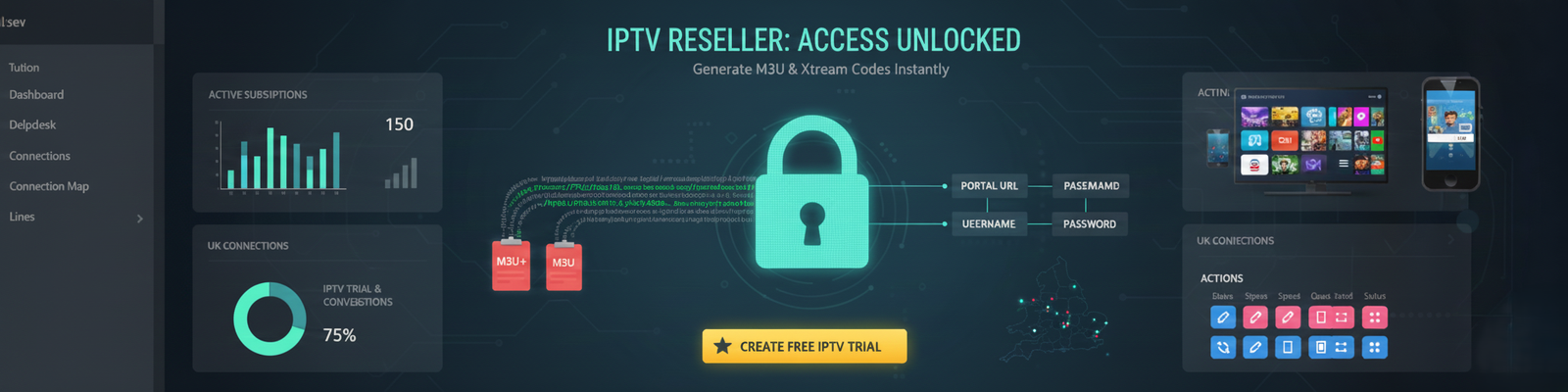
Give yourself thirty seconds before you start clicking anything. The dashboard looks busy because it’s showing you live data, not because it’s complicated. There are really only four numbers worth understanding at the top, and they all answer a different question about the health of your operation.
Active Subscriptions is your money number. These are people on a live, paid plan right now, and it’s the figure you’ll glance at most. Total Lines counts every account you’ve ever spun up, expired ones included, which is handy when you’re thinking about capacity or trying to work out how many trials never converted. Open Connections is the one that tells you about server load. It’s how many streams are actually running this second, and a sudden spike there is sometimes your first warning that something’s straining. App Access URLs is the portal link your customers’ apps need, and you’ll be copying it constantly, so it’s worth pinning somewhere you can grab it fast.
The tab you actually live in is Line Management. Every subscription’s credentials sit there, and both the M3U link and the Xtream login get generated from the exact same underlying account. That’s the thing to internalise early: you’re not running two separate systems. You’re running one account and choosing how to package it.
| Feature | M3U Playlist | Xtream Codes |
|---|---|---|
| Setup difficulty | Easy, one link | Three fields to enter |
| Works on VLC / basic players | Yes | No |
| Works on Smarters / TiviMate | Partially | Best option |
| Auto channel updates | No | Yes |
| Suspend remotely | No | Yes |
| EPG / guide support | M3U+ only | Full support |
| Best use | Backup format | Primary recommendation |
Which Format Do You Actually Send a Customer?
Here’s the rule of thumb that saves you most of the confusion. Smart apps want Xtream Codes. Everything else takes an M3U+ link. That’s it.
The longer version is about what each format gives you and gives up. An M3U playlist is dead simple. It’s one link, the customer pastes it, and it loads. It works in VLC and basic players, but it doesn’t auto-update channels, and once you’ve sent it, you’ve lost the ability to push changes to that customer remotely. Xtream Codes take a few more steps to set up because they’re three separate fields instead of one URL, but they unlock the things that matter when you’re managing accounts at scale: channels update on their own, the EPG guide populates properly, and you can suspend or upgrade someone straight from the panel and have it take effect immediately.
So the honest framing isn’t “which is better.” It’s “what’s sitting in the customer’s hands.” Somebody running an old box on VLC gets an M3U link. Somebody on Smarters or TiviMate gets Xtream Codes, full stop. The panel builds both from the same account, so you’re never locked in.
(see M3U vs Xtream Codes comparison table below)
Pulling an M3U+ Link the Right Way
An M3U link is really just three things stitched into one URL: the server address, the username, and the password. Something like UELU5785 for the user and 836738HJ for the password gets folded into a single string, and the panel assembles it for you. You don’t build anything by hand.
One small thing that threw me the first time. When you open the Lines page on an account with a big customer list, it takes a couple of seconds to load. Two to four, usually. That’s not a glitch, it’s the panel pulling live data, and the temptation is to click again because nothing happened instantly. Don’t. You’ll just confuse yourself with a double action. Let it breathe.
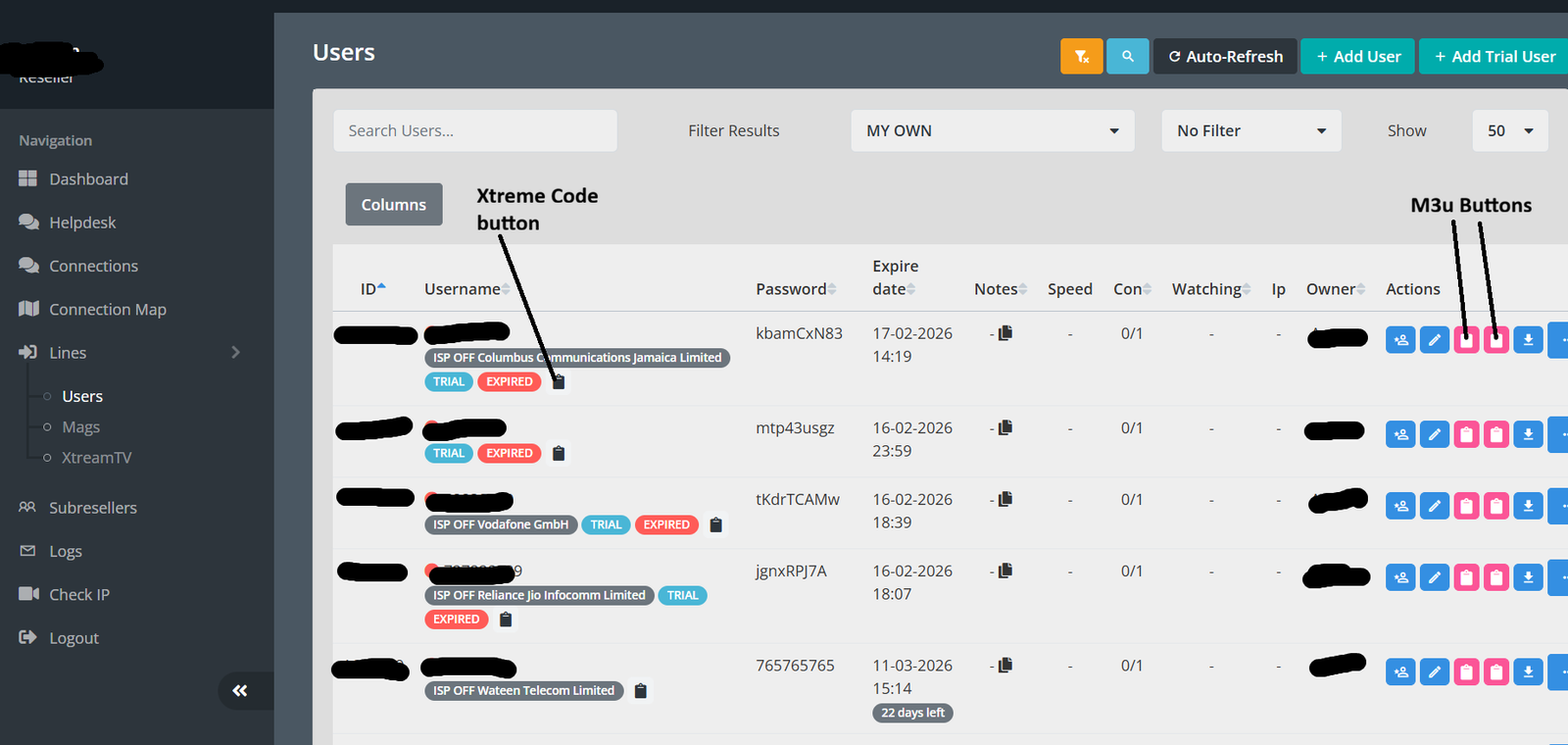
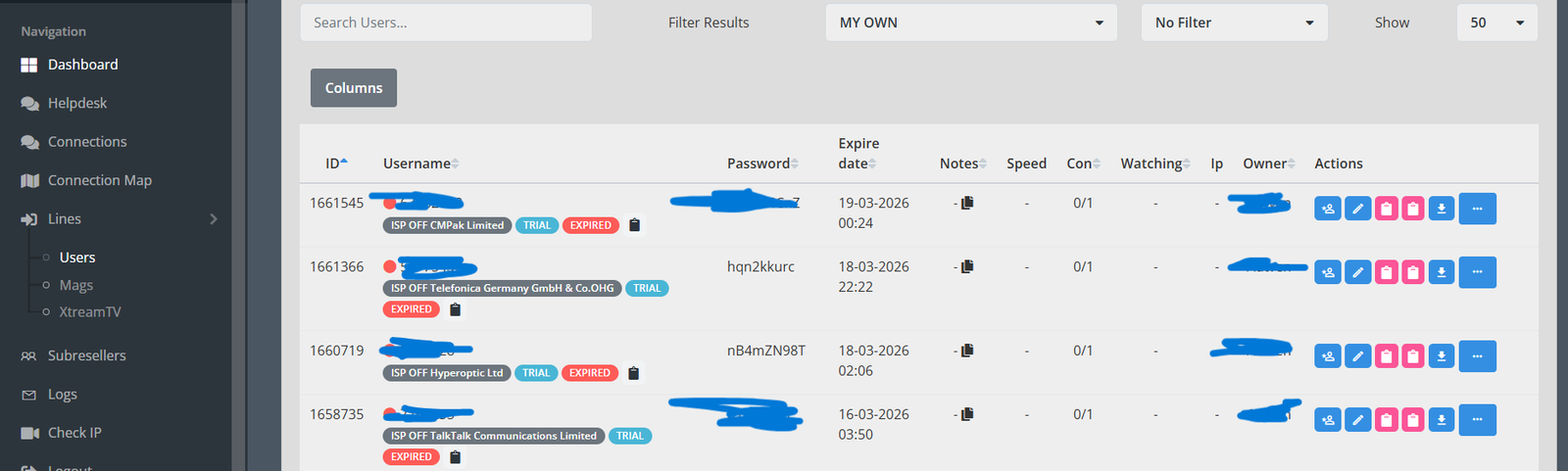
Now, the part where most new UK IPTV reseller trip. Next to each username in the Actions column, you’ll see two red clipboard icons sitting right next to each other. They are not the same.
The left one gives you a standard M3U link. It technically works, but it strips out channel logos and EPG data, which means your customer opens their app to a guide that’s completely empty and immediately messages you asking why. The right one is M3U+, sometimes labelled M3U_Plus, and it carries the extra parameters that let modern players show categories, logos, and a proper TV guide. Use the right one by default. The only time the left one earns its place is when a customer’s on something old enough that it chokes on the extended format, and that’s rare enough that you’ll know it when it happens.
The Two Clipboard Icons: Don’t Pick the Wrong One
Next to each username in the Actions column, there are two red clipboard icons. This is where most new IPTV resellers make their first mistake:
Left clipboard (Standard M3U): Generates a basic link. It works, but you’ll lose channel logos and EPG data. Customers will complain the guide is empty.
Right clipboard (M3U+ / M3U_Plus): Always use this one. It includes the extra parameters that allow modern players to display categories, logos, and a full IPTV guide.
The only time you’d use the left clipboard is if a customer is on an older device that has trouble parsing the extended M3U+ format, which is rare.
Step-by-Step: Copying the M3U+ Link
- Go to Lines in the panel’s left sidebar.
- Find the customer by their username, using the search bar if you have more than 20 lines.
- Click the right red clipboard icon in the Actions column. The link copies to your clipboard instantly, with no confirmation dialog.
- Paste and send directly to the customer. That’s the full M3U+ URL.
Total time: under 30 seconds once you’ve done it a couple of times.
Sending Xtream Codes: Three Fields, Not a Link
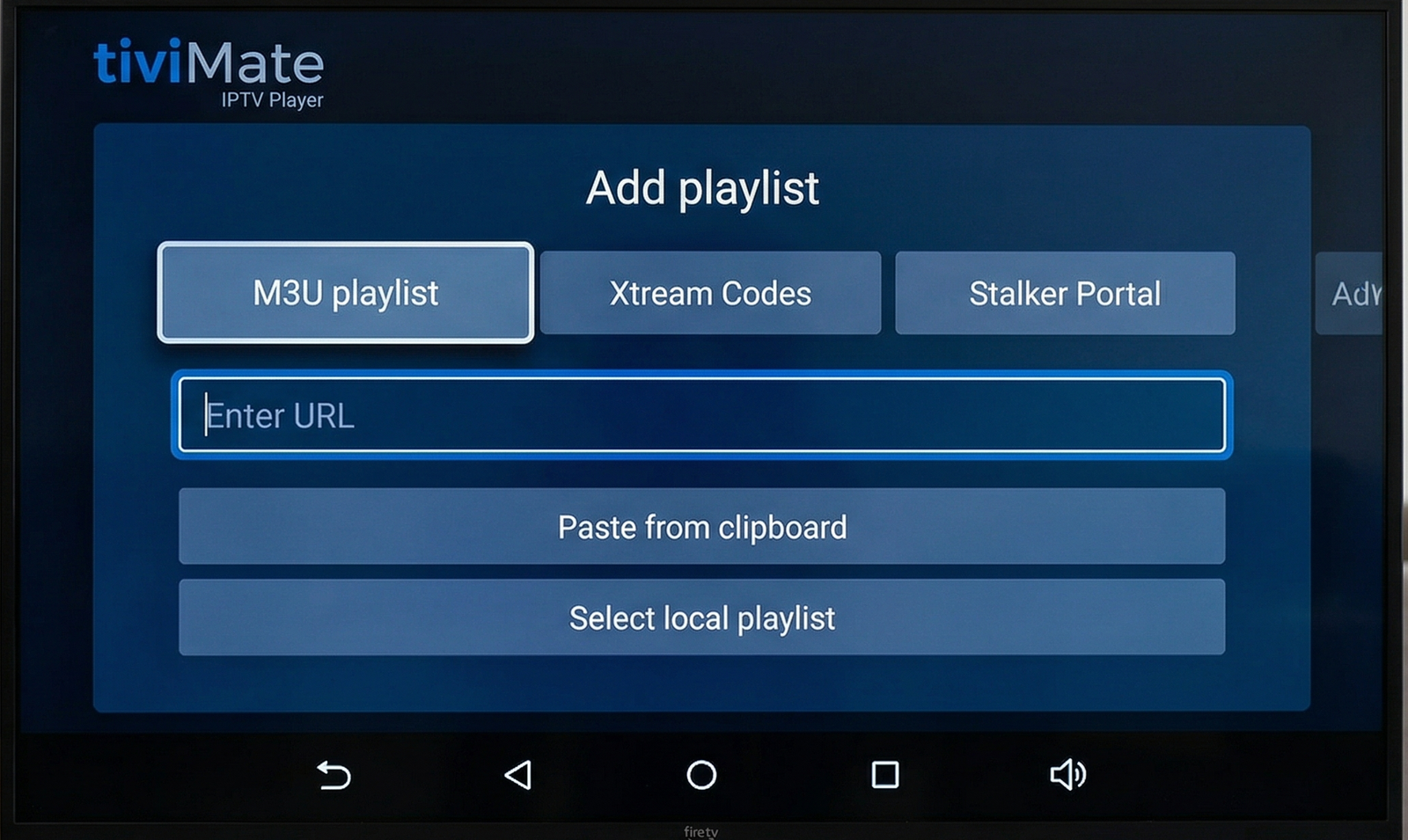
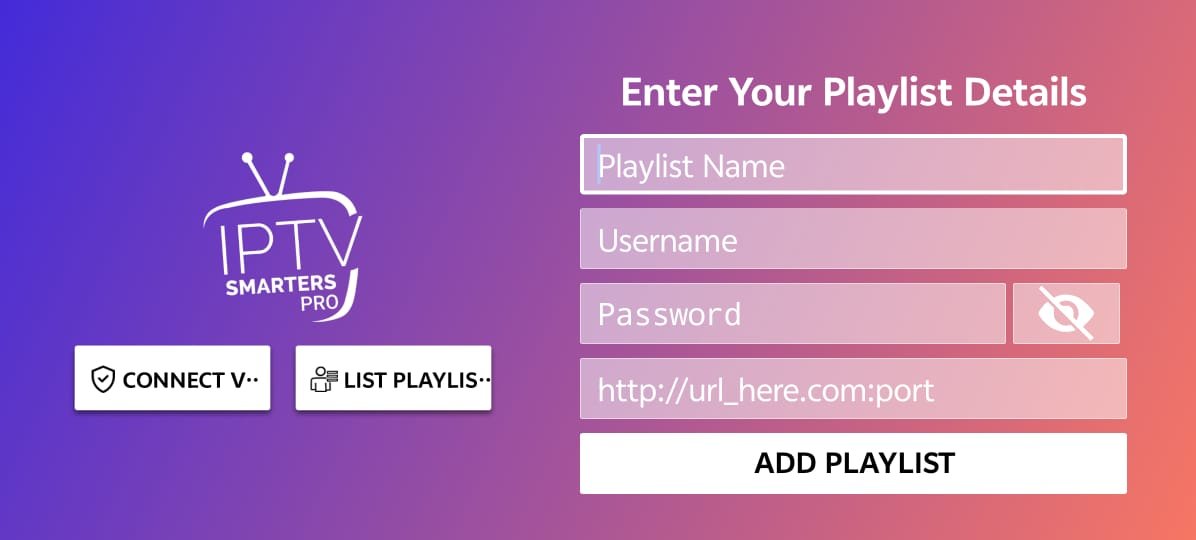
This is where the M3U habit works against you. Xtream Codes aren’t a link at all. They’re three login credentials, because apps like Smarters Pro and TiviMate have their own login screen that asks for each piece separately. Send one of those users a plain M3U link and you’ll get a puzzled reply, because their app has no box to paste it into.
The Three Credentials You Need to Send
The three things you’re sending:
The Portal URL, which lives in the App Access URLs section of your dashboard. It’s the main server address, it looks like a normal web address, and you need to copy it exactly, including the http:// at the front. Leave that prefix off and the login fails.
The Username, which is the same one from your Lines list. UELU5785, in our example.
The Password, sitting right next to that username. 836738HJ.
Here’s the bit that genuinely surprised me when the penny dropped: the username and password in your Lines list are the Xtream credentials. They’re also the exact same details baked into the M3U link. Same account, same login, two wrappers. The M3U link appends them as query parameters on a .php endpoint, while the Xtream login fires them through a login API call. Different plumbing, identical credentials.
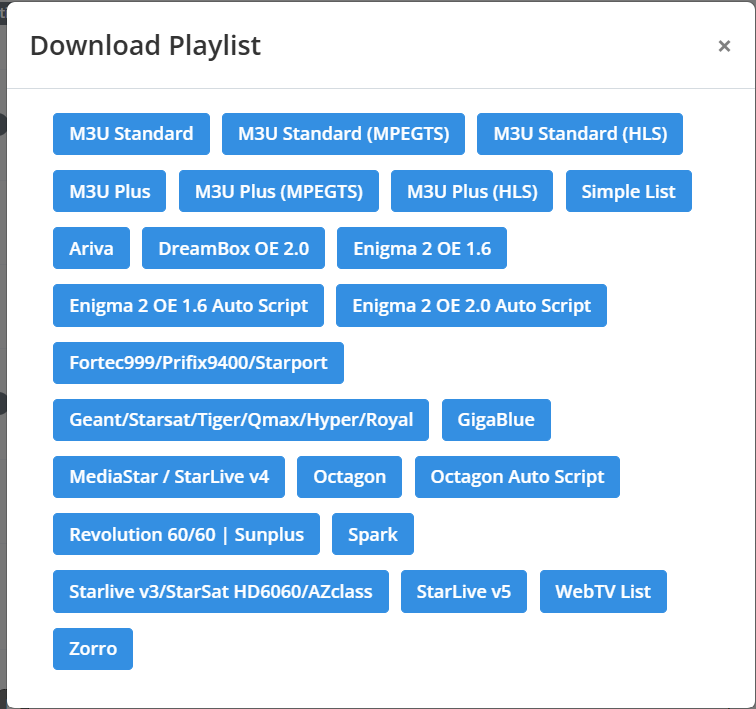
To send them: grab the Portal URL from App Access URLs, head to Lines, find the customer, and note their Username and Password. Read them off the screen, don’t type from memory, because one wrong capital letter and you’re troubleshooting a login that was never going to work. Most resellers send all three in a single tidy block so the customer can copy each field cleanly.
Step-by-Step: Sending Xtream Codes
- Go to App Access URLs in your dashboard. Copy the Portal URL.
- Navigate to Lines and locate the customer’s account.
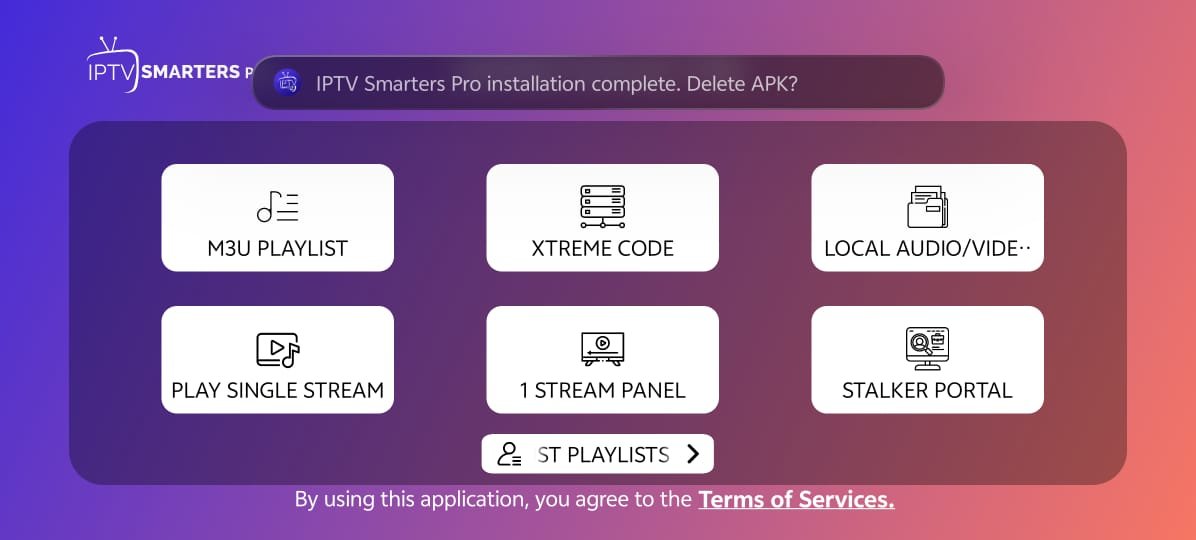
- Note the Username and Password. Do not copy from memory, double-check the exact characters, including capital letters.
- Send all three to the customer. Most resellers paste them in this format: Portal URL: [url] / Username: [user] / Password: [pass]
Managing Lines Day-to-Day: Trials, Suspensions, and Connection Limits
IPTV Trials: Your Best Sales Tool
The TRIAL tag in Line Management is genuinely useful. A 24-hour IPTV free trial costs you nothing and converts well if your service is solid. The panel handles expiry automatically, you’ll see the status flip to EXPIRED without any action on your part. When a trial converts to a paid subscriber, click the pencil (Edit) icon next to their line. Change the expiry date, update the package if needed, and save. Takes about 90 seconds.
The Actions Column: What Each Icon Actually Does
- Pencil (Edit): Extend expiry, upgrade package, change connection limit. Use this constantly.
- Lock (Suspend): Disables the line without deleting it. Useful for non-payment or account holds. The customer sees an “account suspended” error.
- Trash (Delete): Permanent removal. Do this for long-expired accounts to keep your line list clean and reduce server overhead.
- Info/Log: Shows what the user is currently watching and their connection history. Critical for debugging buffering complaints, since if their log shows they’re connected fine but complaining of freezing, the issue is usually on their network, not your server.
Reading the Connection Ratio
The Con column shows a ratio. Here’s what each scenario actually means in practice:
| Ratio | Situation | What to Do |
|---|---|---|
| 0/1 | User has 1 allowed connection, currently idle | Normal, no action needed |
| 1/1 | User is actively streaming, at their connection limit | Normal, they’re using the service |
| 2/1 | Two active streams on a single-connection account | Account sharing, offer a multi-connection upgrade or suspend |
If you see 2/1 persistently, it usually means the customer shared their login. Worth reaching out to upsell them on a dual-connection plan rather than immediately suspending, since it’s a revenue opportunity.
What Most IPTV Reseller Guides Don’t Tell You
This section covers the stuff that only comes up after you’ve actually run into it.
The M3U Link Goes Stale When You Change a Password
If you ever edit a user’s password through the panel (some IPTV resellers do this periodically for security), the old M3U link breaks immediately. The customer will get a “stream unavailable” error and contact you. You need to re-send the new M3U+ link. Xtream Code logins break too, obviously, but at least apps like Smarters show a clear “login failed” message instead of just freezing.
Some Panels Changed Their M3U Structure in Early 2026
A few reseller panel providers modified their server architecture in January 2026, which broke M3U links for some users. The fix is adding a custom domain to your panel settings, so contact your provider if your existing M3U links suddenly stopped loading. Xtream Codes were unaffected in most cases because they go through a different API endpoint.
Buffer Control Is Off by Default on Some Panels
If customers report streams that load then freeze at the 30-second mark, check whether buffer control is enabled in your stream settings. On at least one panel I’ve used, it ships disabled. Enabling it adds a small delay to initial load (2-3 seconds more) but eliminates those freeze-and-recover cycles that make customers think the service is bad.
The Panel Lags on First Load After Inactivity
If you haven’t opened the dashboard in a few hours, the first page load is slow, sometimes 8 to 12 seconds before the Line Management tab populates. It’s a session refresh, not a server issue. Don’t keep clicking; give it a moment.
Who This Is NOT For
A few honest notes on where reselling breaks down:
- If your provider’s servers are unreliable, no amount of panel management will fix customer complaints. Source quality is everything.
- If you’re selling to non-technical users who can’t follow a three-step setup guide, expect high support volume with Xtream Codes. Some customers genuinely need a pre-configured device.
- If you’re expecting the panel to automate billing and invoicing, it doesn’t. Line Management is credential management only. You’ll need a separate payment workflow.
IPTV reseller customer support on WhatsApp
About Me
 Muhammad Ahmad Adnan is an IPTV expert at Autven Private Limited, specializing in IPTV panels, reseller systems, and stream performance optimization. He works directly with live environments, ensuring stability, security, and reliable delivery through tested, real-world solutions. Connect: Instagram Facebook TikTok