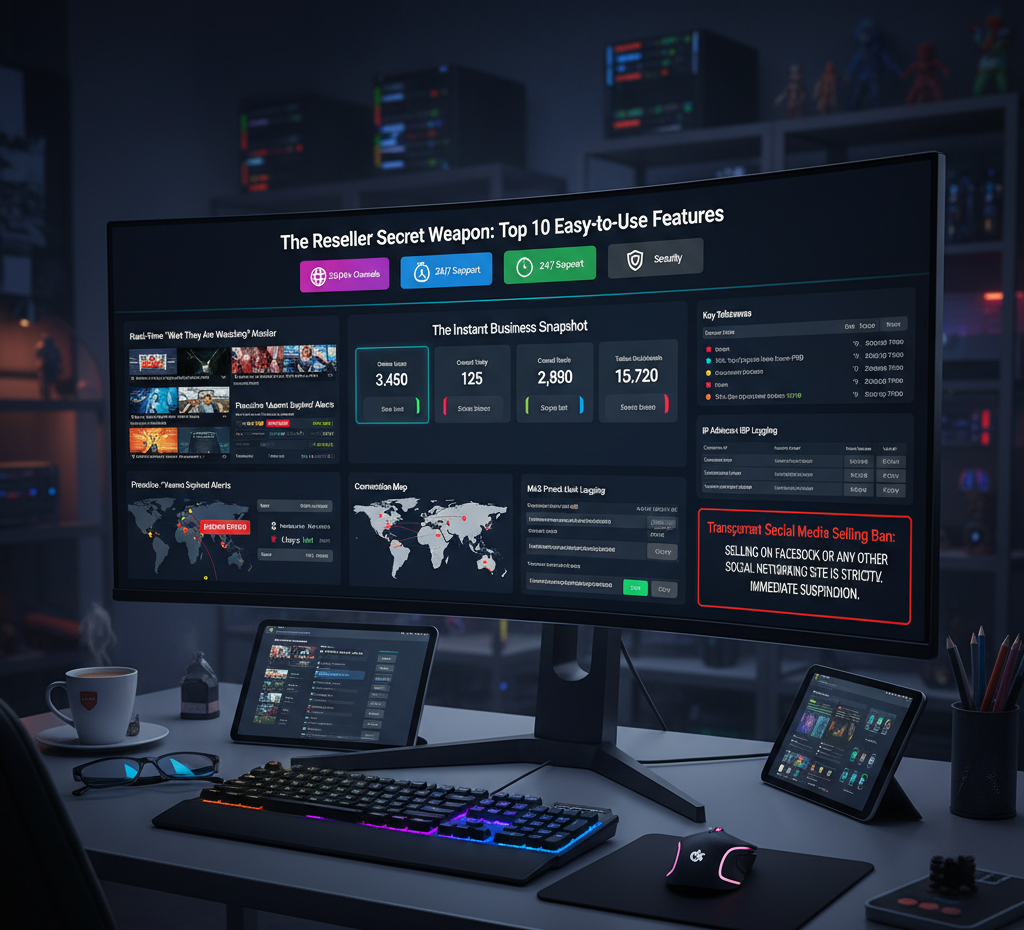

The Reseller Secret Weapon: IPTV Panel Features That Actually Move the Needle
If you’ve been running an IPTV reselling business for more than a few months, you already know the dirty truth: the service itself isn’t what separates profitable resellers from ones who grind for nothing. It’s the panel. Specifically, whether your IPTV panel gives you real control or just the illusion of it.
I’ve spent time inside several of these dashboards clicking through menus, setting up test accounts, triggering edge cases and the difference between a panel that scales and one that quietly kills your margins is almost always in the details most reviewers skip.
This isn’t a feature list. It’s a walkthrough of what actually matters, why some features sound good but underdeliver, and what a properly built IPTV reseller panel should do before you even open a support ticket.
IPTV Panel Features That Make Selling Faster and Smarter
1. Trial Account Controls That Don’t Get Abused
Free trials are your top-of-funnel. The problem is that poorly configured trial systems get exploited fast people spin up accounts, share credentials, and you burn through credits before you’ve converted a single paying customer.
A well-built IPTV panel lets you assign trials by content package, not just time. So instead of handing someone a 24-hour open-access pass, you’re saying: “Here’s 6 hours with the UK & Sports pack.” That’s it.
The setup in the panel typically lives under a Trial Configuration section within User Management. You pick the package (say, “WORLD PACK” or “ASIA BUNDLE”), set the duration in hours, and tie it to a credit deduction even if that deduction is zero. What that zero-credit flag actually does is confirm the trial is tracked. You can’t create unlimited ones. The system counts them.
Why does this matter? Because when a trial is scoped to a content set that matches what the customer actually asked about say, they inquired about Indian channels the conversion rate is noticeably higher than giving them access to 10,000 channels they don’t care about. Relevance closes.
What to check in your panel:
- Can you restrict trial content by package?
- Is there a credit cap or usage log per trial?
- Are trial accounts visually differentiated in the user list?
2. Expiry Alerts That Do the Chasing for You
Nobody renews on time. That’s just reality. And if you’re managing 200+ active lines, manually tracking who’s about to lapse is how you lose 15–20% of your monthly revenue without even noticing.
The IPTV panel flags this at the user list level accounts within a short window of expiry get a visible “ALMOST EXPIRED” tag, usually with a countdown showing something like “1 day left.” You don’t go hunting for it. It’s right there on the main line view when you log in.
In practice, this functions as your daily retention list. First thing in the morning, filter the user list by that tag and you’ve got your call/message queue. These are warm customers they’re already paying you. Keeping them is ten times easier than finding new ones.
The panels that do this well make the tag filterable. The ones that don’t make you export a CSV and sort it yourself. That gap in workflow time adds up.
3. The Dashboard Snapshot: Your Business at a Glance
When you log into a good IPTV reseller panel, the home screen should answer four questions before you’ve clicked anything:
- How many users are online right now?
- How many accounts were created today?
- How many this month?
- What’s the total active subscription count?
These aren’t vanity metrics. “Created Today” being low at 2pm tells you your morning outreach didn’t work. “Online Users” spiking at an unusual hour might mean someone’s sharing a line across time zones. The snapshot gives you a pulse.
Most dashboards surface this in a widget row or stat bar at the top of the home screen. If yours buries it under a Reports tab, that’s a UX failure and it means you’re probably checking it less often than you should.
Using Your IPTV Panel to Stop Fraud and Solve Problems Fast
4. Live Stream Monitor for Real-Time Troubleshooting
This is the feature that saves the most support time, and the one most resellers don’t fully use.
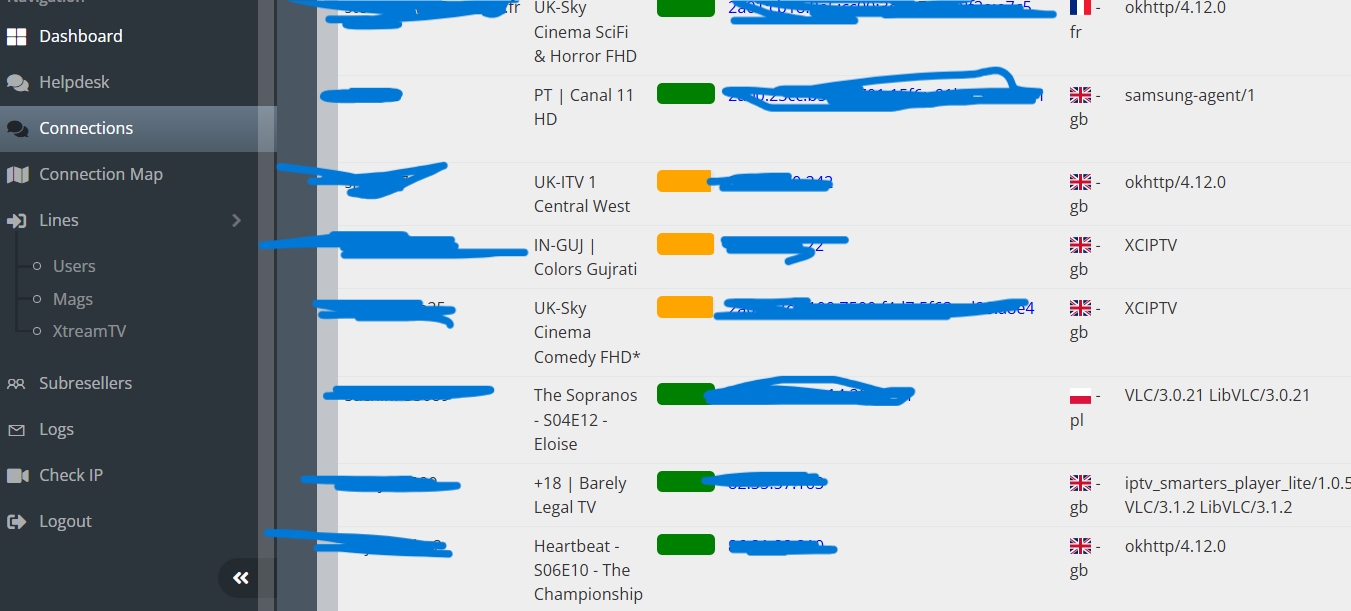
When a customer calls saying their stream is buffering, you have two options: guess, or look. The IPTV panel’s live monitor shows you exactly what that line is playing right now channel name, quality (e.g., , their current IP, and session duration.
If their session shows 90 minutes of continuous playback and they’re complaining about buffering that started “two minutes ago,” you already know: it’s not your server. It’s their connection. You can tell them that confidently, because you can see it.
The session duration field is underrated. It tells you the stream has been alive and stable. That one data point closes most “is it your server or my internet?” arguments immediately.
Where to find it: usually under an Active Connections or Live Sessions tab in the main navigation. Some panels call it the Stream Monitor or Online Users view.
5. ISP Lock: The One-Click Account Sharing Stopper
Account sharing is a slow leak in your revenue. One customer pays; three people in different cities use it. You can’t easily detect it from the outside but your IPTV panel can.
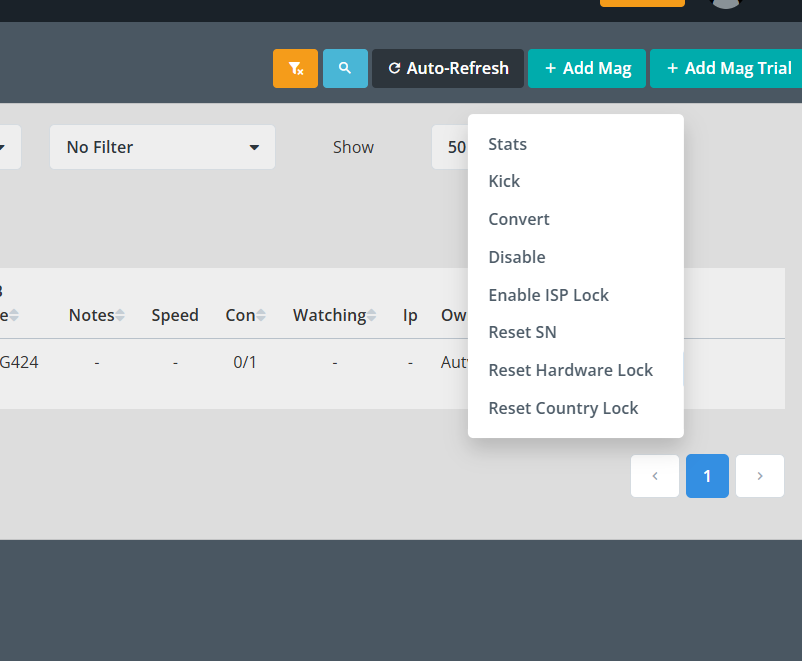
The ISP Lock feature ties an account to the Internet Service Provider recorded at first login. So if your customer is on BT in Manchester, that line will only work for BT connections. Someone in a different city on Virgin Media tries to use the same login they’re blocked.
Setting it up takes about five seconds during line creation. There’s usually a checkbox or toggle in the Line Configuration screen. Check it, save, done.
A word of warning: some customers do use VPNs or travel. If ISP Lock is enabled and they try to stream from a hotel on a different provider, they’ll get locked out too. It’s worth mentioning this when you onboard customers so they know to contact you if they travel.
6. IP and ISP Logging: The Digital Paper Trail
Every connection that hits your IPTV panel should be logged. IP address, ISP name, connection timestamp, and account status. This isn’t just about fraud it’s about understanding your customer base.
Here’s what a properly logged entry looks like:
- Connection IP: 86.150.249.160
- ISP: British Telecommunications PLC
- Status: ACTIVE / TRIAL / EXPIRED
The ISP field is particularly useful when paired with ISP Lock. If someone claims their service stopped working and their logged ISP doesn’t match their reported location, you know something’s off before you spend an hour troubleshooting their router.
If a trial request comes from a known datacenter IP which often means someone’s running a VPN to abuse trials you can catch it here.
Advanced IPTV Panel Tools for Reseller Growth
7. Multi-Device Support: MAG, XtreamTV, and ZapX in One Place
Here’s where a lot of panels fall short: they handle one device type cleanly and make a mess of the others.
A proper IPTV reseller panel has dedicated management sections for each protocol:
- MAG/Stalker devices older set-top boxes that use a portal URL format
- XtreamTV (M3U) used by apps like TiviMate, GSE, IPTV Smarters; most Firestick users land here
- ZapX proprietary app support for specific providers
Each section has different fields, different credential formats, and different troubleshooting paths. When they’re unified in one panel, you switch between them without logging into separate tools. That saves time and reduces the chance of sending a customer the wrong type of credential.
The tabs are usually labeled clearly in the left-side navigation. If your panel mixes these into one generic “Users” view without filtering, expect setup errors.
8. MAG Portal URL Manager: One Click, No Typos
MAG device setup is where most customer complaints during onboarding originate. The portal URL has to be exact. One wrong character and the device won’t connect and most customers don’t know how to check if they typed it correctly.
A good IPTV panel stores your MAG portal URLs in a dedicated section and puts a Copy button next to each one. You click copy, paste it into your message to the customer, done. No manual typing. No transposition errors.
This sounds minor. It isn’t. MAG portal issues are disproportionately represented in support queues, and almost all of them trace back to a URL that was slightly wrong. Removing the human error step from your side cuts that number significantly.
9. Platform Selling Policy Enforcement (And Why It Protects You)
Some panels include a visible policy notice prohibiting resellers from openly selling on social platforms like Facebook. At first glance, this looks like an inconvenience. It’s actually protecting your margins.
When resellers undercut each other publicly, prices race to the bottom. A customer who sees someone selling a line for £3/month won’t understand why you’re charging £8 even if your service, support, and reliability are significantly better. Open-market price wars erode the perceived value of the entire service.
A panel that enforces this with a clear zero-tolerance policy (posted visibly in the dashboard, not buried in a terms page) keeps the ecosystem stable. It’s not about restriction. It’s about protecting the price floor that makes the business sustainable for serious IPTV panel.
10. Connection Map and IP Checker: Know Your Customers Geographically
The Connection Map feature in your IPTV panel shows you where active users are connecting from, plotted geographically. At a glance, you can see if your customer base is concentrated in one region, or if you’re seeing connections from countries you don’t service.
The Check IP tool is the companion feature paste in any IP and get immediate intel: location, ISP, whether it’s flagged as a proxy or datacenter. Use this for:
- Vetting trial requests (datacenter IPs often signal abuse)
- Verifying customer claims about their location
- Identifying suspicious multi-location logins
Together, these two tools give you a global view of your network without needing a separate analytics platform.
What Most IPTV Panel Reviews Don’t Tell You
Most review articles on IPTV reseller panels focus entirely on the feature list. Here’s what they skip:
Load time on the dashboard matters more than it sounds. If your panel takes 8–12 seconds to load the user list when you have 300+ accounts, you’ll start avoiding it. That avoidance costs you renewals.
The export function is almost always broken or limited. Need to pull your full user list with expiry dates into a spreadsheet? Most panels make this harder than it should be. Test this before you commit to a platform.
Credit deduction errors happen. At some point, a trial or account creation will charge you credits incorrectly. A panel with a proper credit log (showing every deduction with timestamp and account ID) is the only way to audit and dispute this. If yours doesn’t have one, you’re operating blind.
Customer notes fields are rare and undervalued. Being able to add a note like “customer uses VPN, ISP Lock disabled” to a line prevents you from making the same support mistake twice. Not all panels have this. The ones that do save hours over time.
Real Setup Mistakes I Made (and How to Fix Them)
Mistake #1: Enabling ISP Lock on every account by default. Customers who travel, use mobile data, or switch broadband providers will get locked out. Now I check with customers about their usage habits before enabling it.
Mistake #2: Not filtering the expiry view daily. I let a few “ALMOST EXPIRED” accounts slip through and lost the renewals. The tag is only useful if you actually check it. It became a morning habit, not an afterthought.
Mistake #3: Sending MAG portal URLs manually. Before I used the copy button consistently, I introduced a typo that took 45 minutes of back-and-forth to diagnose. The portal URL was one character off. One click would have prevented the whole thing.
Mistake #4: Not checking trial request IPs. Early on I approved trials from datacenter IPs without running them through the IP checker. Several turned out to be VPN abuse attempts. Now every trial request gets a quick IP check first.
FAQ: IPTV Panel Questions Resellers Actually Ask
What is ISP Lock and should I use it on every account?
ISP Lock restricts a subscription to the customer’s home internet provider. It’s effective at stopping account sharing, but it will block legitimate users who travel or use mobile data. Use it case-by-case discuss it with the customer first, especially if they’ve mentioned using a VPN or switching providers recently.
What’s the difference between MAG and XtreamTV connections?
MAG devices (older set-top boxes) connect via a portal URL using the Stalker protocol. XtreamTV connections use a username, password, and server URL this is what apps like TiviMate, GSE IPTV, and IPTV Smarters use. They’re completely different credential formats. Your panel should manage both in separate sections.
Why does session duration matter in the live monitor?
Session duration tells you how long the current stream has been running uninterrupted. If a customer claims their stream dropped out, but the monitor shows a 2-hour active session, the issue is almost certainly on their end not your server.
What does a zero-credit trial actually mean?
It means the trial costs you nothing to create, but it’s still tracked by the system. You can’t generate unlimited zero-credit trials the panel counts them and limits creation. The “0 credits” label refers to cost, not unlimited access.
How do I use the IP checker to vet trial requests?
Take the IP from the trial request or first connection, run it through the Check IP tool, and look at two things: the ISP name and whether it’s flagged as a VPN or proxy. Legitimate home users show residential ISPs. Data centre or proxy flags are a warning sign.
What’s FHD 50fps and why do customers ask about it?
FHD is Full HD resolution (1080p). 50fps means 50 frames per second this matters most for live sports, where fast motion can blur at lower frame rates. Customers who watch football, cricket, or racing often specifically ask for 50fps streams because the difference is noticeable.
Can I manage multiple reseller accounts from one panel?
Most panels are structured around a single reseller account with a credit-based system. If you’re managing sub-resellers under you, look for a panel that includes a Sub-Reseller section this lets you allocate credits to others and track their sales separately from yours.
The right IPTV panel doesn’t just manage your customers it gives you the operational visibility to run a real business. Expiry alerts, live session monitoring, ISP locking, geographic mapping individually these are features. Together, they’re the difference between reacting to problems and preventing them.
If your current panel doesn’t surface this information clearly, you’re spending time on tasks the software should handle. That time has a cost, even when it doesn’t show up on an invoice.