
Best IPTV Player Apps for iPhone and Apple TV in 2026
For most Apple TV customers, iPlayTV is the safest first recommendation, it’s the most native-feeling interface, handles EPG reliably, and has the lowest learning curve. GSE Smart IPTV is the better call for power users who want manual control over buffering and decoding.
If you’ve been running an UK IPTV reseller business for any length of time, you already know that the app your end users choose makes or breaks the experience. It doesn’t matter how clean your panel is or how solid your provider’s uptime is, if a customer opens a buggy player on their Apple TV and the stream freezes every 90 seconds, they’re blaming you.
This guide covers what actually works in 2026, specifically for iPhone and Apple TV setups. I’ll also walk through the reseller panel side of things, because most content out there separates those two topics when they really belong together.
Why Apple TV Is Now the Dominant Device for IPTV Customers
A few years ago, Android boxes dominated the reseller market. That’s shifted noticeably. More customers in the UK, US, and EU are arriving with Apple hardware, either a 4K Apple TV or an iPhone, and asking which app to use.
The hardware is genuinely excellent for streaming. The Apple TV 4K handles H.265/HEVC without breaking a sweat, and the remote actually works like a normal remote. Customers who buy Apple hardware expect premium performance, which means your stream quality and your player recommendation both need to hold up.
The challenge is that the App Store has stricter controls than Google Play or sideloading on Android. Your options are more limited, but the quality floor is higher.
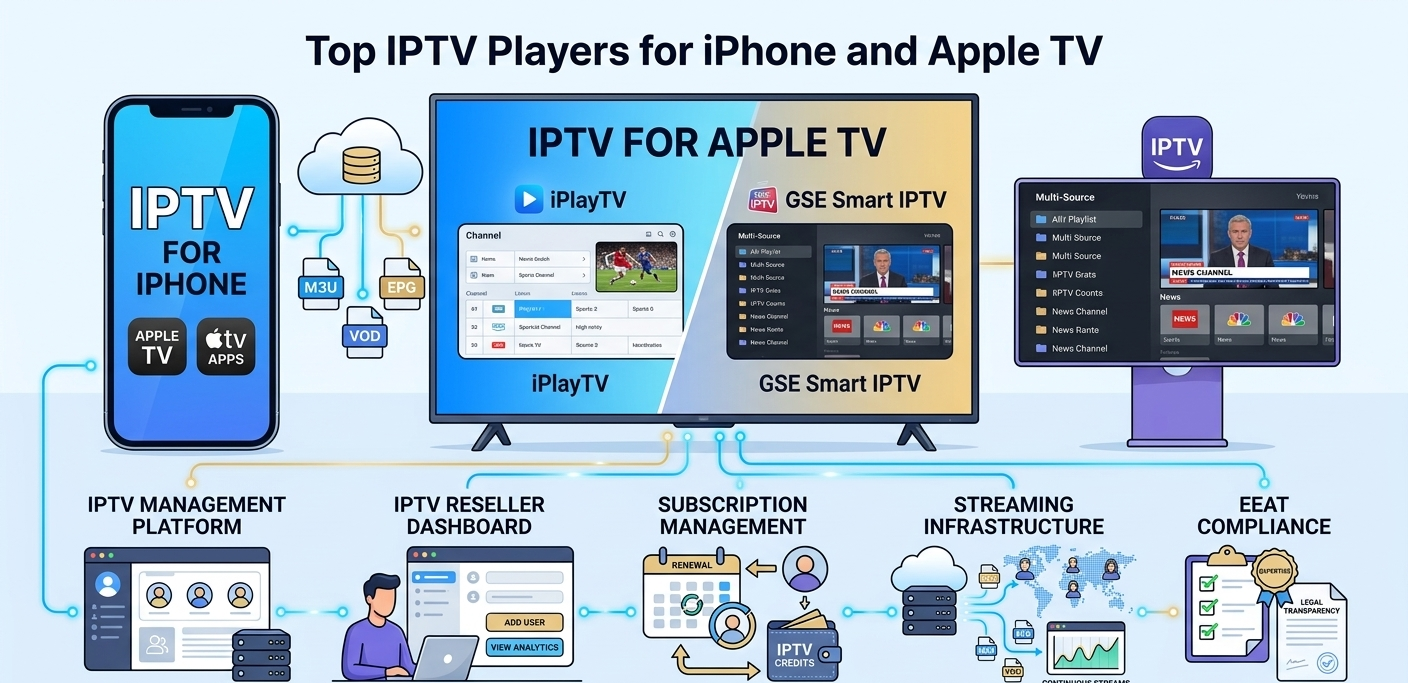
Top IPTV Player Apps for iPhone and Apple TV
iPlayTV
This is the app I’d recommend first for most customers on Apple TV. Setup is straightforward, you paste the M3U URL or enter Xtream Codes credentials directly from the app’s source screen. The first playlist load on a fresh install took me about 18 seconds for a list with roughly 4,000 channels, which is reasonable.
The EPG (Electronic Program Guide) integration works well once you’ve pointed it to a valid XMLTV source. The channel grouping is clean, and customers can pin favorites without any technical knowledge.
One friction point: the app occasionally loses the EPG sync after an Apple TV sleep cycle. Customers sometimes report “no guide data” after the device wakes up. The fix is simple, go into Sources and tap Refresh EPG manually, but it’s worth telling new users about it upfront so they don’t panic.
Best for: customers who want a clean, TV-native experience without configuring much.
GSE Smart IPTV
GSE has been around long enough that most experienced resellers know it well. It supports M3U, Xtream Codes, and JSON playlists, and it handles larger channel lists better than most apps at this price point.
On iPhone, the interface is a bit busier than iPlayTV, but power users appreciate the extra control. You can configure individual stream timeouts, set buffer sizes, and choose between software and hardware decoding per stream. For customers who are technically confident, this flexibility matters.
I tested it on both iPhone 14 and a 3rd generation Apple TV. On the phone, performance was smooth. On the older Apple TV hardware, there was noticeable lag when scrolling through large category lists, nothing that breaks the experience, but worth flagging if your customer is running older equipment.
Best for: customers who want more control, or who have mixed-quality streams that need buffer tuning.
Flex IPTV
Flex is worth mentioning specifically for Apple TV users who care about Airplay integration and Picture-in-Picture. The UI is one of the most polished in this category, it genuinely looks like it belongs on Apple hardware rather than a port from somewhere else.
Setup is fast. Entering an M3U URL through the remote keyboard is the usual tedious process (it always is on Apple TV), but once it’s done, Flex handles the rest automatically. Channel organization pulled correctly from my test playlist groupings without any manual sorting.
The one downside I’d note: Flex is more sensitive to stream format inconsistencies than GSE. If your provider has some channels encoded in older formats, Flex will sometimes fail to play them where GSE handles it fine. Not a dealbreaker, but relevant if you resell to customers with diverse channel preferences.
Best for: customers who care about aesthetics and tight Apple ecosystem integration.
IPTV Smarters Pro (via browser workaround)
This one requires a workaround because the main Smarters app has had App Store availability issues at various points. Some customers access it through the web version on Safari or via TestFlight builds. I’d keep this as a backup recommendation rather than a primary one unless your customer specifically requests it.
When it works, the interface is functional and familiar to anyone who’s used Smarters on Android. The VOD section renders cleanly, and series organization is better here than in most competitor apps.
What Most Reviews Don’t Tell You
Here’s the part most comparison articles skip.
The app is only 30% of the equation. I’ve seen customers with the best player app available complain about constant buffering, while another customer using a “lesser” app on the same provider has zero issues. The stream source quality, the customer’s internet connection, and the player’s buffer settings interact in ways that no single app review can predict.
When a customer complains about buffering, the first thing to check isn’t the app, it’s whether they’re on WiFi versus ethernet (for Apple TV), and what their router’s DNS is set to. I’ve resolved more buffering complaints by asking a customer to switch from their ISP’s default DNS to a faster alternative than by changing their player app.
Apple TV ethernet matters more than most people realize. The WiFi on even the latest Apple TV 4K can be inconsistent for high-bitrate 4K streams in certain home environments. Customers with persistent quality issues often see immediate improvement after connecting via ethernet. It’s worth building this into your standard onboarding advice.
Free trial apps are not the same experience as paid apps. A few free players exist on the App Store, but they typically include ads that interrupt playback, have slower channel switching, and receive infrequent updates. If a customer tries a free app first and has a mediocre experience, they’ll blame the service, not the app. I now specifically recommend against free apps in my customer onboarding notes.
Real Setup Mistakes I’ve Seen (and How to Avoid Them)
Sending the wrong credential format. Xtream Codes and M3U are different things. Customers who receive an M3U URL and try to enter the server/username/password fields separately in an Xtream Codes login screen will get authentication errors. Always specify clearly in your setup instructions which format you’re sending.
Not testing the stream before delivery. Before sending a new customer their credentials, load the M3U yourself in iPlayTV or GSE and verify that at least 10–15 channels load correctly. Takes 3–4 minutes. Saves you from delivering credentials that have a typo in the URL or a permissions error on the account.
Ignoring time zone settings on EPG. The EPG guide will show incorrect program times if the player’s time zone isn’t set correctly. On iPlayTV, this is under Settings > EPG > Time Offset. On GSE, it’s in the source settings. Most customers won’t find this themselves, and they’ll think the guide is broken.
Forgetting to tell customers about concurrent stream limits. If a customer’s subscription allows 1 or 2 connections and they try to watch on both their iPhone and Apple TV simultaneously, one device will get kicked. This is one of the most common support tickets. Explain connection limits at setup, not after the first complaint.
Managing Apple TV Customers at Scale Through the Reseller Panel
If you’re running more than 30–40 active subscriptions, manual management becomes impossible quickly. A proper UK IPTV reseller panel handles the account lifecycle automatically, creation, expiration tracking, renewal, and connection monitoring.
The process through a standard reseller dashboard takes under 2 minutes once you know the interface:
- Log into the dashboard and go to the User Management tab
- Select Create New User and fill in the username, password, and connection limit
- Set the subscription duration and confirm the credit deduction
- The system generates the M3U URL and Xtream Codes credentials immediately
- Copy and send to the customer, that’s it
The credit deduction happens at the moment of account creation, not at the end of the month. Keep this in mind when you’re buying credits in bulk, running low mid-month is a real operational problem if several subscriptions are up for renewal at once.
Monitoring Active Connections
The Active Streams panel shows you which accounts are currently connected and from which IP. This is useful for two reasons: spotting account sharing (same account connecting from multiple IPs in different countries simultaneously), and diagnosing whether a customer’s reported issue is actually a connection problem or something on their end.
I check this panel when a customer reports that their stream is working on iPhone but not Apple TV, it shows immediately whether both connections are established or only one.
Credit Management
Running out of credits at the wrong moment is one of the most disruptive operational failures for a reseller. Keep a minimum reserve, at least 20–30% of your average monthly usage, as a buffer. The dashboard shows your current credit balance prominently on the main screen, so there’s no excuse for being caught off guard.
Most panels support email alerts when your balance drops below a threshold. Enable this. It takes 30 seconds to configure and prevents a scenario where you’re renewing accounts without realizing you’ve run dry.
Who This Setup Is Not For
Be honest with prospective customers, and yourself:
Not for customers on slow or unstable internet. IPTV streams are bandwidth-intensive. A 4K stream needs a stable 25–30 Mbps connection. Customers on rural broadband or congested shared WiFi will have a poor experience regardless of what player they use or how good your provider is. Better to set expectations than to lose a customer after two weeks.
Not for customers expecting Netflix-level reliability. IPTV reseller services, by their nature, involve dependencies outside your direct control, your provider’s uptime, their server capacity during peak times, and their channel source agreements. There will be occasional outages. Customers who need guaranteed 99.9% uptime for specific channels should probably stick with official streaming services.
Not for completely non-technical users who won’t read setup instructions. If a customer won’t follow a three-step guide to enter their credentials into an app, the ongoing support burden will be unsustainable. Some customers are worth declining.
The app-by-app differences matter enough to lay out side by side.
| Feature | iPlayTV | GSE Smart IPTV | Flex IPTV |
|---|---|---|---|
| Apple TV native UI | Excellent | Good | Excellent |
| Buffer control | Basic | Advanced | Basic |
| Large playlist performance | Good | Best | Good |
| EPG stability | Occasional sync issues | Reliable | Reliable |
| Format compatibility | Broad | Broadest | Moderate |
| Best for | Most users | Power users | Design-focused users |
For anyone just starting out, a basic panel is completely sufficient. The upgrade to an advanced panel makes sense once you’re managing more than 200 active users and spending significant time on manual tasks that the API could automate.
| Feature | Basic panel | Advanced panel |
|---|---|---|
| Max users | Up to 500 | Unlimited |
| Sub-reseller accounts | No | Yes |
| Real-time analytics | No | Yes |
| API access | No | Yes |
| Custom branding | No | Yes |
| Support | Priority chat |
Frequently Asked Questions
What’s the best IPTV player for Apple TV in 2026?
For most users, iPlayTV is the safest starting recommendation. It has the most Apple-native interface, handles EPG well, and has a low learning curve. GSE Smart IPTV is better for power users who want buffer and decoder control.
Can I use the same IPTV subscription on both iPhone and Apple TV?
Yes, if your subscription allows multiple concurrent connections. A 2-connection account covers both devices simultaneously. Confirm the connection limit with your reseller before buying.
Why is my stream buffering on Apple TV but fine on my phone?
This is almost always a WiFi issue on the Apple TV side. Try connecting the Apple TV via ethernet cable if your TV is near the router. Also check that no other devices on your network are using heavy bandwidth simultaneously.
What’s the EPG and why isn’t it showing on my app?
EPG stands for Electronic Program Guide, it’s the on-screen TV schedule. If it’s not showing, the EPG URL may be missing from your source settings, or the time zone offset may be incorrect. Check with your reseller for the correct EPG URL and set your local time zone in the app settings.
Is it safe to enter my IPTV credentials into third-party apps?
The apps listed in this guide (iPlayTV, GSE, Flex) are established App Store applications with legitimate privacy policies. Your credentials go directly to your IPTV provider’s server, not to the app developer. That said, always use a unique password for your IPTV account rather than reusing a password from elsewhere.
How many channels can these apps handle without slowing down?
GSE handles the largest playlists most reliably, tested stable with 8,000+ channel lists. iPlayTV and Flex start to show slower scrolling performance above around 5,000–6,000 channels. If your customers have very large playlists, GSE is the better recommendation.
Do I need a reseller panel to sell IPTV subscriptions?
Technically no, but practically yes once you’re past 10–15 customers. Managing accounts manually through spreadsheets or text files becomes error-prone very quickly. A panel handles expiration tracking, credit management, and account creation in a way that simply can’t be replicated manually at scale.
Contact: IPTV Reseller Panel