
There’s a version of this industry where everything works smoothly — panels stay up, streams don’t buffer, customers renew without prompting. That version exists. But it doesn’t find you. You build it.
After years of watching resellers collapse under the weight of their own growth — oversold credits, undersized uplinks, no fallback — the single thread connecting every failure is the same: no coherent IPTV subscription strategy. Not bad luck. Not enforcement crackdowns. Strategy failure.
This article isn’t about getting started. It’s about getting serious.
Your IPTV subscription strategy determines not just how much you sell, but whether your infrastructure survives what you sell. Those two things are not automatically aligned — and that gap is where most resellers bleed out.
Why a Weak IPTV Subscription Strategy Destroys Margins First
Most UK IPTV resellers price on instinct. They look at what competitors charge, cut 10%, and call it a strategy. That’s not positioning — that’s a race to the bottom with extra steps.
A real IPTV subscription strategy starts with understanding your cost floor, not your competitor’s storefront.
Your cost floor includes:
- Panel credit consumption per active connection
- Backup uplink bandwidth during primary server failover
- Customer support time per ticket (often invisible until you’re drowning in them)
- Churn replacement cost — how many new sales does it take to replace one lost sub?
Most resellers don’t calculate the last one. If your monthly churn rate is 15% and your average acquisition effort equals three hours of outreach per customer, you’re not running a business — you’re running a treadmill.
Pro Tip: Calculate your “invisible hourly rate.” Divide your monthly net profit by total hours worked including support, onboarding, and panel management. If that number shocks you, your pricing model — not your volume — is the problem.
Raising prices is often the most scalable IPTV subscription strategy available. Counterintuitive but consistently true.
The Infrastructure Tier Nobody Talks About
There’s a middle tier of infrastructure that most guides skip entirely — they jump from “cheap shared panel” straight to “dedicated server.” In 2026, that middle tier is where serious IPTV subscription strategy decisions actually live.
This is the transcoding relay layer.
A transcoding relay sits between your source streams and your end users, performing real-time format conversion and load distribution. Without it, a sudden spike — say, a major sports event pulling 4x your average concurrent connections — hits your primary uplink raw.
What you need at minimum before scaling past 200 active connections:
- Primary uplink with guaranteed bandwidth SLA — not “up to” figures
- At least one cold standby server in a geographically separate datacenter
- HLS segment caching configured to absorb re-request spikes during stream interruptions
- DNS failover records with a TTL under 60 seconds for rapid cutover
Without these, your IPTV subscription strategy is built on a surface that can’t hold its own weight when traffic concentrates.
| Infrastructure Level | Concurrent Load Capacity | ISP Block Resilience | Failover Speed |
|---|---|---|---|
| Shared Reseller Panel | 50–150 | Low | Manual, minutes |
| Dedicated VPS + Single Uplink | 150–500 | Medium | Semi-auto, 30–90 sec |
| Load-Balanced Multi-Uplink | 500–2,000+ | High | Auto, under 10 sec |
| Distributed CDN-Edge Setup | 2,000+ | Very High | Transparent, sub-5 sec |
Most resellers at 300+ active subs are running Level 1 infrastructure. That’s not a growth problem — that’s a liability.
Designing a Subscription Tier That Reduces Churn Structurally
Churn is the slow hemorrhage that doesn’t show up in weekly screenshots but destroys quarterly numbers. A properly designed IPTV subscription strategy bakes churn reduction into the product structure itself — not into customer service heroics.
The psychology is simple: people who feel locked into value don’t leave.
Tier architecture that works:
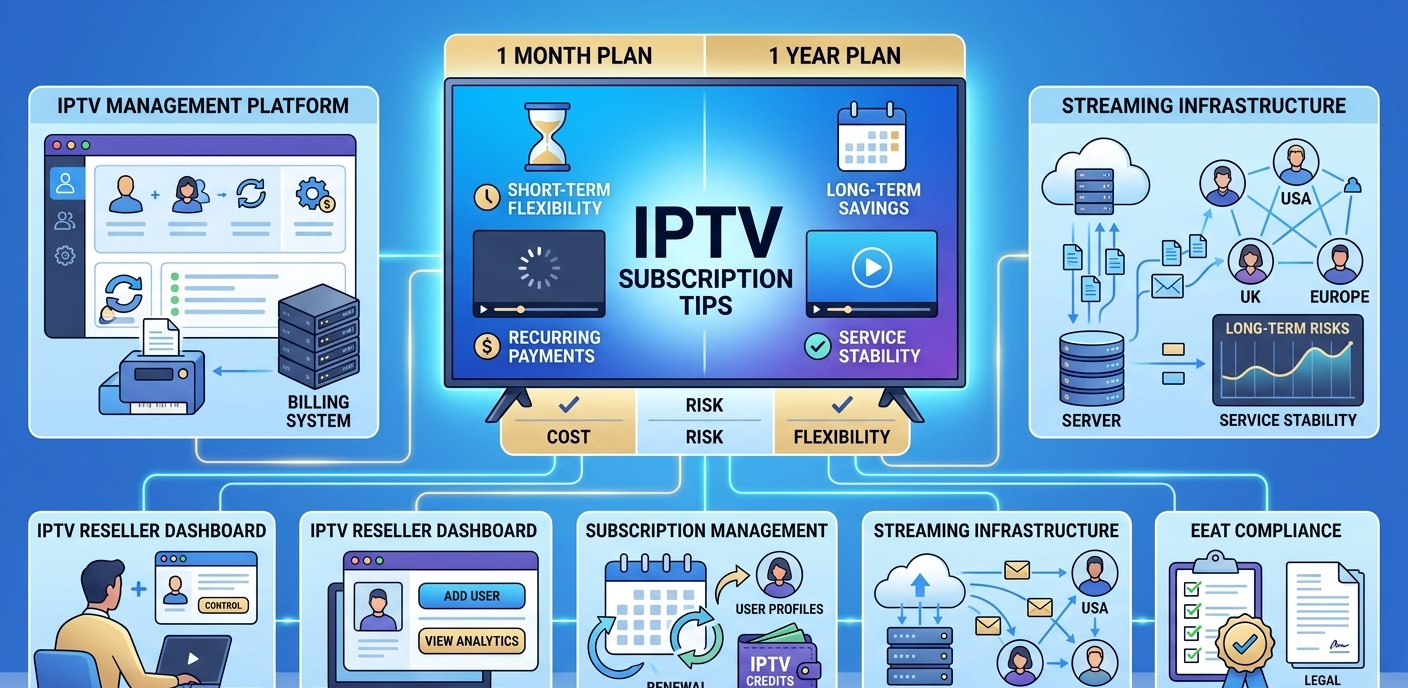
- Entry tier (1 month): Higher per-month rate, low commitment. Designed to attract trialists, not retain them.
- Core tier (3–6 months): Your margin-optimized product. Priced to feel significantly better than monthly. Most customers should land here.
- Loyalty tier (12 months): Discounted enough to feel like insider access. Customers on this tier churn at a fraction of the rate of monthly subscribers.
The hidden mechanic: a customer who has prepaid six months is also statistically less likely to complain about a single buffering incident. Prepayment creates psychological investment.
Pro Tip: Introduce a “renewal lock” incentive — offer a 5–8% discount on the next period if they renew before expiry. Automate this via a WhatsApp message 10 days before expiry. Retention rates on this trigger consistently outperform cold re-acquisition.
Your IPTV subscription strategy must include what happens before expiry, not just after.
ISP Blocking in 2026 — What’s Actually Happening and How to Build Around It
Major broadcasters have pushed enforcement upstream. ISPs in regulated markets now deploy a layered approach:
- DNS poisoning targeting known streaming endpoints
- Deep packet inspection (DPI) flagging HLS and RTMP traffic patterns on consumer broadband
- SNI-based filtering blocking specific TLS handshakes without touching the IP itself
This has made static endpoint IPTV delivery increasingly fragile for resellers serving UK and European markets specifically. If your IPTV subscription strategy depends on a single delivery IP and a static M3U link, you’re one enforcement cycle away from mass ticket storms.
The operational response is domain rotation combined with SNI masking — essentially cycling your delivery endpoints on a schedule that outpaces ISP block-list update frequency.
Practically, this means:
- Never deliver content through a primary domain customers bookmark directly
- Use a DNS layer that lets you rotate endpoints without customer-side reconfiguration
- Maintain at least two geographically distinct delivery origins per content category
Sub-resellers should be asking their panel suppliers directly: What is your ISP block mitigation protocol? If the answer is vague, that’s risk you’re absorbing invisibly.
Panel Credit Management as a Margin Strategy
Panel credits aren’t just a billing mechanism. For a serious IPTV subscription strategy, they’re a working capital tool.
Buying credits in bulk — when you have the cash flow to support it — is one of the highest-leverage decisions a reseller can make. The spread between bulk credit cost and per-credit retail cost can represent 20–35% of your operating margin, depending on supplier and volume tier.
But bulk buying introduces risk:
- Credits sitting unused during a business slowdown represent locked capital
- Panel supplier reliability affects whether those credits ever deliver value
- Some panel structures expire unused credits — a clause many UK IPTV resellers discover too late
The credit management matrix to apply:
- Maintain a 30-day credit reserve at your current consumption rate at all times
- Never exceed a 90-day pre-purchase unless you have confirmed subscription commitments to match
- Track credit burn rate weekly, not monthly — a sudden spike indicates either sub growth or connection abuse (shared accounts)
Pro Tip: A sudden 40%+ jump in credit consumption without a corresponding jump in active subscriptions usually means one customer has shared their credentials widely. Identify by cross-referencing connection logs against subscription count. Address this with simultaneous connection limits at the panel level before it hits your uplink.
Your IPTV subscription strategy and your panel credit discipline are the same conversation.
The Sub-Reseller Layer — Growth Engine or Risk Multiplier?
Building a sub-reseller network is the fastest path to scale in this industry. It’s also the fastest path to reputational damage if it’s built wrong.
The dynamic is straightforward: every sub-reseller you onboard multiplies your active connections but also multiplies the surface area for customer complaints, support escalations, and panel abuse. A poorly managed sub-reseller network doesn’t just create noise — it creates churn at a scale you can’t personally recover.
An IPTV subscription strategy that includes sub-resellers must include explicit operational boundaries:
What sub-resellers should control:
- Their own customer billing and renewal timelines
- Activation of pre-purchased credits
- Basic connection troubleshooting (M3U format errors, app config, device compatibility)
What they should never control:
- Panel-level settings affecting server load
- DNS or delivery endpoint configuration
- Bulk credit requests without prior approval workflow
Provide your sub-resellers with a support script. Not because they can’t think — but because consistency at the customer touchpoint protects your infrastructure’s reputation across all brands.
Pro Tip: The highest-performing sub-resellers are former customers who upgraded organically. They already trust the product and already understand the value proposition from the buyer’s side. When identifying candidates to promote, look at your longest-tenure subscribers first.
The Metrics That Actually Predict Whether Your IPTV Subscription Strategy Is Working
Revenue is a lagging indicator. By the time it drops, the damage is already done. A mature IPTV subscription strategy monitors leading indicators — the numbers that predict what revenue will do before it does it.
The four signals that matter:
1. Renewal Rate by Tier If your 1-month renewal rate is under 50%, your product experience — not your price — is the issue. Fix infrastructure before running promotions.
2. First-Week Ticket Volume per New Sub High first-week support contact means your onboarding is creating friction. Every avoidable ticket is a churn risk that starts on day one.
3. Concurrent Connection Peaks vs. Subscribed Connections If peak concurrent load regularly exceeds 70% of your subscribed base, your panel is undersized for your actual usage pattern. Plan uplink expansion before you hit 85%.
4. Credit Burn Acceleration Rate Month-over-month credit consumption should scale roughly with active subscriptions. If credits are burning faster than subs are growing, audit for connection abuse or panel misconfiguration.
These aren’t vanity metrics. They’re the operational heartbeat of a functioning IPTV subscription strategy.
IPTV Subscription Strategy: 2026 Scaling Checklist
Before pushing past each growth threshold, confirm the following:
100 active subscriptions:
- Backup uplink server configured and tested under simulated load
- DNS failover TTL set below 60 seconds
- Simultaneous connection limits enforced per line
- Renewal reminder automation active (WhatsApp or email, 10 days pre-expiry)
- Credit reserve covers 30 days at current burn rate
At 300 subscriptions:
- Transcoding relay layer in place
- Sub-reseller operational boundaries documented and communicated
- First-week ticket rate benchmarked and onboarding friction addressed
- Monthly churn rate tracked by tier, not just overall
At 500+ active subscriptions:
- Load-balanced multi-uplink infrastructure (minimum two origins)
- SNI masking and endpoint rotation protocol implemented
- Weekly credit burn rate reviewed, not monthly
- Dedicated support tier for sub-resellers vs. direct customers
Ongoing — regardless of size:
- ISP blocking intelligence updated monthly
- Panel supplier redundancy — never single-source at scale
- IPTV subscription strategy reviewed quarterly against actual margin, not gross revenue
This industry rewards operators who treat their IPTV subscription strategy as infrastructure — not just as a sales plan. The panels are the commodity. The strategy is the moat.
Build accordingly.