
Let’s Start With the Honest Numbers
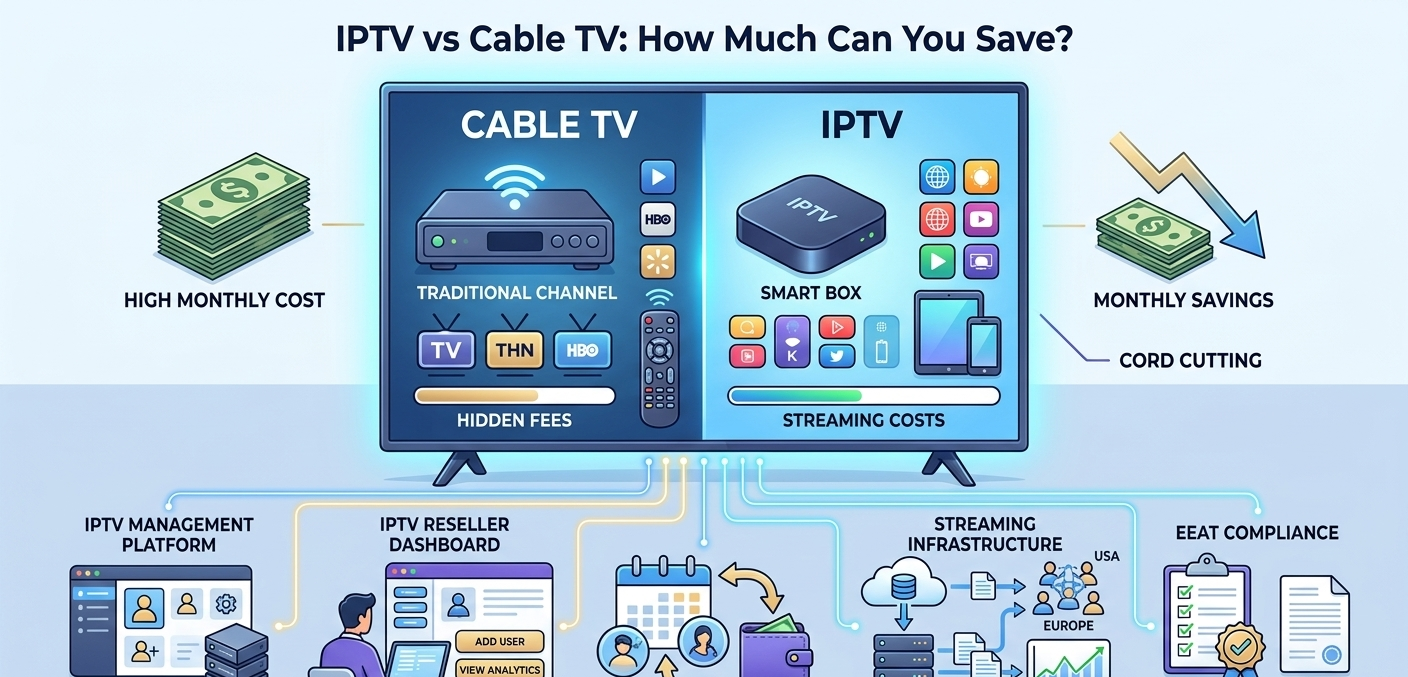
The average cable TV bill in the US hit $217/month in 2025 when you factor in equipment rental, regional sports fees, broadcast TV surcharges, and the various line items that appear after the introductory rate expires. In the UK, a full Sky package with sports runs £70 to £90/month. In both cases, you’re locked into a 12 to 24 month contract.
A managed IPTV subscription through a UK IPTV reseller typically runs £10 to £30/month depending on the plan, with no contract and no equipment rental fees.
The math isn’t complicated. What’s worth examining is what you actually give up, and what you gain, in that switch. This guide covers both sides without the usual cheerleading.
What You’re Actually Paying For With Cable
Cable bills are deliberately opaque. The headline price you see advertised is never what you pay after month one.
A typical cable TV breakdown in the US:
- Base package: $60 to 80/month
- HD technology fee: $10/month
- Regional sports network fee: $8 to 15/month
- Broadcast TV surcharge: $20 to 25/month
- DVR service: $10 to 15/month
- Equipment rental (per box): $7 to 12/month per room
- Installation fee (amortized): $5 to 10/month
By the time you have two TV rooms and a DVR, you’re well past $150/month. Often past $200.
The contract locks you in. Early termination fees typically run $10 to 20 per remaining month. A 24-month contract signed in month 1 that you want to exit in month 6 costs $180 to 360 to leave.
What a Managed IPTV Subscription Actually Costs
Through a UK IPTV reseller platform, subscription pricing is significantly simpler. There are no equipment rental fees because you use devices you likely already own, a Fire Stick, Android box, smart TV, or phone. No installation fees. No regional surcharges.
Typical pricing tiers in 2026:
- 1-month plan: £10 to 15 / $12 to 18
- 3-month plan: £25 to 35 / $30 to 45
- 6-month plan: £45 to 60 / $55 to 75
- 12-month plan: £80 to 100 / $95 to 120
For a household that would otherwise pay £80/month for cable, switching to a £15/month IPTV plan saves £65/month, or £780/year. On the higher end, households comparing against $200+/month cable bills save over $2,000 annually.
The savings are real. The caveats are also real, which most comparison articles skip past.
The Part Most Cost-Comparison Articles Skip
Here’s the section you won’t find on most IPTV vs cable articles.
You still need a decent internet connection. HD streaming requires a minimum of 10 Mbps per stream. If you’re cutting cable but keeping internet through the same provider, your internet bill may go up to get adequate speed, especially if you’re adding 4K streams. Factor this in before calculating net savings.
Reliability isn’t identical. Cable has problems too, outages, signal issues, degraded picture in bad weather for satellite customers. But managed IPTV can have server-side problems that affect all customers simultaneously. During major live events, provider servers experience load spikes. I’ve seen streams drop during Champions League finals when the primary server got hammered. A good reseller with redundant infrastructure minimises this. A cheap one doesn’t.
Content gaps exist. Cable’s local news channels, local sports rights, and certain regional content don’t always appear in IPTV packages. For most viewers this doesn’t matter. For viewers who specifically follow local sports coverage or rely on local news, check what’s actually in the package before assuming it’s all there.
Not all IPTV services are equal. The reseller model means quality varies by provider. A well-run reseller using quality infrastructure delivers a reliable experience. A poorly-run one with cheap upstream providers delivers constant buffering. Price alone doesn’t tell you which you’re getting, this is why trialling before committing matters.
The Setup Experience: What Switching Actually Involves
Switching from cable to IPTV is genuinely low-friction for most households. Here’s what the process looks like in practice.
What you need:
- A compatible device (Fire Stick, Android box, smart TV, phone, tablet, PC)
- A stable internet connection (minimum 25 Mbps recommended for comfortable HD viewing)
- An IPTV subscription from a reseller
The setup process:
- Install your chosen IPTV app on your device (IPTV Smarters Pro, TiviMate, or similar)
- Receive your credentials from your reseller (username, password, server URL)
- Enter credentials into the app
- Browse the channel list and start watching
The entire setup takes about 10 to 15 minutes. Compared to a cable installation appointment that requires being home during a 4-hour window, it’s noticeably faster.
The one friction point: finding an IPTV app that works well on your specific device takes a bit of trial and error. TiviMate is generally excellent on Android devices. IPTV Smarters Pro works well across platforms. On a Fire Stick, the sideloading process to install third-party apps adds 5 to 10 minutes if you haven’t done it before.
What Happens Behind the Scenes When a Reseller Manages Your Subscription
Behind the subscription you receive as a client, a reseller is operating a management dashboard that handles the technical logistics of your account.
When you log into an IPTV app and your stream works, several things have happened automatically: your credentials were verified against the subscription database, your IPTV plan was confirmed as active, and your device was connected to a stream server. The UK reseller’s panel, specifically the User Management and Subscription sections, keeps all of this running.
From the reseller’s side, managing client accounts looks like this: the User Management tab shows all active subscriptions, expiry dates, and connection status. The Credit Management section tracks their cost per account. If you contact your reseller about a login issue, they can see your account status and reset it within about 30 seconds from their dashboard.
This is a meaningful difference from cable customer service, where fault resolution typically involves call queues, reference numbers, and scheduled engineer visits. Here’s what that account creation process actually looks like step by step:
| Step | Action | Where | Result |
|---|---|---|---|
| 1 | Log into panel | Main dashboard login | Full access confirmed |
| 2 | Open User Manager | User Management tab | Client list visible |
| 3 | Create new account | Add New User button | Creation form opens |
| 4 | Enter credentials | Data input fields | Username/password set |
| 5 | Select plan | Plan dropdown | Subscription duration defined |
| 6 | Deduct credits | Credit system | Cost processed |
| 7 | Generate stream link | Cloud system | M3U URL created |
| 8 | Send to client | Your communication method | Client ready to connect |
Real Cost Comparison: Three Household Types
Casual viewer, US, basic cable
Current cable bill: $95/month (basic package + equipment rental)
IPTV equivalent: $15/month
Monthly saving: $80
Annual saving: $960
Sports fan, UK, Sky Sports package
Current Sky bill: £85/month (entertainment + sports + HD)
IPTV equivalent: £25/month (sports-included plan)
Monthly saving: £60
Annual saving: £720
Family household, US, full cable + DVR
Current cable bill: $195/month (full package, 2 rooms, DVR)
IPTV equivalent: $25/month (family plan with 4 connections)
Monthly saving: $170
Annual saving: $2,040
These are illustrative but realistic. The savings are largest for households currently paying full-rate cable with multiple rooms and premium channel add-ons.
Feature Comparison: IPTV vs Cable
Side by side, the practical differences look like this:
| Feature | Cable TV | Managed IPTV |
|---|---|---|
| Monthly cost | $80 to 220+ | $12 to 30 |
| Contract required | Usually 12 to 24 months | No |
| Equipment rental | $7 to 12/room/month | No (use own device) |
| Installation | Required + fee | Self-setup, 15 minutes |
| Device flexibility | Set-top box only | TV, phone, tablet, PC |
| Customer service | Call center, slow | Reseller, fast |
| Channel count | 200 to 500 typical | 5,000 to 20,000+ |
| 4K availability | Limited | Increasingly common |
| Catch-up/replay | Yes | Varies by provider |
| Local channels | Yes | Variable |
| Reliability | Generally stable | Provider-dependent |
Basic vs. Advanced Reseller Panel Features
The feature gap between panel tiers breaks down like this:
| Feature | Basic panel | Advanced panel |
|---|---|---|
| Max users | Up to 500 | Unlimited |
| Support | Email only | Priority chat |
| Custom branding | No | Yes |
| Reporting | Daily summaries | Real-time data |
| Sub-resellers | No | Yes |
| API access | No | Yes |
| Multi-connection accounts | Limited | Full control |
Reseller Model vs. Building Your Own Infrastructure
Weighing the two paths looks roughly like this:
| Reseller model | Own server | |
|---|---|---|
| Startup cost | Low | High |
| Technical requirement | Minimal | Significant |
| Time to launch | Days | Months |
| Maintenance burden | Provider handles | Your responsibility |
| Scalability | Immediate | Requires investment |
| Content sourcing | Provider-managed | Your problem |
Common Mistakes When Switching From Cable
Not checking internet speed first. Cancelling cable and then discovering your internet plan is insufficient for consistent HD streaming is an avoidable problem, so run a speed test first. If you’re consistently below 25 Mbps, either upgrade your internet or manage expectations about stream quality.
Choosing the cheapest option without trialling it. The £5/month subscription that seems like a bargain usually comes from an underpowered provider with buffering issues. Most legitimate resellers offer a trial. Use it before committing.
Assuming everything is included. Some local channels, regional sports networks, and pay-per-view events may not be available or may require add-on purchases. Verify the channel list covers what you actually watch.
Cancelling cable before confirming IPTV works. Set up your IPTV subscription and test it for at least a week before cancelling cable. Running both briefly is worth the overlap cost to confirm you’re happy before cutting the cord entirely.
Not accounting for shared household usage. If multiple family members watch simultaneously, you need a multi-connection plan. A single-connection account will kick out the first stream when a second one starts. Check concurrent connection limits before buying.
When Cable Still Makes More Sense Than IPTV
It’s worth being direct about this.
People who rely heavily on local news and hyperlocal content may find gaps in IPTV packages. Local affiliate channels exist in many packages but aren’t always reliable.
Households with poor internet infrastructure, rural areas with slow or unreliable broadband, older buildings with limited network hardware, will have a worse experience than cable, which doesn’t depend on broadband quality.
People who want a completely hands-off experience and find any setup friction frustrating may prefer cable’s simplicity. You plug in the box, it works. IPTV apps require a bit more engagement, especially when something goes wrong.
Anyone not comfortable with basic troubleshooting. When a cable channel doesn’t work, you call a number and wait. When an IPTV stream has issues, you need to be willing to try basic steps, restart the app, check the connection, contact your IPTV reseller. Most issues resolve quickly but it does require some engagement.
Best Practices for Cord-Cutters in the UK, USA, and EU
Get a wired connection for your main TV. WiFi introduces variability that causes buffering. A £10 ethernet cable from your router to your streaming device eliminates most reliability complaints.
Use a proper streaming device. Smart TV built-in apps are often slow and poorly supported. A dedicated Nvidia Shield, Apple TV 4K, or mid-range Android box delivers a significantly better experience.
Keep your reseller’s contact information accessible. When something stops working and you want it fixed quickly, knowing exactly who to message and how to reach them matters.
Review your total costs annually. Cable companies count on inertia. Even if you’ve switched to IPTV, review what you’re paying across all your streaming services (Netflix, Disney+, IPTV, etc.) annually. Service creep is real, cutting cable only to subscribe to eight streaming services defeats the purpose.
FAQ
How much does the average household save switching from cable to IPTV?
It varies significantly by current cable spend. US households averaging $150+/month on cable and switching to a $20 to 25/month IPTV plan save roughly $1,500 to 2,000 annually. UK households on full Sky packages save £600 to 800/year. The savings are most significant for households currently paying for premium sports tiers and multi-room equipment rental.
Do I need to buy new equipment to use IPTV?
Usually not. Most households already own a compatible device, a smart TV, Fire Stick, Android phone, tablet, or laptop. If your TV is older and lacks smart capabilities, a £30 to 50 Fire Stick or Android TV stick is the only required purchase.
Is IPTV legal?
The software management infrastructure used by legitimate resellers is legal. The legality of specific content depends on whether the provider has appropriate broadcast rights for the channels they offer. Using a reputable, established reseller that operates transparently is the way to ensure you’re on the right side of this.
Can I keep my local channels when switching?
Many IPTV packages include major broadcast networks (BBC, ITV, ABC, NBC, Fox, CBS). Local affiliate channels vary by provider and region. If specific local channels are important to you, verify they’re included before cancelling cable. A digital antenna ($25 to 40) also provides free local channel reception as a backup.
What happens if my IPTV service goes down?
Contact your reseller. A good reseller can check your account status, verify the server your stream is assigned to, and either fix the issue or escalate to their provider within minutes. Most connection problems resolve within 15 to 30 minutes. For planned server maintenance, good resellers notify clients in advance.
Can I watch on multiple TVs simultaneously?
Yes, with a multi-connection account. Each simultaneous stream uses one connection. A 4-connection account allows four devices streaming different channels at the same time from the same subscription. Multi-connection plans cost more than single-connection, typically 30 to 50% more depending on the reseller.
Are there hidden costs I should know about?
The subscription cost is typically all-in. There are no equipment rental fees, no broadcast surcharges, and no regional sports fees. Some IPTV Panel resellers charge extra for 4K access or specific premium channel packages. Ask about these before subscribing. The only other cost is your existing internet service, which you’ll need regardless.
The savings from switching are real and significant for most households. The experience is genuinely better in several ways: device flexibility, no contracts, simpler customer service. The trade-offs are also real, reliability depends on your provider, local content can be patchy, and it requires slightly more engagement than plugging in a cable box.
For most households in 2026, the financial case alone makes switching worth serious consideration. Running a trial before committing is the sensible approach, a week of testing costs almost nothing and answers most of the questions a cost comparison article can’t.