
Most IPTV buffering problems aren’t server-side. They’re device-side.
I’ve seen clients blame their provider for choppy streams, slow channel switching, and app crashes, only to find the issue disappears completely when they move from a cheap no-brand Android box to something with actual processing headroom. The stream was fine the whole time. The box couldn’t handle it.
Choosing the right hardware for IPTV in 2026 isn’t about buying the most expensive thing on the shelf. It’s about matching device capability to what you’re actually running, stream bitrates, simultaneous connections, codec requirements, and the apps you’re using. This guide covers the devices that genuinely work well, what differentiates them in practice, and where each one makes sense.
What Makes a Good IPTV Box? (The Specs That Actually Matter)
Before getting into specific devices, it’s worth being clear about which hardware specs translate into real viewing improvements and which don’t.
Processor and RAM: The two most important factors. A weak processor can’t decode high-bitrate streams fast enough, causing frame drops and buffering regardless of connection speed. 2GB RAM is the practical minimum for running an IPTV app smoothly; 4GB makes a noticeable difference when multitasking or running heavier apps.
Hardware video decoding: Dedicated video decode chips handle H.264 and H.265 streams without taxing the main processor. Devices without hardware decode support force software decoding, which strains the CPU and causes heat throttling on extended viewing.
Storage: 8GB is tight once you’ve installed a few apps. 16GB or more gives comfortable headroom. Devices with expandable storage via microSD or USB are worth the small premium.
Network connectivity: Ethernet support matters more than WiFi spec for IPTV. A device with a gigabit ethernet port and mediocre WiFi is preferable to one with excellent WiFi and no ethernet option.
Android version: Devices running Android 9 or higher get better app support and security updates. Some cheaper boxes ship with Android 7 or 8, which is increasingly incompatible with updated apps.
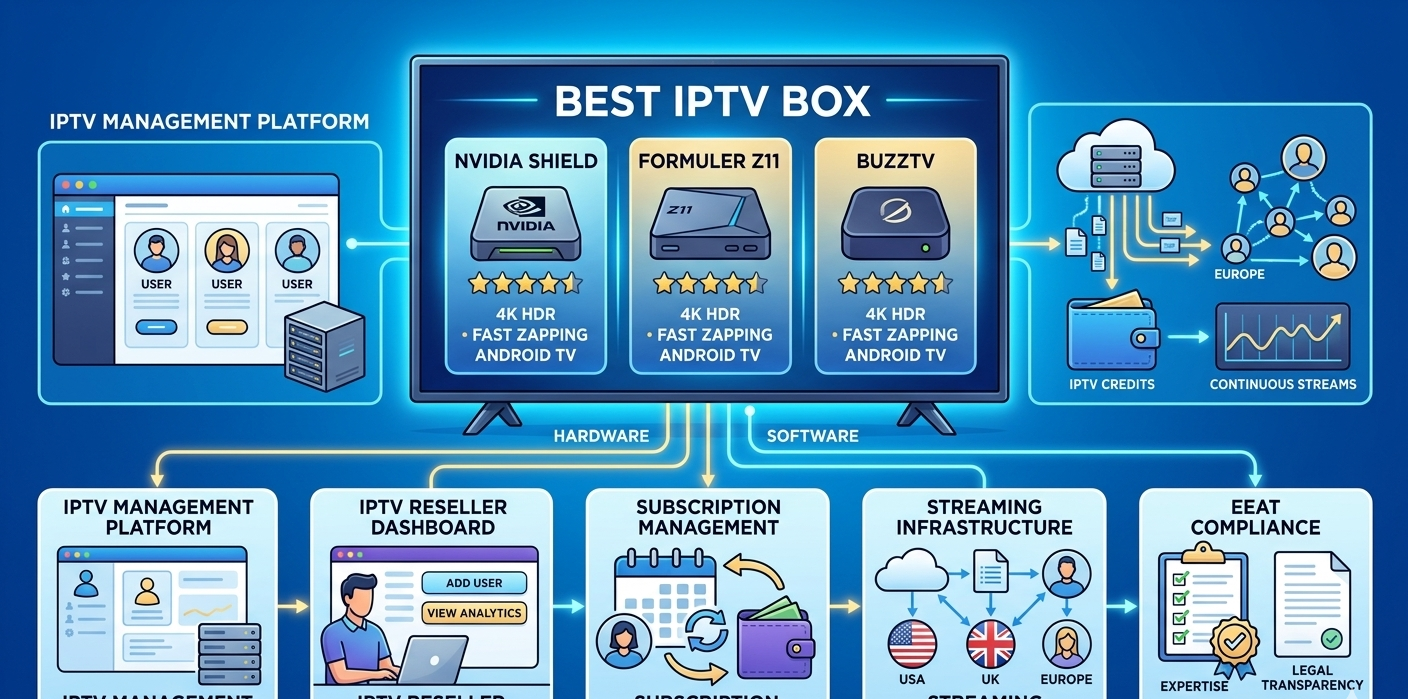
Nvidia Shield TV Pro: The Benchmark Everything Gets Compared To
The Shield TV Pro remains the device that serious IPTV users and resellers recommend when a client asks “what’s the best option regardless of budget.” It’s not the cheapest choice, but it’s earned its reputation over multiple years and product generations.
The Tegra X1+ processor is genuinely powerful for a streaming device. Running 4K HDR streams while keeping a second app open in the background doesn’t cause any performance degradation, something that trips up mid-range hardware noticeably. The 3GB of RAM means the IPTV app stays loaded in memory even after switching to other apps, so returning to it doesn’t require a cold reload.
The Shield runs a stock-adjacent version of Android TV that stays well-maintained by Nvidia. App compatibility is excellent across TiviMate, IPTV Smarters Pro, GSE Smart IPTV, and others.
The one friction point: the price. At £180-220 / $180-220, it’s roughly 3-5x the cost of budget alternatives. For a client watching casual content on a standard HD TV, it’s hard to justify. For a client who follows live sports in 4K and cares about reliability, it’s usually the right answer.
Best for: Power users, 4K content, clients who ask “what’s the best” and mean it.
Formuler Z11 Pro: Purpose-Built for IPTV
The Formuler Z11 Pro is designed specifically with IPTV use in mind, which shows in how it’s configured out of the box. It ships with the MyTVOnline 5 app pre-installed, Formuler’s proprietary IPTV player that’s genuinely well-built. Channel switching speed is noticeably faster than most competing apps on comparable hardware.
The hardware spec: Amlogic S905X4 processor, 4GB RAM, 32GB storage. In practice, this handles everything below 4K HDR without issues. The 4K performance is decent for standard HDR content but doesn’t match the Shield for demanding streams.
The remote is one of the better ones in this category, physical buttons for common IPTV actions (channel up/down, favourites) that reduce the need to navigate menus for basic operations. Sounds minor but matters during daily use.
Setup experience: connecting the Formuler to a panel is straightforward. Open MyTVOnline, enter your M3U URL or Xtream codes, and it loads the channel list. On a 10,000-channel playlist this took about 25 seconds. The channel categories parsed correctly without any manual sorting required.
The Formuler’s limitation is that it’s essentially a closed ecosystem. It runs a modified Android that prioritises the built-in IPTV app. Installing third-party apps is possible but less smooth than on a standard Android TV device. If your client wants to use TiviMate specifically, the experience isn’t as clean as on a Shield or a standard Android box.
Best for: Clients who want a purpose-built IPTV experience and won’t need to run other apps extensively.
BuzzTV XRS 4900: Strong Mid-Range Option
BuzzTV has built a solid reputation in the IPTV reseller community, particularly in North America. The XRS 4900 runs standard Android TV (currently Android 11 on shipping units), which means full Google Play Store access and compatibility with all major IPTV apps.
The hardware, Amlogic S905X4, 4GB RAM, 32GB storage, is similar to the Formuler. Performance is comparable for most use cases. Where BuzzTV differentiates is in build quality and the remote, which is notably well-built for the price point.
The BuzzTV Box app (their proprietary IPTV player) is included and works reliably, though most experienced users end up switching to TiviMate for the additional configuration options.
One thing worth noting from testing: the BuzzTV handles H.265 streams particularly well. Clients whose providers use HEVC encoding see better performance here than on some competing boxes at the same price point. If you’re managing a client base where the upstream provider is HEVC-heavy, this matters.
Price point: £80-110 / $90-120. Better value than the Shield for clients who don’t need 4K Pro-level performance.
Best for: Mid-range clients who want reliable performance, Android TV flexibility, and good remote control ergonomics.
Amazon Fire TV Stick 4K Max: The Accessible Entry Point
The Fire Stick 4K Max is what most casual IPTV users end up with, usually because they already own one or because the price (£55-65 / $55-65) makes it a low-risk starting point.
The honest assessment: it’s fine for single-stream HD and 4K content. It handles standard IPTV use without major issues. The limitations show up under load, running a multi-screen IPTV setup, using bandwidth-intensive apps alongside streaming, or running demanding 4K HDR content causes noticeable performance degradation on extended sessions.
The bigger issue is thermal management. The Fire Stick runs hot under sustained load and throttles performance to protect itself. For a 2-hour film this isn’t a problem. For an 8-hour Premier League matchday with continuous streaming, it’s a real consideration.
Setting up third-party IPTV apps requires sideloading (installing outside the Amazon App Store), which adds some setup complexity. The process takes about 10 minutes if you’ve done it before; closer to 20 minutes if you’re walking a client through it the first time.
Best for: Budget-conscious clients, casual viewers, household members who need a secondary screen.
Xiaomi Mi Box S (2nd Gen): Underrated Value
The Mi Box S gets overlooked because it doesn’t have the brand recognition of Shield or the dedicated IPTV reputation of Formuler, but it punches above its weight for the price (£50-70 / $55-75).
It runs pure Android TV, the same experience you get on Shield, just with less processing power. App compatibility is excellent. TiviMate, IPTV Smarters Pro, and other major IPTV apps install and run cleanly from Google Play.
The 2GB RAM is the main limitation. It’s sufficient for single-stream IPTV use but shows strain when switching between multiple apps or running anything resource-intensive alongside the IPTV app. If your client just wants to watch TV without multi-tasking, 2GB is workable.
The remote is basic but functional. No complaints, no highlights.
For IPTV resellers building out a client base and recommending entry-level hardware, this is a reasonable recommendation for clients who want proper Android TV without paying Shield prices.
Best for: Entry-level clients who want standard Android TV compatibility at a reasonable price.
What Most Reviews Don’t Tell You About IPTV Boxes
A few things that rarely surface in hardware comparison articles:
The app matters as much as the device. A well-configured TiviMate on a mid-range box outperforms a poorly configured player on a Shield. Hardware provides headroom; the app determines how that headroom gets used.
Ethernet cables make a bigger difference than CPU upgrades. The single most impactful change for most IPTV setups is moving from WiFi to a wired ethernet connection. A Fire Stick on ethernet often outperforms a Shield on WiFi for stream reliability. Before recommending a hardware upgrade to a buffering client, check their connection type.
Thermal throttling is a real issue on compact devices. Sticks and small form-factor boxes have limited thermal management. They slow themselves down to avoid overheating. Positioning them with some airflow, or using a short HDMI extender to move the device away from the TV’s warm exhaust vents, helps more than you’d expect.
Cheap no-brand boxes are a false economy. The £25-35 unbranded Android boxes sold on Amazon and AliExpress are technically capable of running IPTV apps. In practice, they run outdated Android versions, receive no security updates, and tend to have unreliable WiFi chips. The support calls they generate cost more time than the hardware savings justify.
HDMI 2.1 matters less than it sounds for IPTV. IPTV streams at 4K typically use lower bitrates than 4K Blu-ray content. HDMI 2.0 handles them fine. Don’t buy a device upgrade specifically for HDMI 2.1 unless you’re doing something beyond standard streaming.
How These Devices Connect to Your Reseller Dashboard
From the UK IPTV reseller side, the device your client uses shows up in your dashboard analytics. The active connection monitoring section shows device types, connection frequency, and error rates by account.
This is actually useful information. If one client’s account consistently shows connection errors at specific times, and their device type is a no-brand box with known stability issues, that’s diagnostic data. You can recommend a hardware upgrade based on actual evidence rather than guesswork.
When setting up a multi-device account for a client, where they’ll use the same credentials on a TV box and a mobile simultaneously, you configure the connection limit in the Subscription Settings section of their account detail view. Setting this to 2 allows concurrent use. The device type doesn’t matter to the panel; it just counts active connections.
Hardware Comparison: Quick Reference
| Device | Price | RAM | Android | Best feature | Limitation |
|---|---|---|---|---|---|
| Nvidia Shield TV Pro | £180-220 | 3GB | Android TV 11 | Raw performance | Price |
| Formuler Z11 Pro | £130-160 | 4GB | Modified Android 11 | IPTV-optimised UI | Limited third-party apps |
| BuzzTV XRS 4900 | £80-110 | 4GB | Android TV 11 | H.265 performance | Less known brand |
| Fire Stick 4K Max | £55-65 | 2GB | Fire OS 8 | Price/availability | Thermal throttling |
| Xiaomi Mi Box S 2nd | £50-70 | 2GB | Android TV 11 | Pure Android TV | Low RAM |
Reseller Model vs. Building Your Own Infrastructure
| Aspect | Reseller model | Own infrastructure |
|---|---|---|
| Hardware responsibility | Client-side only | Full stack |
| Setup cost | Low | High |
| Maintenance | Provider handles back-end | Your responsibility |
| Scalability | Immediate | Requires investment |
| Hardware recommendations | Advisory only | Can spec and supply |
Real Setup Mistakes I’ve Made Recommending Hardware
Recommending Fire Sticks for sports multi-screen clients. A client who follows three sports leagues simultaneously and wanted a 4-stream setup bought four Fire Sticks based on my initial recommendation. The performance was poor. I should have flagged the thermal limitations upfront. They ended up with a Shield and two BuzzTV boxes.
Not checking ethernet availability before recommending hardware. Recommended a mid-range Android box to a client without asking about their setup. Their TV was 8 metres from the router with no practical ethernet run. The WiFi performance of their specific box on that distance and through two walls was poor. A mesh network node near the TV solved it, but I should have asked about infrastructure before recommending hardware.
Assuming all devices handle the same codecs. A client’s provider switched to HEVC encoding for their HD channels. Their Xiaomi Mi Box S handled it in software, causing consistent CPU overload and buffering. Moving them to a BuzzTV with better H.265 hardware support resolved the issue. Know your upstream provider’s codec before recommending devices.
Not testing app compatibility on the actual device. Recommended a setup that relied on TiviMate to a client who bought a Formuler Z11. The Formuler’s modified Android doesn’t install TiviMate as cleanly as standard Android TV. Had to walk them through the process or switch app recommendation. Test the combination before recommending it.
Best Practices for Resellers Recommending Hardware
Trial hardware before recommending it to clients. This seems obvious but it’s the step most people skip. Running the specific app your clients use on the actual device they’ll buy reveals compatibility issues that spec sheets don’t show.
Create device-specific setup guides. A setup guide written for TiviMate on an Android TV box is different from one written for MyTVOnline on a Formuler. Generic guides create support calls. Device-specific guides reduce them significantly.
Offer a hardware recommendation as part of onboarding. Clients appreciate a clear recommendation rather than being left to research themselves. Most will take your suggestion. Frame it honestly, “for your usage, I’d recommend X because Y,” and it becomes a value-add rather than a sales pitch.
Keep notes on which devices cause the most support calls. Over time, patterns emerge. If one device generates 3x the support calls of another at a similar price point, update your recommendation.
FAQ
Can I use any Android TV box for IPTV or does it need to be specific hardware?
Any Android TV box with Android 9 or higher can run IPTV apps from the Google Play Store. The question is performance, not compatibility. Budget boxes will run the apps but may struggle with high-bitrate streams or 4K content. The devices in this guide are specifically tested for IPTV performance, not just technical compatibility.
Does the Nvidia Shield work with any IPTV app?
Yes. The Shield runs standard Android TV with full Google Play access. TiviMate, IPTV Smarters Pro, GSE Smart IPTV, Perfect Player, and all major IPTV apps install and run cleanly. The Shield’s performance means none of them are constrained by hardware limitations.
Is the Formuler Z11 Pro worth the premium over budget boxes?
For dedicated IPTV use, yes. The MyTVOnline 5 app is genuinely well-built, channel switching is faster than most alternatives, and the hardware is reliable. If your client specifically wants the best IPTV experience in its price range and won’t use it for much beyond streaming, the Formuler is a good recommendation.
Can I run a multi-screen setup on a single device?
Some devices and apps support picture-in-picture or split-screen. TiviMate supports PiP mode on Android TV. True 4-way split-screen on a single device requires enough processing power to handle multiple simultaneous decoding tasks, the Shield handles this comfortably, mid-range boxes handle 2 streams reasonably, budget devices struggle. Most people find a better experience using separate devices for separate screens rather than splitting one screen.
My client has a smart TV already, do they still need a box?
It depends on their TV’s operating system and age. Samsung Tizen and LG webOS TVs have IPTV apps available but with limited configuration options. Android TV built-in (Sony Bravia, some TCL models) works reasonably well with TiviMate and similar apps. If their built-in smart TV platform runs the apps they want without performance issues, a separate box isn’t necessary. If it’s running a proprietary OS with no IPTV app support, or an older Android version, a dedicated box is the better option.
What’s the minimum spec I should recommend to avoid support calls?
For reliable single-stream HD viewing: Amlogic S905X4 or equivalent processor, 2GB RAM minimum (3-4GB preferred), Android TV 9+, ethernet capability. Any device meeting these specs from a reputable manufacturer will handle standard IPTV use without constant issues. Below this threshold, performance becomes unpredictable enough that support calls become a regular occurrence.
Does having a better box reduce buffering?
Sometimes. Buffering caused by insufficient processing power to decode streams, yes, a better box helps. Buffering caused by a slow internet connection, provider server issues, or WiFi instability, no, a better box won’t fix it. Diagnose the actual cause before recommending a hardware upgrade.
Hardware is the foundation of the client experience. Get it right and your clients barely think about the technology, they just watch TV. Get it wrong and every minor issue gets amplified by the device’s inability to handle it cleanly.
The device recommendations in this guide aren’t theoretical. They’re based on what works reliably at scale, what causes the fewest support calls, and what clients actually appreciate using day to day.