
The Problem Nobody Talks About Until It’s Too Late
A backup IPTV line is a second stream credential pointing to a genuinely separate server, so when the primary connection fails, the client can switch over instead of going dark. Setting it up right takes about 10 to 15 minutes per account inside your UK IPTV reseller panel. Here’s the scenario that makes clear why skipping it is a mistake.
Picture this: it’s a Champions League final. Your client messages you at kickoff, black screen, stream dead. You check your panel. The primary server is down. No backup configured. Now you’re doing damage control instead of watching the match.
This scenario plays out constantly for resellers who treat backup lines as a “later” problem. There is no later. Either you have redundancy built into your setup before something fails, or you’re apologizing to clients after.
This guide covers how backup IPTV configurations actually work from inside a reseller dashboard, not the theory, but the specific steps and the mistakes worth avoiding.
What a “Backup Line” Actually Means in Practice
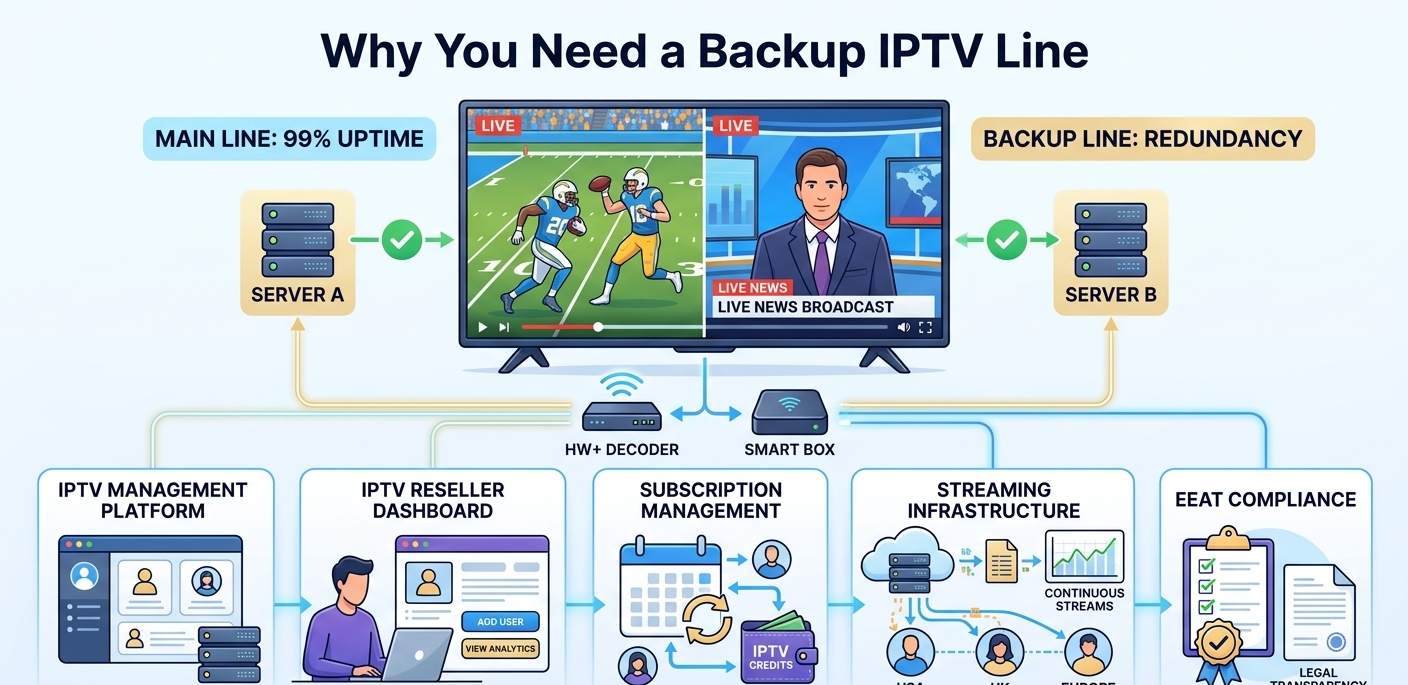
A backup IPTV line is a secondary stream URL tied to a separate server or provider source. When the primary connection fails or degrades, the client’s app switches to the backup, either automatically or with a single manual switch.
The key word is separate. A backup line on the same server infrastructure as your primary line is not a backup. It’s a copy of the same failure point. I’ve seen UK IPTV resellers set this up and wonder why both lines went down simultaneously during a server outage.
Genuine redundancy means:
- Different server locations
- Different provider sources where possible
- Independent authentication credentials
Setting Up a Dual Line Configuration: Step by Step
This walkthrough is based on working through the setup inside a standard reseller panel. The process takes roughly 10 to 15 minutes per client account once you know where everything is.
Step 1: Log into your reseller dashboard
Navigate to the User Management tab. Find the account you want to configure. Open their account settings, this usually takes one click from the client list view.
Step 2: Locate the line assignment section
Look for a “Lines” or “Connections” section within the account detail view. On some panels this is labeled “Stream Access” or “Connection Management.” If you’re not seeing it, check your plan level, some basic panels don’t expose multi-line controls at the account level.
The first time I looked for this, I spent about 4 minutes confused because the option was collapsed under an “Advanced Settings” toggle. Worth checking that before assuming your panel doesn’t support it.
Step 3: Add the secondary line
Click “Add Line” or “Add Connection.” You’ll be prompted to either assign an existing server source or generate a new credential set. Select a server that’s geographically or infrastructurally distinct from the primary.
The system generates a second M3U URL and set of credentials. This took about 8 seconds on the panel I use.
Step 4: Test both lines independently
Before sending the credentials to your client, test each line separately. Open the URL in a media player, let it load a channel, and confirm it’s pulling from a different source than the primary. If both lines point to identical server addresses, your redundancy setup is broken before it starts.
Step 5: Send both sets of credentials to your client
Include clear instructions on how to switch between lines in their app. Most clients won’t figure this out without guidance, and a confused client is an unhappy client.
Account Creation Workflow With Dual Lines
Here’s the full workflow when dual lines are part of setup:
| Step | Action | Where | Result |
|---|---|---|---|
| 1 | Log into dashboard | Main login screen | Full panel access |
| 2 | Open User Manager | User Management tab | Client list visible |
| 3 | Select or create account | Account detail view | Settings accessible |
| 4 | Assign primary line | Stream Access section | Line 1 configured |
| 5 | Add secondary line | Add Line button | Line 2 generated |
| 6 | Deduct credits | Credit system | Both lines paid for |
| 7 | Test each line | External media player | Confirmed working |
| 8 | Deliver credentials | Your communication method | Client receives both lines |
Real Setup Mistakes I’ve Made (And What Fixed Them)
Mistake 1: Both lines on the same server cluster
Configured what I thought was a proper dual setup. Provider A and Provider A, just different sub-servers. During a maintenance window, both lines went offline at the same time. The lesson: verify that “different server” means different infrastructure, not just a different IP within the same data center.
Mistake 2: Not telling clients how to switch
A client had both lines configured perfectly. Their primary went down. They messaged me saying service was broken. They had no idea the backup existed or how to activate it in their app. Now I send a short instruction note with every dual-line setup.
Mistake 3: Forgetting to test the backup line on delivery
I generated a secondary line, sent the credentials, and moved on. Client tried using it two weeks later when the primary failed, the backup URL had never worked. Always test both lines before closing the setup.
Mistake 4: Leaving buffer control disabled on the secondary line
The secondary line was configured but streams would freeze within 30 seconds of switching to it. The Buffer Control setting in the Stream Configuration panel was off for that line. Enabling it resolved the freezing immediately. This is easy to miss because buffer settings aren’t always copied when you add a new line, you have to configure them independently.
What Most Backup-Line Guides Skip Over
There are a few things that rarely get mentioned in typical reseller guides.
Backup lines cost credits too. Each line you provision uses your credit balance. If you’re setting up dual lines for every client without factoring this into your pricing, your margins shrink faster than expected. Price it in from the start.
Automatic failover depends on the client’s app, not your panel. Your IPTV panel reseller dashboard can’t force a client’s IPTV app to switch to the backup line. Some apps support automatic failover between saved playlists. Many don’t. What you control is having both lines ready. What happens on the client side depends on their setup.
Not every client needs this. A client watching casual daytime TV who doesn’t follow live sports will likely never notice a 20-minute outage. Charging them for dual-line redundancy is unnecessary. Dual lines make sense for clients who watch live events, pay-per-view content, or use the service as their primary TV source. Qualify your clients before upselling.
Provider uptime promises aren’t guarantees. A provider can claim 99.9% uptime and still have an outage during the exact 2 hours that matter to your client. Numbers on a marketing page don’t help when the stream is down during a title fight. That’s what backup lines are actually for.
When Dual Lines Aren’t Worth Setting Up
If you’re managing fewer than 20 clients with basic viewing habits, dual-line configuration probably isn’t worth the overhead yet. The setup works best when:
- Clients follow live sports or events
- Clients pay for premium plans and expect premium reliability
- You’re operating in markets like the UK or EU where customers have higher service expectations
- You’re building a reputation-based business and client retention matters
If you’re just starting out and selling entry-level plans to casual viewers, focus on getting the basics right first. Add redundancy as you scale and as your client base demands it.
Feature Comparison: Basic vs. Advanced Panel for Redundancy
The redundancy tooling gap looks like this:
| Feature | Basic panel | Advanced panel |
|---|---|---|
| Max lines per user | 1 | Multiple |
| Dual line support | No | Yes |
| Server health monitoring | Basic | Real-time |
| Automatic failover alerts | No | Yes |
| Custom line labeling | No | Yes |
| Multi-provider assignment | No | Yes |
| Credit tracking per line | No | Yes |
Reseller Model vs. Building Your Own Infrastructure
People ask whether building their own server gives them better control over redundancy. Technically yes, but at significant cost. Here’s how that trade-off looks specifically for redundancy:
| Reseller model | Own server | |
|---|---|---|
| Setup time | Days | Months |
| Redundancy cost | Per-line credits | Hardware + bandwidth |
| Maintenance burden | Provider-managed | Your responsibility |
| Failover control | App-dependent | Fully configurable |
| Startup investment | Low | High |
| Technical skill required | Low-moderate | High |
For most operators, the IPTV reseller model with dual-line configuration hits the right balance. You get meaningful redundancy without building and maintaining infrastructure from scratch.
Monitoring Uptime From Your Dashboard
Once dual lines are configured, use your panel’s monitoring tools actively. The Stream Health or Server Status section shows which of your assigned servers are currently online, their response times, and active connection counts.
Check this section at least once daily if you’re running a serious operation, and some panels let you set up alert notifications (email or SMS) when a server drops below a performance threshold. If your panel has this, enable it.
The goal isn’t to watch it obsessively. It’s to find out about problems before your clients do.
How Solo Resellers and Agencies Approach Redundancy Differently
Solo operators working from home typically prioritize simplicity. One dashboard, manageable client count, occasional manual intervention when something breaks. Dual lines for your top-tier clients make sense. Applying it to every account adds cost without proportional benefit.
Small agencies with support staff need redundancy built into their standard offering. When you have 200+ clients and a team handling support tickets, you can’t afford individual outages generating multiple support requests simultaneously. Dual lines become a quality-of-service baseline, not a premium upsell.
What to Expect in 2026 and Beyond
Automatic failover at the app level is improving. Some IPTV apps are beginning to support playlist fallback natively, if the primary URL fails to respond within a set timeout, the app automatically tries the next configured source. This shifts some of the reliability burden from your setup to the client’s software.
Dashboard monitoring is getting more granular. Instead of just seeing “server online/offline,” newer panels show connection quality metrics, latency trends, and per-user error rates. This makes it easier to spot a degrading server before it fully fails.
Security requirements around client credential management are tightening, particularly for EU customers where data handling regulations continue to evolve. Panels that handle credential encryption and access logging properly are becoming the expectation rather than the exception.
FAQ
What’s the difference between a backup line and a spare account?
A backup line is a second active stream credential configured within a single client account, pointing to a different server source. A spare account is a completely separate account. Backup lines are simpler to manage and are the right solution for redundancy. Spare accounts make more sense when you need a completely separate service for a different device or location.
Can I configure backup lines for all my clients at once?
Most panels require per-account configuration for line assignment, there’s no universal “apply dual lines to all accounts” button in the setups I’ve used. Some advanced panels have bulk action tools, but verify this before assuming. Plan for it to be a per-client task.
How do I know if my provider actually uses separate infrastructure for backup servers?
Ask directly. A reputable provider will tell you which data centers their servers are hosted in. If “Server A” and “Server B” are both in the same facility, they share the same failure risks. Look for providers who offer servers in geographically distinct locations.
What happens to the backup line if I don’t renew the primary?
This depends on how your panel handles credit deduction. Some panels treat each line independently, if you don’t renew credits for a line, that line expires. Others deduct credits at the account level covering all lines. Check your panel’s billing logic before assuming the backup stays active automatically.
How should I explain dual lines to clients who aren’t technical?
Keep it simple: “I’ve set you up with a main connection and a backup. If the main ever has an issue, you can switch to the backup in your app settings and keep watching.” Most clients don’t need more detail than that. Include a screenshot of where the switch is in their specific app if you can.
Does having two lines double my credit costs?
Yes, provisioning a second line for a client uses additional credits. Factor this into your pricing when offering dual-line plans. Most UK IPTV panel resellers who offer redundancy as a premium tier price it at 20 to 30% above their standard plan, which typically covers the extra credit cost with room for margin.
My backup line works but streams buffer constantly, why?
The most common cause is the Buffer Control setting being disabled on the secondary line’s stream configuration. It’s a separate setting from the primary line, go into the Stream Configuration section for that specific line and confirm buffer control is enabled. Also check that the secondary server isn’t overloaded, monitor its active connection count.
Redundancy isn’t a complex concept. The complexity is in actually doing it, understanding your panel well enough to configure it correctly, testing it before something breaks, and pricing it properly so it doesn’t erode your margins.
The resellers who build reputations in competitive markets are the ones whose clients never notice outages. That’s not luck. It’s infrastructure decisions made in advance.