
Streaming Reseller Glossary: The Words Your Panel Uses, Explained
This Streaming Reseller Glossary explains 35 terms you’ll meet in a IPTV reseller panel. Read it with one correction in mind, though: these words aren’t standardised. On one panel a “credit” might cover a single month for one line, while another panel takes more credits for longer packages or extra connections. The definitions below give you the usual meaning. Your provider’s own pricing notes give you the exact rule for your account.
Use the list as a reference to dip into, not a page to read from top to bottom. The terms come in the order you’ll meet them. First come the panel and your account, then the lines you create, then the app and playback words customers use in their messages, and last the business words behind your margins. When a customer writes something you don’t recognise, the app section is usually where the answer is.
[ez-toc]
Streaming Reseller Glossary: Panel and Account Terms
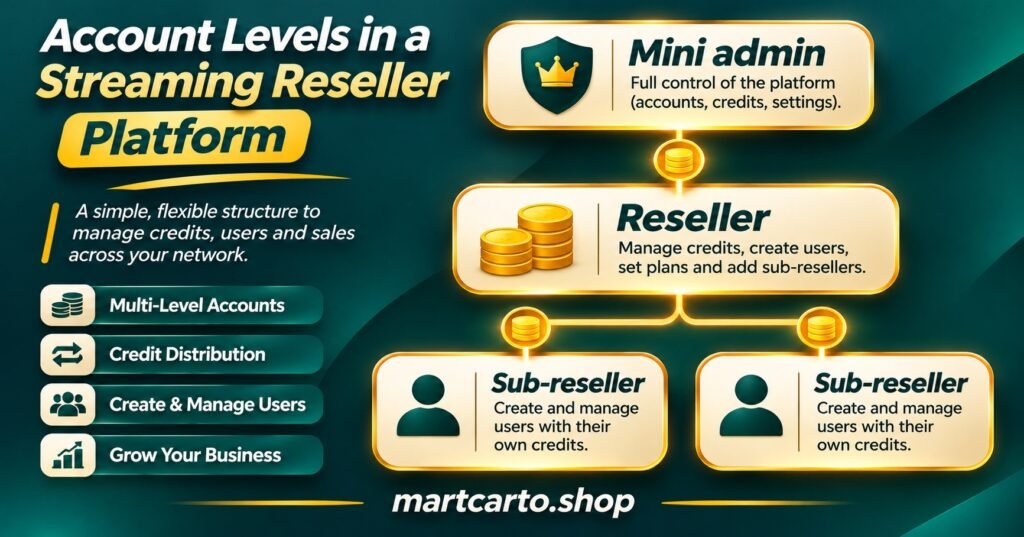
Three account levels are easiest to understand side by side. A reseller buys credits from a provider and spends them on customer lines. A sub-reseller buys credits from a reseller instead of the provider. A mini admin sits higher up and can create reseller accounts of its own. Most of the other panel terms in this glossary hang off that hierarchy.
Reseller panel is the web dashboard where you create, renew and manage customer accounts using credits bought from a provider. It is management software and nothing more. Having access to one says nothing about whether the service behind it holds the rights to the content it delivers.
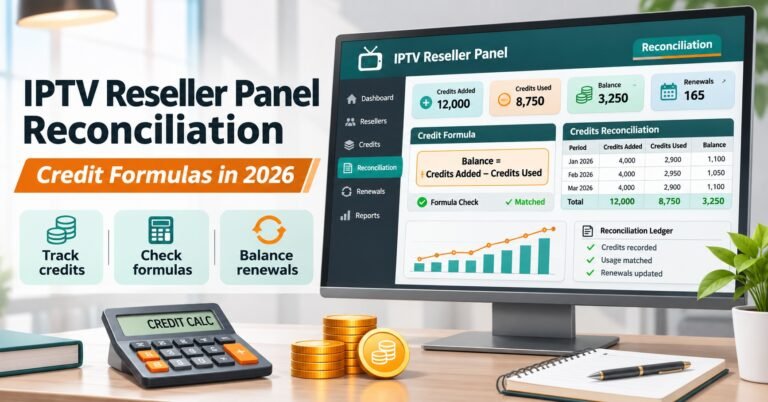
Credits are the prepaid units you spend to create or extend customer lines. Your provider sets how many credits a package costs, and the number often changes with subscription length and connection count. If you’re working out how many to buy, our guide to how credits are priced and when to top up covers the arithmetic.
Credit log (sometimes called transaction history) records every deduction and top-up on your account. It’s the first place to look when your balance seems lower than expected, because it shows which line used what and when. Whether credits come back after you delete a line varies by panel, so check the log rather than assuming.
Sub-reseller is an account created under another reseller. You sell to your own customers, but your credits come from the account above you. If your parent’s balance runs out or their account has a problem, you may not be able to create new lines.
Mini admin is an account level above an ordinary reseller that can create and fund reseller accounts underneath it. Panels name this level differently, and some call it a super reseller.
Parent reseller (or upline) is the account that created yours and supplies your credits. Your support route, pricing and permissions usually come from this account rather than directly from the provider.
Permissions decide what an account is allowed to do: create trials, delete lines, change bouquets, view sub-account balances and so on. Give each person or sub-account only the access their job needs. That limits the damage from a mistake or a leaked password.
Panel API is programmatic access to your panel, normally through an API key, so a website or bot can create and renew lines without you logging in. Guard the key like a password, because anyone holding it can spend your credits.
Lines, Packages and the Limits Attached to Them
Spent credits become lines, and a surprising share of customer support questions trace back to one of the settings below.
Line is a single customer account: one set of login details with its own expiry date, connection limit and content selection. When people talk about selling “lines”, they mean subscriptions.
Connections (often shown as max connections) is how many devices can play at the same time on one line. A customer with a two-connection line can watch on a television and a phone together. A third device will usually be refused or will knock one of the others off. More connections normally cost more credits.
Bouquet is a named group of content categories that you attach to a line. Bouquets let you build different packages from the same service without creating separate accounts, for example a basic selection and a wider one.
Package is the combination your panel sells as one product: a duration, a connection count and usually a set of bouquets, at a fixed credit cost.
Trial line is a short test account, often lasting hours rather than days. It lets a prospective customer check playback on their device before paying. Panels commonly limit how many trials you can create, and some charge a small credit amount for each.
Expiry date is when a line stops working. It’s the most useful field for planning renewals, and the first thing to check when a customer says everything stopped at once.
Renewal (or extend) adds time to an existing line without changing its login details. Renewing instead of creating a fresh line saves the customer from setting up their apps again.
Suspend (or disable) pauses a line without deleting it. You can stop access during a payment dispute and restore it later. Deleting is permanent, and on many panels the credits are gone with it.
MAC line is an account tied to a set-top box’s hardware address instead of a username and password. The customer reads the MAC address from their device settings, and you enter it in the panel. A mistyped character is the usual reason a box never connects.
IP lock restricts a line to one network address, which some IPTV panel resellers use to discourage login sharing. It can cause trouble for customers on mobile data or on broadband whose address changes, so use it carefully.
Notes is the free text field attached to each line. It sounds trivial until you have hundreds of customers.
Pro tip: On the day you create a line, write the customer’s device type, chosen app and contact method in its notes field. When they message months later saying “it doesn’t work”, you’ll already know which setup steps to walk through, without having to ask them anything first.
App and Playback Words Your Customers Will Use
Customers rarely talk in panel language. They describe what they see on screen, and these are the words they’ll use.
M3U playlist is a text file or link that lists every stream a line can access, and most player apps can read it. It’s simple to share but long. The link carries the full login inside it, so customers should keep it private.
Xtream Codes API is a login format that many player apps support. The customer enters three things: a server URL, a username and a password. It’s usually tidier than a playlist because the app loads categories, programme guides and on demand content in an organised way. If a customer has an M3U link and their app wants these details instead, our walkthrough on converting an M3U link into Xtream login details shows where each part sits.
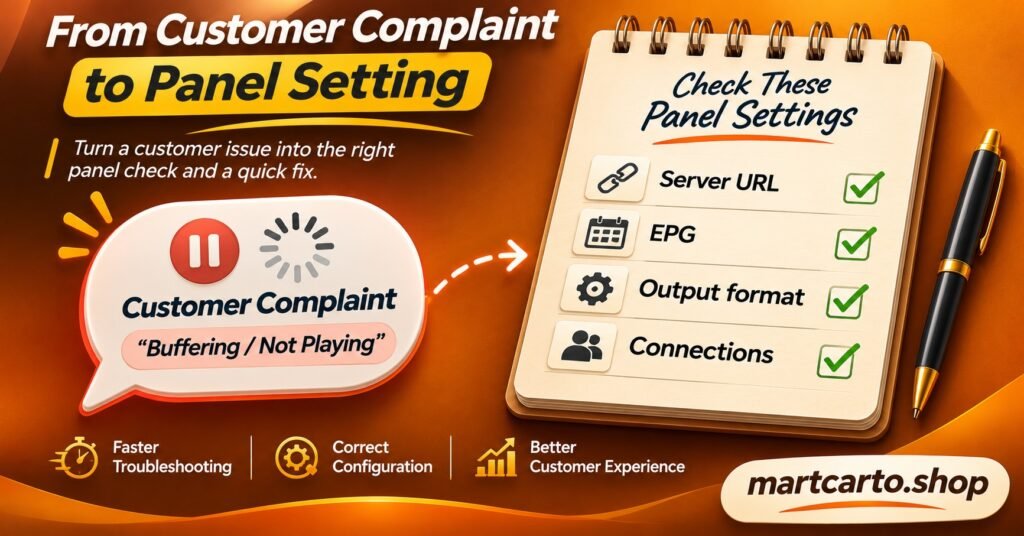
Server URL (also called the portal, host or DNS) is the address the app connects to. Many failed first logins come down to a missing “http://”, a wrong port number, or an old address left over after a provider change.
EPG stands for electronic programme guide, the on screen schedule showing what’s on now and next. EPG data comes separately from the streams. A guide that’s blank or an hour out is a different fault from a stream that won’t play.
Catch-up lets viewers watch recent programmes after they’ve aired. It only works where the provider supports it for that content and the app can display it. Not every app shows catch-up even when the line includes it.
VOD means video on demand: content the viewer picks and plays at any time, as opposed to scheduled live channels.
Player app is the software on the customer’s television, box, phone or computer that plays the streams. The line supplies access and the app supplies the interface. Many “service” complaints are really about app settings or app compatibility.
Output format describes how streams reach the app, commonly HLS (small segments) or MPEG-TS (a continuous transport stream). Some apps and devices behave better with one than the other. When playback is unstable, switching the format in the playlist settings or the app is a sensible test.
Buffering is the pause while the app waits for enough data to keep playing. The cause might be the customer’s connection, their Wi-Fi, the device, the app or the source. Treat it as a symptom to investigate, not a diagnosis.
Business Terms Behind the Margins
The last group in this glossary covers money, relationships and responsibility rather than buttons in the dashboard.
Wholesale price is what you pay per credit or per package. It sets your floor. If you can’t see it clearly in writing, you can’t price anything else properly.
Margin is what the customer pays minus your wholesale cost and your own costs, such as payment fees and the time you spend on support. A line with a healthy markup that needs three setup calls may earn less than a cheaper line that just works.
Churn is the share of customers who don’t renew. The expiry dates and renewal history in your panel are what you use to measure it.
White label means selling under your own brand, sometimes with a branded player app, while the service itself comes from someone else. The customer relationship and the reputation are yours, but delivery still depends on the upstream service.
Upstream provider is the business that actually runs the servers and supplies credits to the top of your chain. Outages, price changes and policy changes all start here, whatever your own brand says.
Escalation means passing a fault you can’t fix up the chain, from you to your parent reseller panel or provider. Learn the route and the expected response time before you need them. That saves you awkward conversations with waiting customers.
Content rights are the legal permissions to distribute programming. Streaming delivery technology is legal in itself. Whether a particular service is lawful depends on the distribution rights behind it and on the law where you and your customers are. A professional panel, payment page or website doesn’t prove those rights exist.
Before you buy your first batch of credits, check that your provider’s written terms answer each of these:
- How many credits each package costs, by length and connection count
- Whether deleted or unused lines return any credits
- How many trial lines you can create, and whether they cost anything
- Who you escalate faults to, and how
- What the service’s position is on content licensing
Questions? Ask Our Team
No list can match every panel’s wording, and providers keep adding features under their own names. If you’ve met a word in your dashboard or a customer message that this IPTV Reseller Glossary doesn’t cover, ask us a term and our team will explain it in plain English.