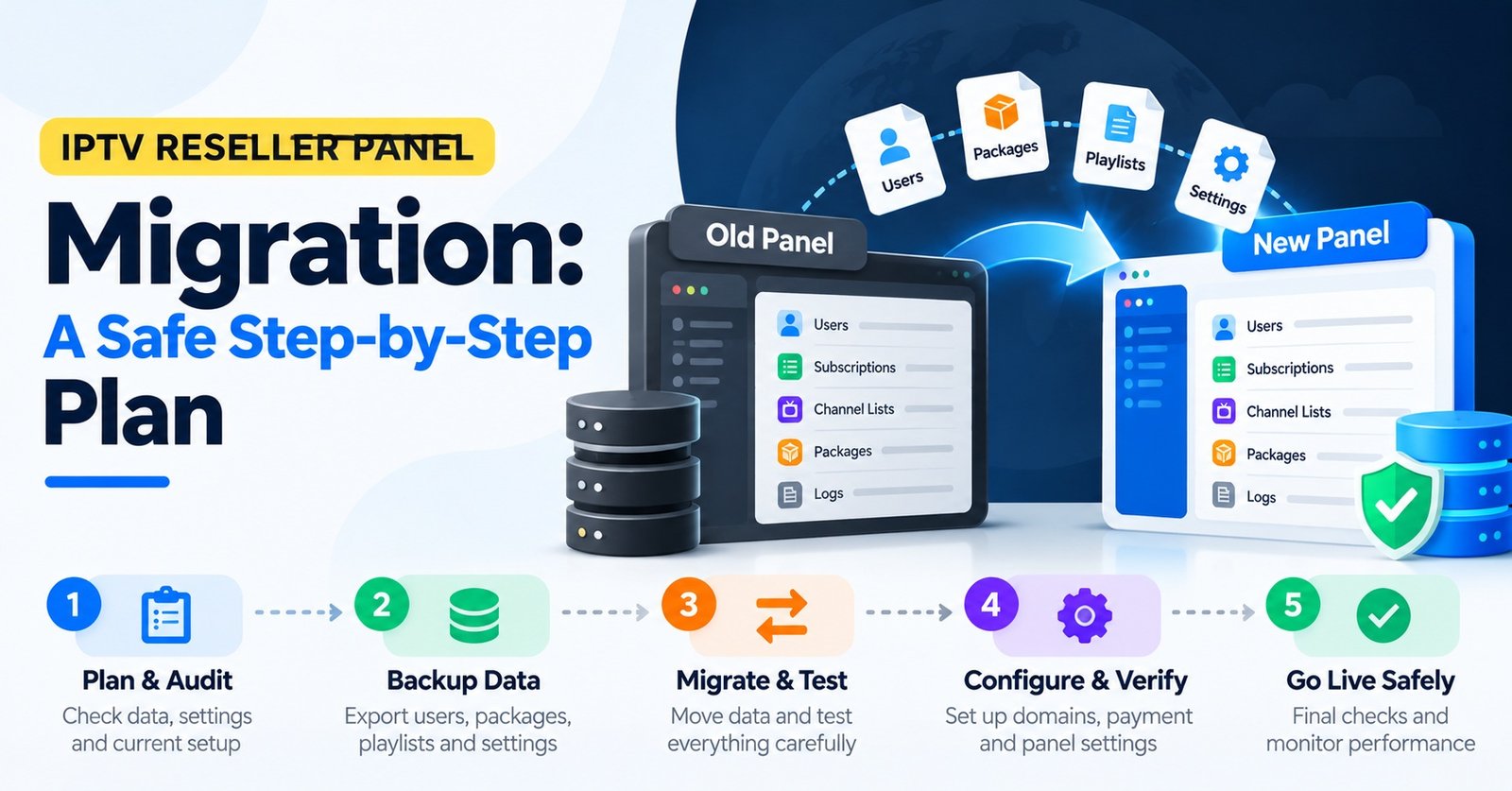

IPTV Reseller Panel Migration is mostly a rebuilding job rather than a transfer. Customer lines, credit balances and sub-reseller accounts almost never move automatically from one provider’s panel to another, so each active line has to be recreated on the new panel, and every customer will need to enter new login details on their device. The safest approach is to move people in batches tied to their renewal dates, starting with a small pilot group, while the old panel stays live until the last paid line has either expired or been moved across.
Credit balance is where the money tends to leak. Unused credits sit inside the old provider’s system, and any refund or conversion is entirely at that provider’s discretion, so stop topping up the moment you decide to leave and spend what remains on renewals you would have made anyway. Customers with several months still paid are the harder case. Moving them early means paying for the same period twice, once on each panel, and that cost deserves a decision before a single announcement goes out.
What Moves Between Panels and What Stays Behind
Most of the confusion around switching comes from assuming a reseller dashboard works like a bank account you can transfer. It does not. Each panel is a separate system run by a separate provider, and the records inside it belong to that system.
| Item | Moves automatically? | What you do instead |
|---|---|---|
| Customer lines and logins | No | Recreate each line on the new panel, usually with new credentials |
| Remaining paid time | No | Set a matching expiry date on the new line, which costs credits |
| Credit balance | No | Spend it down on normal renewals and ask the old provider in writing about any remainder |
| Sub-reseller accounts | No | Create new sub-panels and allocate credits again |
| Package or bouquet choices | Rarely | Map each old package to its nearest equivalent on the new panel |
| Device MAC registrations | No | Register each MAC address again on the new portal |
| Customer contact details | Only if you kept your own records | Rely on your own list, not the old panel’s |
A few providers offer an import tool, or will move lines on request when both panels run on compatible systems. Ask before you plan around it, and get the answer in writing, because an import that fails halfway through leaves you rebuilding from a partial list.
Good Reasons to Move, and Weak Ones
Moving panels creates work for you and inconvenience for every customer, so the reason has to be strong enough to justify both.
Repeated outages the provider cannot explain, support tickets that go unanswered for days, or a panel that lacks features you now depend on (proper sub-reseller controls, for example) are all solid grounds. So is a provider that has announced it is closing or has stopped responding entirely. If you are weighing alternatives, our comparison of reliable IPTV reseller panels for UK and European operators sets out what to look for before committing.
A marginally cheaper credit price, one bad weekend, or a competitor’s sales pitch are weaker reasons. The savings from slightly cheaper credits can disappear quickly once you count the support hours a migration consumes and the customers who simply do not bother to re-enter their details.
Building the Migration Ledger Before Anyone Is Told
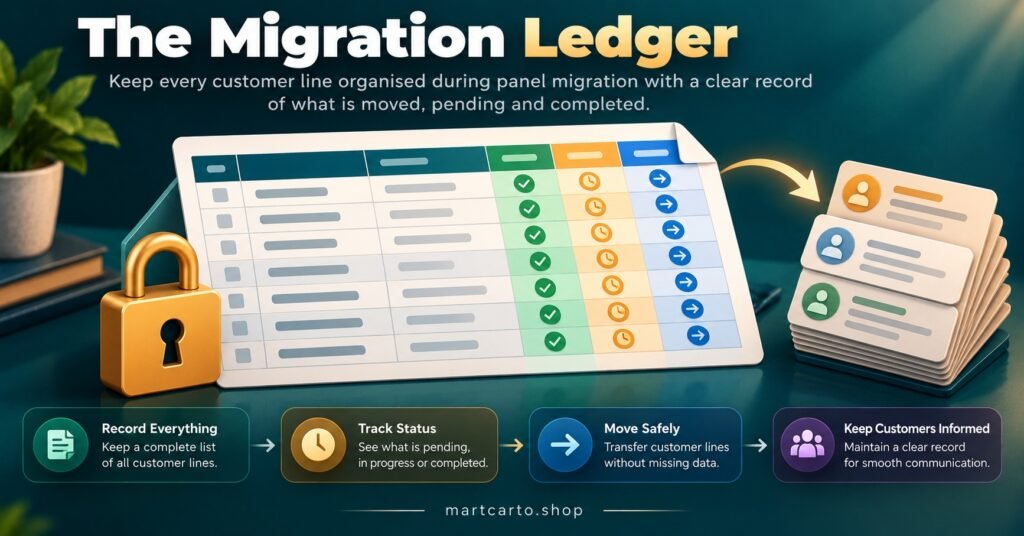
Before you announce anything, build a single spreadsheet that becomes the master record for the move. Export whatever the old panel allows, usually a CSV of lines, and fill the gaps manually where the export falls short.
For each active line, you need the username, expiry date, number of connections, package, device type, MAC address where relevant, the sub-reseller who owns it (if any), and the channel you use to contact that customer. Add three working columns of your own: migration wave, date moved, and confirmed working.
That last column matters more than it looks. A line is not migrated when you create it on the new panel. It is migrated when the customer confirms it plays on their device.
Keep the ledger lean. Under UK data protection law, the ICO’s data minimisation principle expects personal data to be adequate, relevant and limited to what the purpose requires. A migration ledger needs operational fields, not home addresses or payment card details. Store it somewhere access-controlled, and delete working copies once the move is finished and you no longer need them.
IPTV Reseller Panel Migration in Renewal Waves
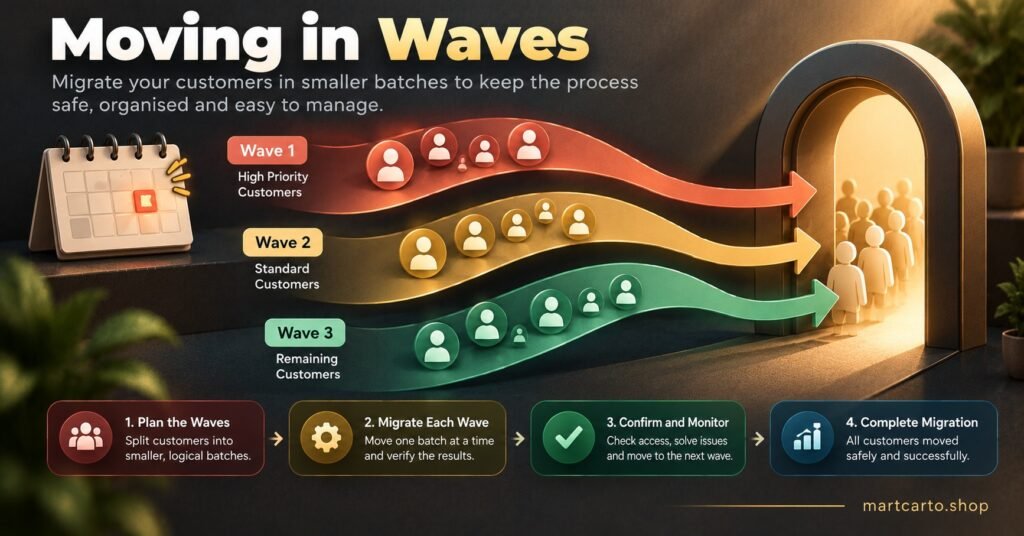
Sorting the ledger by expiry date turns one large, risky event into a series of small, routine ones. The idea is simple: wherever possible, a customer moves at the moment they would have renewed anyway, so you spend credits once rather than twice.
The pilot group
Start with five to ten customers before touching anyone else. Pick a deliberate mix: at least one on an app using Xtream Codes login, one on an M3U playlist, one on a MAC-based set-top box, and one on your own branded app if you use one. Customers who reply quickly to messages make better pilots than the most valuable accounts.
The pilot exists to expose problems you cannot see from the dashboard: guide data that does not load, a package that maps differently than expected, or an app that caches the old server address. Before creating paid lines, a short test line is a sensible way to check the new panel; the way controlled trial accounts work inside a reseller panel shows how trials can be limited by duration and content so testing does not drain your balance.
Monthly customers
Customers on one-month terms are the easiest group. Over a single renewal cycle, each of them reaches their expiry date, and instead of renewing on the old panel you create their line on the new one. The credit cost is identical to a normal renewal, and the customer’s only task is entering new details.
Customers with long paid terms
This is where the arithmetic needs doing honestly. Take a purely hypothetical base of 100 active lines: 60 on monthly terms and 40 on twelve-month terms with an average of six months remaining. The 60 monthly customers move within roughly a month at no extra cost. The 40 annual customers are different. Moving them immediately means recreating around 240 months of paid time on the new panel, which on a credit system where one credit covers one customer for one month (as on Martcarto’s IPTV panel reseller credit plans) is roughly 240 credits spent on time those customers have already paid you for.
There are three realistic options. You can absorb that cost to finish quickly. You can leave annual customers on the old panel until their term ends, which means keeping that account alive for up to a year. Or you can do something in between: move long-term customers only if the old service is failing them, and let the rest run out naturally. Which option makes sense depends on how unreliable the old panel has become, not on how tidy you want the spreadsheet to look.
Device by Device: Where Customers Get Stuck
The same new credentials behave very differently depending on how a customer connects, and most support messages during a move trace back to this.
Apps using Xtream Codes login are usually the smoothest. The customer replaces three fields (server address, username and password) and the app rebuilds its channel list and guide. Some apps cache the old server, so deleting the old profile and adding a fresh one tends to work better than editing the existing entry.
M3U playlist users receive an entirely new link, and the electronic programme guide usually has its own separate URL that also changes. A common complaint is that channels play but the guide is blank. That is normally the guide URL still pointing at the old provider, or the app simply not having refreshed yet.
MAC-based set-top boxes involve two steps on two sides. You register the device’s MAC address on the new panel, and the customer changes the portal URL in the device settings. Typing errors in either place produce the same failed connection, so ask customers to send a clear photo of the MAC label on the device rather than typing it out.
Branded apps with remote server configuration can be the exception that makes life easier. If your app vendor lets you change the server address centrally, customers may only need new usernames and passwords. Confirm this with the vendor and test it in the pilot before relying on it.
Pro tip: Write a separate migration message for each device type and send customers only the one that matches their setup. A box owner who receives an M3U link will try to use it, and you will spend the next twenty minutes explaining why it did not work.
Sub-Resellers Stretch the Timeline
If you run sub-resellers, the move involves a second layer of people who have their own customers and their own schedules. You can create their new sub-panels and allocate credits, but you generally cannot migrate their customers for them, and contacting those customers directly may not be appropriate unless your arrangement with the sub-reseller allows it.
Give each sub-reseller a clear cutover window, a new sub-panel with enough credits to cover their active base, and a copy of the device-specific instructions you prepared for your own customers. Ask them to keep their own ledger in the same format as yours. Expect this part to take longer than your own migration, since you are depending on how organised each of them is.
Decide in advance what happens to credits sitting unused in their old sub-panels. If the old provider will not refund your master balance, those credits are effectively a cost of the move, and it is better to agree how that is handled with each sub-reseller before the switch than to argue about it afterwards.
Messages That Prevent a Support Backlog
Customers handle change better when they know what is coming, what they need to do, and what stays the same. Three messages usually cover it.
The first is a short notice sent a few days before a customer’s wave: their service is moving, they will receive new login details on a specific date, and their expiry date will not change. The second, sent on their migration day, contains the new details and the device-specific steps. The third is a quick check about two days later asking whether everything is working, which catches the customers who gave up silently rather than asking for help.
Be honest about the reason without overselling. “We’re moving to a more reliable panel” is fine if you have grounds for believing it. Promising perfect uptime or guaranteed quality is not, and it sets up an argument the first time something goes wrong.
It is also worth remembering that changing panels does not change anything about content rights. A new provider having a professional dashboard says nothing about whether it holds proper distribution rights for what it delivers, so check that before moving your customer base onto it.
On each customer’s migration day, run through the same short routine:
- Create the line on the new panel with the matching expiry date and connection count
- Send the message written for that customer’s device type
- Leave their old line active until they confirm the new one plays
- Mark the ledger as “confirmed working”, not just “created”
- Disable the old line only after confirmation, so the connection is not counted twice
Keeping the Old Panel Alive Long Enough
Closing the old account too early is one of the costliest mistakes in a move. Any customer who has not yet switched loses service overnight, and you lose the only place their original line details were stored.
Keep the old panel running for as long as there are unmigrated, paid-up lines on it. During the overlap, avoid creating new customers there and avoid topping up credits beyond what genuine renewals need. Once the last line has moved or expired, take a final export for your records, confirm in writing any balance the provider has agreed to refund, and only then let the account lapse.
Frequently Asked Questions
Can unused credits be transferred to a new provider?
Generally not. Credits are issued within one provider’s system and have no value on another panel. Some providers will refund or partially credit an unused balance if asked, but that is their decision, so request it in writing and plan as if the answer will be no.
Will customers keep their usernames and passwords?
Usually not in full. Some panels let you choose a custom username, so you may be able to recreate the same one if it is available, but the server address almost always changes and passwords are often generated fresh. Treat every customer as needing new details.
How long should the old and new panels overlap?
At least one full renewal cycle for a mostly monthly customer base, so every monthly customer reaches an expiry date during the overlap. If you are letting annual customers run out on the old panel, the overlap lasts as long as the longest remaining term.
Do customers need to agree to their details being moved?
Continuing to provide a service a customer has paid for is a common basis for processing their data, but tell them clearly what is happening and move only what the service needs. This is a general outline rather than legal advice, so check your own obligations if you are unsure.
Where to Start This Week
A successful IPTV Reseller Panel Migration depends far more on the ledger and the timing than on the new panel itself. If you have decided to move, the first useful step costs nothing: stop buying credits on the old panel, export your active lines, and sort them by expiry date. That one spreadsheet tells you how many customers can move at no extra cost within the next month, how many paid months sit with long-term customers, and roughly how long the old account needs to stay open. Everything else, the pilot group, the device-specific messages and the sub-reseller handover, builds on that list.