
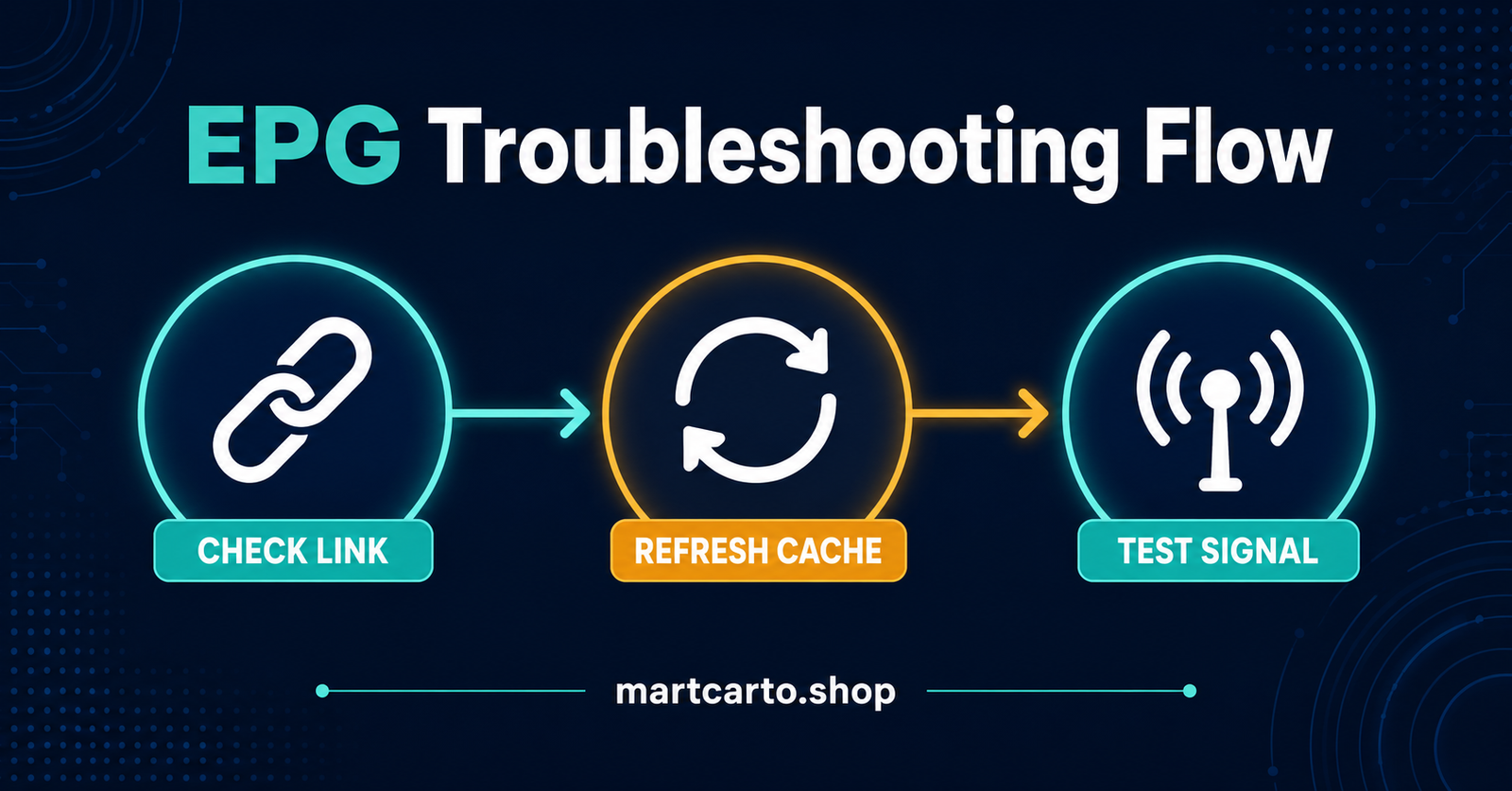
Tivimate EPG Not Uploading almost always comes down to one of three things: a broken guide source link, a stuck cache, or a IPTV Reseller panel provider feed that hasn’t refreshed on its end yet. Before assuming the app is faulty, open Settings, go to your playlist’s EPG source, and hit Update EPG manually. If nothing changes after a minute or two, clear TiviMate’s cache from your device’s app settings and reload the guide from scratch. Most cases resolve at one of those two steps. What follows covers the less obvious causes, how to tell which one you’re dealing with, and what to do when the quick fixes don’t hold.
Tivimate EPG Not Uploading: Start With the Source, Not the App
TiviMate itself doesn’t generate programme data. It pulls a file, usually in XMLTV format, from a URL supplied alongside your playlist, and renders it against the channel list. When that upload fails, the fault sits in one of four places: the URL itself, the file the URL points to, the connection between your device and that file, or TiviMate’s local cache of what it last managed to download.
That’s worth understanding before you touch a single setting, because it changes where you look first. A typo in the URL produces a completely different symptom to a provider server that’s timing out, even though both show up as “no programme information” on screen. Treating them the same way wastes time.
Pro tip: Copy the EPG URL out of TiviMate and paste it directly into a browser on the same device. If it downloads a file or shows raw text starting with something like <?xml version, the link works and the fault is somewhere else. If the browser can’t reach it either, the problem is the link or your connection, not TiviMate.
Is the Problem on Your Side or the Provider’s?
Before working through fixes one by one, it helps to narrow down which side of the connection is actually broken. A guide that was working fine yesterday and stopped today points somewhere different than one that’s never populated since setup.
| What You’re Seeing | Where the Fault Usually Sits |
|---|---|
| Guide worked before, stopped suddenly | Provider feed down, or URL changed without notice |
| Guide has never populated, ever | Wrong URL entered, or EPG source never added |
| Some channels have data, others don’t | Provider’s mapping between channel and guide ID is incomplete |
| Guide loads then disappears after a restart | Cache corruption, or storage running low on the device |
| Works on Wi-Fi, fails on mobile data or vice versa | Network-level blocking, often DNS-related |
If your situation matches the first two rows, the fix is almost entirely about the URL. If it matches the last two, cache and storage are the more likely culprits, and no amount of re-entering the same link will help.
Fixing an EPG Link That Isn’t Uploading
Go into TiviMate’s settings, select Playlists, choose the playlist showing the issue, and open its EPG source. Read the URL character by character against whatever your provider originally sent you. A single wrong character, a .tv where it should be .com, or a missing digit in a subdomain, is enough to break the whole request. This is the single most common reason a guide won’t upload, and it’s also the easiest to miss because the URL looks correct at a glance.
If the URL matches exactly and still fails, request a fresh one. Providers occasionally rotate EPG endpoints for load balancing or after infrastructure changes, and the old link simply stops resolving without any announcement. Once you have a confirmed working URL, remove the old EPG source entirely rather than editing over it. TiviMate sometimes holds onto a partial download tied to the old entry, and a clean removal avoids that conflict.
After adding the corrected source, don’t expect an instant result. Full guide files covering two or three thousand channels across seven days can run to tens of megabytes, and TiviMate needs time to parse that on first load, particularly on older Fire Stick or Android box hardware. Give it several minutes with the app left open before deciding it’s failed again.
When Cache and Storage Are the Real Problem
If the URL checks out but the guide still won’t hold data between sessions, cache is the next place to look. TiviMate stores a local copy of the last successful guide download so it doesn’t have to fetch the entire file every time you open the app. When that stored copy becomes corrupted, which happens more often on devices that get force-closed rather than shut down properly, the app can get stuck trying to read a broken file instead of pulling a fresh one.
Clearing it is straightforward: go to your device’s own app settings, not TiviMate’s internal menu, find TiviMate in the list, and clear its cache and possibly its storage. Clearing storage will log you out and remove your playlists, so only use that option if clearing cache alone doesn’t fix it. Reopen TiviMate, re-add your playlist if needed, and let the EPG rebuild from scratch.
Low device storage causes a related but different failure. If your Fire Stick or Android box is nearly full, TiviMate may not have enough free space to write the downloaded guide file at all, and it fails silently rather than showing a clear error. Checking available storage takes thirty seconds and is easy to overlook when you’re focused on app settings instead.
Network and DNS Issues That Block EPG Uploads
Some connections block or throttle the specific server hosting the EPG file even though the main video stream works fine, since the two often live on different infrastructure. This shows up as channels playing normally while the guide stays permanently blank, which confuses a lot of people because “the stream works, so my internet’s fine” seems like a reasonable conclusion. It isn’t always.
Switching your device’s DNS to a public resolver, or changing the network path inside your provider’s own settings if that option exists, resolves this in a meaningful share of cases. Rebooting the router clears temporary routing issues that build up over weeks without anyone noticing. If you’re on a restrictive workplace or shared network, ask whether outbound connections on non-standard ports are filtered, since some EPG feeds don’t run over the standard web ports.
Pro tip: Test the same playlist and EPG URL on a different network, even just your phone’s mobile data as a temporary hotspot. If the guide loads there, the fault is your home network or router, not TiviMate or the provider.
If You’re Reselling: What to Check Before Assuming It’s the Panel
When a customer messages saying their guide won’t upload, the instinct is often to check the panel or the streams first. Usually the fault sits exactly where it would for any subscriber: their device, their cache, or a URL that’s out of date on their end because they copied it down manually instead of using the auto-generated link.
Before escalating anything, ask which player they’re using and confirm whether they’re on TiviMate specifically, since IPTV Smarters and other players handle EPG sources differently and the fix isn’t identical across apps. Ask when it last worked, since “never” and “worked fine until this morning” point to completely different causes. And check your own IPTV reseller panel’s stream reliability standards only after ruling out the device-side causes above, because jumping straight to server-side troubleshooting on every ticket burns time you don’t need to spend.
A quick clarifying question or two at the start of a support conversation, rather than assuming a panel fault immediately, tends to resolve these faster and avoids customers feeling like their issue is being brushed off when it’s actually a two-minute fix on their end.
Preventing This From Happening Again
Guide sources fail again for the same reasons they failed the first time, usually because nothing changes after the fix. Save the working EPG URL somewhere outside the app itself, a notes file or a message thread, so a future re-entry doesn’t rely on memory. If your IPTV panel provider offers a backup or secondary EPG endpoint, add it as an alternative source rather than only ever having one point of failure.
Clearing cache on a rough monthly schedule, rather than only after something breaks, keeps the local file fresh and reduces the odds of a corrupted read building up unnoticed. And if you manage multiple customer devices as part of a subscription reseller setup, keeping a shared note of which EPG URL is current for your service saves repeating the same diagnosis for every ticket that comes in.
Common Questions About TiviMate’s Guide Data
Why does TiviMate show channels but no programme information at all?
This is the classic sign of an EPG source that either isn’t set, has failed to download, or is pointing at the wrong URL. Channel playback and guide data are handled separately, so one working without the other is expected behaviour when the EPG side has broken, not a sign of a wider fault.
Does reinstalling TiviMate fix EPG problems?
Rarely, and it’s usually unnecessary. Reinstalling wipes local cache along with everything else, but clearing cache through your device’s app settings achieves the same result without losing your playlist configuration and other settings in the process.
How long should I wait after fixing the URL before assuming it still isn’t working?
Give it a genuine few minutes, particularly on older hardware or with a large channel count. A guide covering a full week across thousands of channels takes noticeably longer to parse than a small personal playlist, and judging it as failed after ten seconds is premature.
Can a VPN cause EPG uploads to fail?
It can, in either direction. Some VPN servers get blocked by the hosting infrastructure behind an EPG feed, while in other cases a VPN is what allows a blocked feed to load at all. If you’re running one, testing with it briefly disabled tells you quickly which category you’re in.
Why does the guide work on one device but not another using the same login?
This points to a local issue on the affected device rather than anything provider-side, since the same credentials are reaching the server successfully elsewhere. Cache, storage, or an outdated version of TiviMate on that specific device are the most likely explanations.
Tivimate EPG Not Uploading is rarely a fault with the app itself; it’s almost always the link it’s trying to read, a cache holding onto a broken file, or a network quietly blocking the request. Start with the URL, move to cache and storage if that checks out, and only look at network-level causes once the first two are ruled out. Most people have it working again inside ten minutes once they’re checking the right layer instead of restarting the same broken setup repeatedly.
Quick Troubleshooting Checklist
- Copy the EPG URL into a browser to confirm it actually loads
- Compare the URL character by character against what your provider sent
- Remove the old EPG source entirely before adding a corrected one
- Clear TiviMate’s cache through your device’s app settings, not TiviMate’s own menu
- Check available storage space on the device
- Reboot the router and, if possible, test on a different network
- Give a freshly added guide several minutes to fully parse before judging it as failed
- Save a working EPG URL somewhere outside the app for future reference