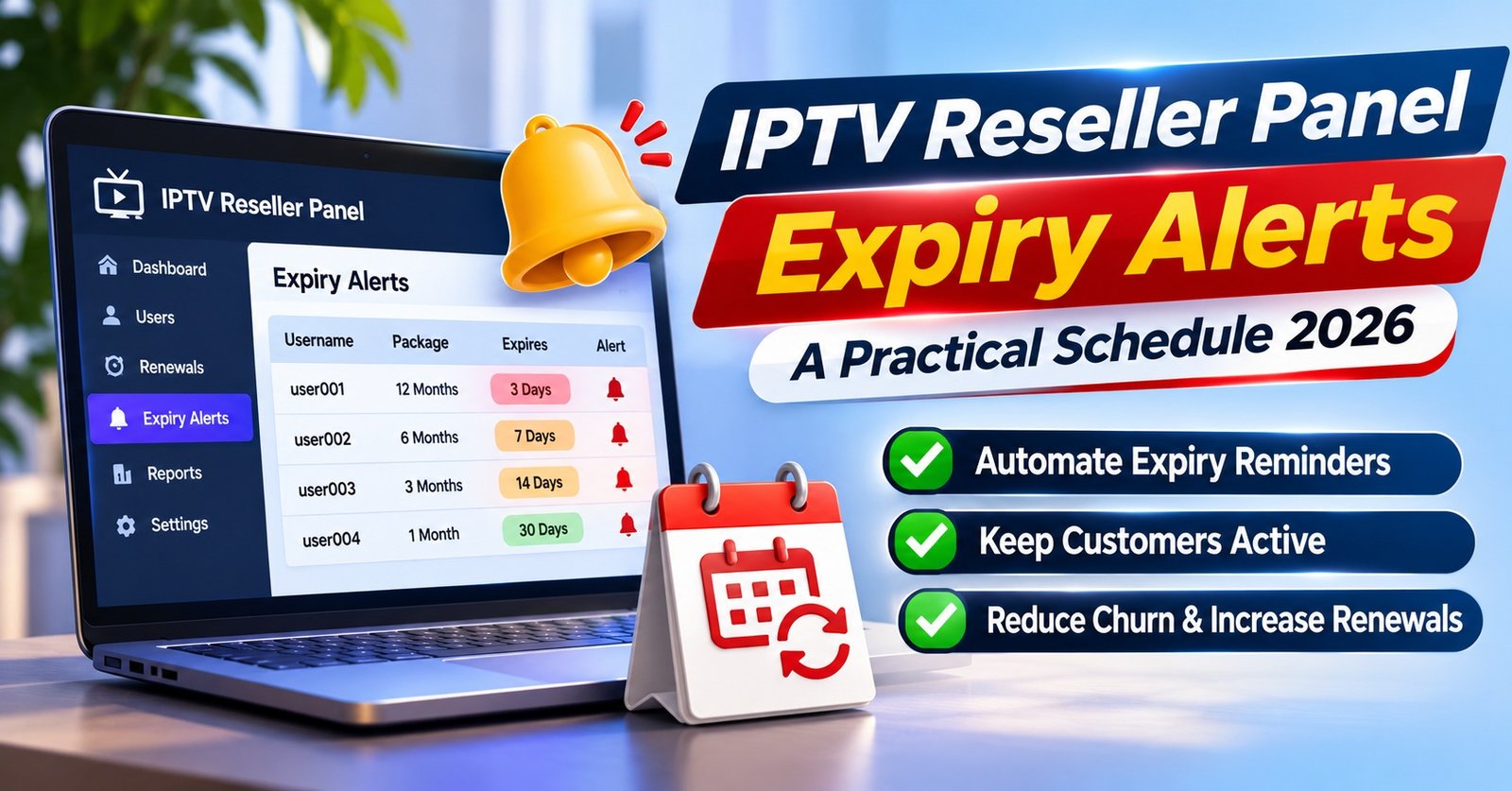

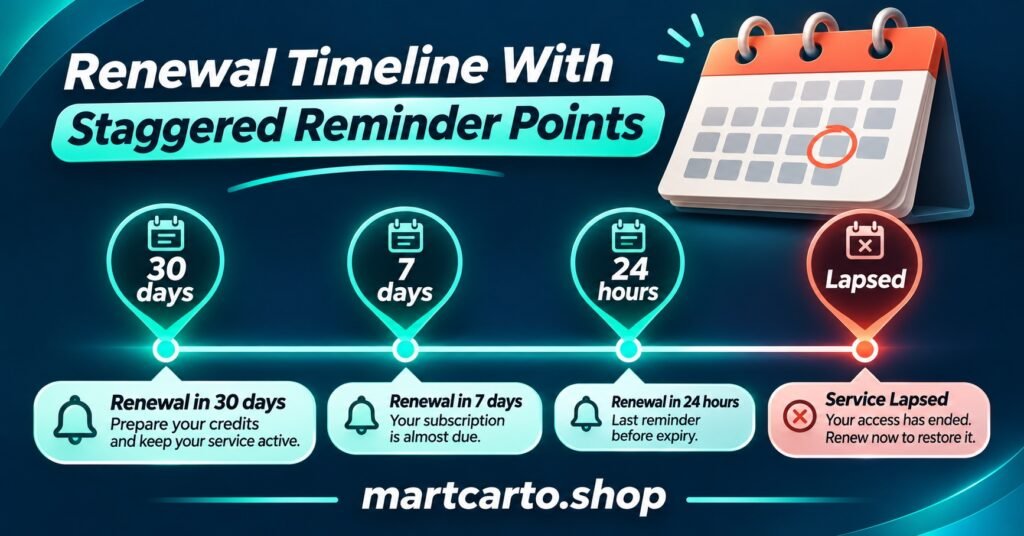
IPTV Reseller Panel Expiry Alerts work best as a short, fixed sequence tied to the expiry date stored in the panel itself: a first notice several days out (weeks out for annual plans), a final reminder 24 hours before, and one brief message once the line has lapsed, with a middle reminder added for longer plans. Trials need their own, much tighter rhythm. Whatever schedule you choose, run it against test lines before a single paying customer relies on it.
The schedule is the easy part. Most failures come from the dates underneath it: a panel that records expiry in server time while the customer lives five hours ahead, an early renewal that extends the line but leaves the old reminder still queued, or a manual date edit that your alert system never hears about. A reminder that lands after the customer has already lost access isn’t really a reminder. It’s an apology, and it tends to arrive at the same moment as a support message asking why everything stopped working.
Which Dates on the Panel Actually Run Out
Before building anything, separate the things on your dashboard that genuinely expire from the things that only look time-sensitive.
Customer lines are the main one. Each line carries an expiry date set when you create or extend it, usually by spending credits for a chosen duration. That date is what your customer experiences: before it, the service works; after it, it doesn’t. Every alert in this article is anchored to that field.
Trial lines expire too, but on a scale of hours rather than months, and the customer’s mindset is different. They haven’t paid yet, so the reminder is a decision prompt rather than a renewal notice.
Credits are a separate matter. Whether your balance expires depends entirely on your provider’s terms. On the IPTV reseller Panel credit packages page here, credits are described as non-expiring, but other providers set their own rules, so check yours. Even where credits never expire, the balance still matters for alerts: you can’t renew a customer from an empty account. If several customers share an expiry week, a low-balance warning a few days before that cluster saves you from sending a perfectly timed reminder you then can’t act on.
Sub-reseller panel access may also carry its own term, depending on how your provider structures it. If you run sub-resellers, their access dates deserve a reminder sequence of their own, kept apart from end-customer messages.
Building IPTV Reseller Panel Expiry Alerts Around Plan Length
The longer someone has gone without thinking about their subscription, the earlier the first reminder should arrive. A monthly customer renewed four weeks ago and remembers roughly when it’s due. An annual customer probably doesn’t remember the month, may need to arrange payment, and may want to ask questions first. Lead time should scale with the commitment, while the number of messages stays low enough that nobody starts ignoring them.
The schedule below is a sensible starting point rather than a rule. Adjust it once you see how your own customers respond.
| Plan length | Suggested alert points | Reasoning |
|---|---|---|
| Trial (hours to two days) | Midway through, then 2 hours before the end | Short decision window; one nudge and one last chance |
| 1 month | 5 days, 24 hours, on lapse | Customer recalls the cycle; three touches is plenty |
| 3 months | 10 days, 3 days, 24 hours, on lapse | Enough runway to plan payment without nagging |
| 6 months | 14 days, 3 days, 24 hours, on lapse | Similar to quarterly with an earlier first notice |
| 12 months | 30 days, 7 days, 24 hours, on lapse | Long gap since purchase; earliest heads-up matters most |
After the lapse message, one follow-up a few days later is reasonable. Beyond that, further messages stop being service reminders and start looking like chasing, which customers notice and which can change how the messages are treated legally (more on that below).
Two further rules make any schedule more reliable. First, respect sending hours in the customer’s local time. A “24 hours left” message firing at 3am is technically correct and practically useless. Shift it into a window such as mid-morning to early evening, even if that means sending it 20 hours before expiry instead of 24. Second, decide what happens when a timing point falls inside a gap, such as a 10-day notice for a line that was only extended 8 days ago. The simplest answer is to skip any alert point that has already passed rather than firing it late.
Pro tip: Calculate every alert from the expiry timestamp the panel holds at that moment, never from the creation date plus the plan length. Extensions, edits and early renewals all change the real date, and only the panel knows about them.
Where the Alert Data Comes From
Panels differ a great deal in what they expose. Some offer an “expiring soon” filter or list on the dashboard, some notify the reseller but never the customer, some provide an API that returns line details including expiry, and some offer nothing beyond the date shown on each line. Ask your provider exactly what is available rather than assuming. If you are comparing options, a rundown of features worth having in a IPTV reseller panel is a useful reference point.
Whatever the source, the reliable pattern is the same. Pull the current list of lines and expiry dates on a fixed cycle (daily is enough for most operations), keep your own record of each customer’s time zone and preferred contact channel alongside it, and check the expiry date again immediately before each message sends. That final re-check is what stops an alert going out for a line someone renewed an hour earlier.
If your only option is manual, a daily export or screenshot of upcoming expiries feeding a simple spreadsheet still works for a small customer base. It just needs the same discipline: refresh the dates before sending, not once a week.
What Each Message Should Say, and What to Leave Out
A good expiry reminder answers four things in a few lines: which account it concerns (a username or customer reference), exactly when it expires in the customer’s own time zone, how to renew, and who to contact with questions. Nothing more is required.
A hypothetical 24-hour reminder might read: “Hi Sam, your account (ref 4471) expires tomorrow, 6 November, at 9pm UK time. Reply here or use your usual payment link to renew, and your settings will stay exactly as they are.”
Leave login passwords out of every reminder. They aren’t needed for renewal, and a message containing credentials is a liability if it reaches the wrong inbox. Keep the sender name and channel consistent too, so customers learn to recognise genuine reminders and become suspicious of anything that imitates them.
Be careful about mixing sales into service messages. In the UK, the Information Commissioner’s Office treats genuine service messages differently from direct marketing under PECR, but the ICO has made it clear that if a service message contains a promotional element, the whole message counts as direct marketing and is subject to the relevant requirements. PECR only allows direct marketing by electronic mail where you have the recipient’s consent or can meet all the requirements of the soft opt-in. In practical terms, an expiry reminder that also pushes an upgrade or a discount on extra connections may need marketing consent you don’t have. Keep reminders purely about the renewal, and send offers separately to customers who have agreed to receive them. Other English-speaking countries have their own electronic messaging rules, so check the ones that apply where your customers live.
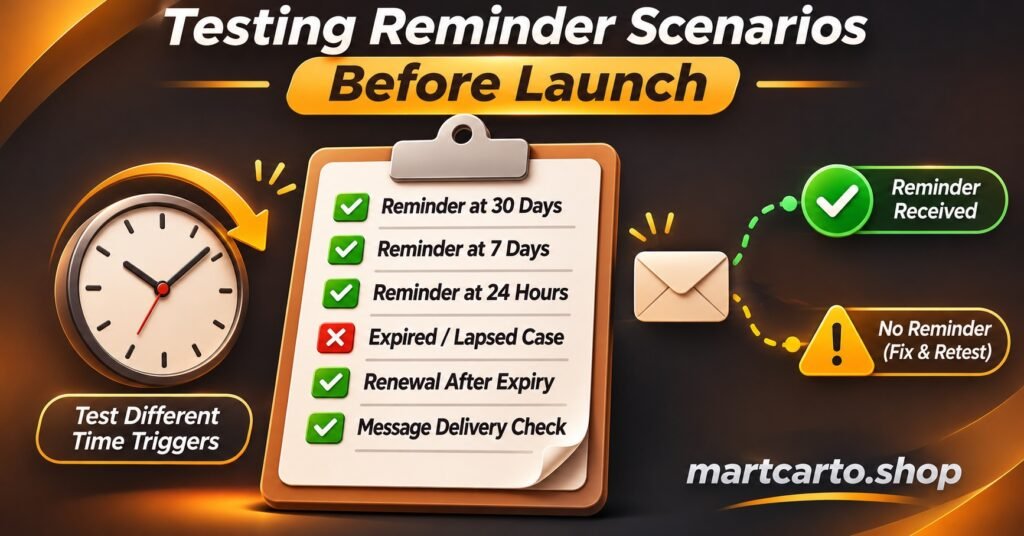
Ten Test Scenarios to Run Before Going Live
Testing is where an alert schedule earns trust. Use test lines (trial lines or low-cost test accounts, within your provider’s terms), give them short durations so results arrive quickly, and keep a simple log of what you expected against what actually happened. A scenario passes only when the right message arrived, through the right channel, at the right local time, showing the right date.
Date and time traps
- Time zone offset. Create a line expiring late in the evening in server time for a test customer several hours ahead. The reminder should show the customer’s local date and time, which may fall on the following day.
- Clock change. Schedule a line whose reminder sequence crosses a daylight saving change (in the UK, the last Sunday in March or October). The 24-hour alert should still arrive roughly a day before expiry, not an hour early or late.
- Month-end dates. Create a monthly line on the 31st of a month. Check what date the panel records for the renewal and confirm your alerts follow the panel’s date rather than a calculation of your own.
Renewal and edit traps
- Early renewal mid-sequence. Renew a line after the first reminder but before the second. Remaining alerts for the old date should be cancelled and a new sequence built from the new expiry.
- Renewal on the final day. Renew after the 24-hour reminder has gone out. The lapse message must not send.
- Manual date edit. Change a line’s expiry by hand, as support might after a goodwill extension. Alerts should reschedule on the next data refresh.
- Disabled or deleted line. Disable one test line and delete another. Neither should receive any further reminders.
- Trial converted to paid. Upgrade a trial before it ends. Trial reminders should stop and the paid plan’s schedule should begin.
Delivery traps
- Failed channel. Give a test customer an invalid email address or number. The failure should be logged and flagged to you, ideally with a fallback channel if you hold one.
- Sub-reseller ownership. Create a line under a sub-reseller account. Confirm the reminder goes to whoever you’ve agreed owns that customer relationship. A parent reseller messaging a sub-reseller’s customers directly can cause real friction.
Rerun the full set whenever your provider updates the panel, you change messaging tools, or you move customers between panels. Small changes in how dates are stored or exported are exactly what breaks a schedule that has worked quietly for months.
Reading the Results After the First Month
Once real reminders are going out, a few signals tell you whether the timing is right. Renewals that consistently arrive after expiry suggest the sequence starts too late or the final reminder isn’t being seen. Support messages on expiry day asking why the service stopped point to the same problem, or to a delivery channel customers don’t check. Opt-out requests or irritated replies suggest too many touches, usually on monthly plans.
Change one thing at a time. If you move the first monthly notice from five days to seven and simultaneously switch channel, you won’t know which change helped. And if your panel makes it hard to get accurate expiry data at all, that’s worth weighing next time you assess what separates a dependable reseller panel from one that creates extra work.
Questions Resellers Often Ask About Expiry Reminders
Should alerts go to customers, to me, or both?
Both, but in different forms. Customers get individual reminders on the schedule above. You get a single daily digest listing lines expiring in the next week, your current credit balance, and any reminders that failed to deliver.
Can I send reminders through messaging apps instead of email?
Usually, yes, provided you follow the platform’s business messaging rules and the customer has agreed to be contacted that way. Messaging apps tend to be read faster than email, which suits the 24-hour reminder in particular. The same service-versus-marketing distinction applies whatever the channel.
How many reminders is too many?
For a monthly plan, more than three or four per cycle starts to feel like pressure. Annual plans can carry four comfortably because the messages are spread over a month. If customers reply asking you to stop, reduce the count rather than switching channels.
What happens to my alerts if I move customers to a different panel?
Treat the migration as a fresh start. Export expiry dates from the old panel, compare them against the new one line by line after import, and rerun the renewal and edit scenarios before reactivating reminders. Migration is where date errors hide most easily.
Putting the Schedule Live
IPTV Reseller Panel Expiry Alerts succeed or fail on the accuracy of a single field: the expiry date as the panel holds it right now. Pick a schedule that matches each plan length, keep the messages short and free of sales content, re-check the date before every send, and work through the ten scenarios with test lines before trusting the system with paying customers. Start with your monthly plans, since they renew most often and will show you problems fastest, then extend the same sequence to longer plans once the first month’s results look clean.