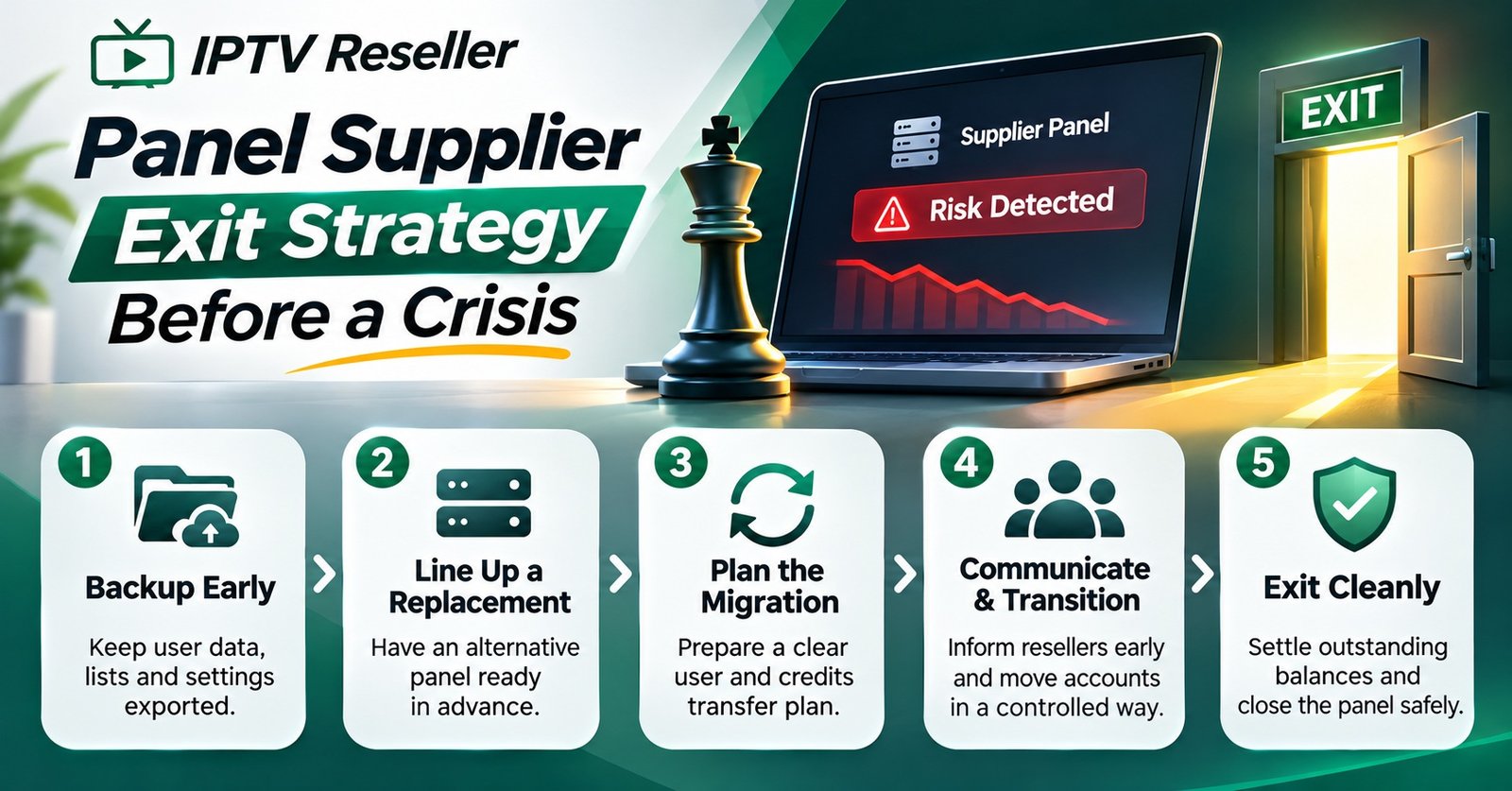

An IPTV Reseller Panel Supplier Exit Strategy is a short, written plan you prepare while your current supplier is still working well. It answers four questions in advance: which records you can take with you, what your agreement says about unused credits and notice, how and when your customers will hear about a change, and which standby supplier is already tested and ready. If you can answer all four today, you have an exit strategy. If you can’t, the gaps are exactly where a sudden supplier problem will hurt you most.
It helps to separate the exit plan fllerrom the move itself. Customer lines almost never transfer between suppliers, because usernames, passwords and device registrations live on the supplier’s servers, not yours. What you can protect is everything around those lines: an up-to-date customer list, expiry dates, renewal history, your own branding and the trust your customers place in you. Most of that protection has to be done months before you leave, which is why the plan matters far more than the day you actually switch.
Planned Exits, Forced Exits and Why You Plan for the Worse One
Resellers leave suppliers for two very different reasons. A planned exit is a business decision: credit prices have crept up, support has slowed, the reseller dashboard lacks features you need, or you’ve found a supplier whose terms suit you better. You choose the timing, you can move customers gradually around their renewal dates, and the old panel keeps running while you do it.
A forced exit is the opposite. The supplier’s panel goes offline without warning, your account is suspended, payments stop being accepted, or messages simply go unanswered. You lose access to your dashboard at the worst possible moment, often with paying customers already contacting you.
The trap is building your plan around the planned version because it’s the pleasant one to imagine. A strategy that works in a forced exit will also work in a planned one. The reverse isn’t true. So every part of the plan below assumes one uncomfortable condition: you might lose dashboard access tomorrow, with no chance to log in and download anything.
What Actually Travels With You
Portability is where many resellers discover they own less than they thought. The panel feels like your business, but much of what sits inside it belongs to the supplier’s infrastructure. The table below shows the usual picture. Individual platforms differ, so check your own dashboard rather than assuming.
| Item | Usually portable? | What to do while you still have access |
|---|---|---|
| Customer names and contact details | Yes, if you record them yourself | Keep your own copy outside the panel |
| Expiry dates and renewal history | Only if exported | Export on a regular schedule |
| Line usernames and passwords | No, they exist on the supplier’s servers | Plan to reissue new credentials |
| Device registrations (MAC-based logins) | No | Note which customers use them, as they need re-registering |
| Unused credits | Rarely | Avoid large prepaid balances you can’t recover |
| Sub-reseller accounts | No, they sit under your supplier account | Keep sub-reseller contact details and their customer counts |
| Your brand, domain and support channels | Yes, if they are registered to you | Make sure they are in your name, not the supplier’s |
The pattern is clear enough: information you hold yourself travels, and anything that only exists inside the supplier’s system doesn’t. That’s why a regular, well-structured export matters so much. Our guide to exporting panel data safely, including which fields to keep covers the mechanics, but for exit purposes the minimum is simple. You need to know who each customer is, how to reach them, what they pay for, how many connections they have and when their current term ends.
The device settings problem
There’s one portability issue that catches resellers out more than any other. Every customer’s app or device is configured with a server address that belongs to your supplier. When you change supplier, every one of those devices has to be updated with new details. For a reseller with a few hundred customers on a mix of smart TVs, streaming sticks and set-top boxes, that’s a few hundred individual support conversations.
You can’t avoid this entirely, but you can reduce it. Keep a record of which device and app each customer uses, so you can send device-specific instructions rather than one generic message. Some platforms also allow a branded portal address that you control, which can make future changes less disruptive. Ask your supplier what is supported before you rely on it, because a setup that works on one platform may not work on another.

Contract Clauses That Decide How Painful Leaving Will Be
Many IPTV reseller arrangements run on little more than a pricing page and a chat thread. That informality feels efficient until you need to leave, at which point nobody can say what was agreed. Before you buy your next credit pack, get answers to the following in writing. A saved email or an exported chat is far better than a remembered conversation.
Unused credits
Find out what happens to credits you’ve bought but not used. Some suppliers say credits never expire, but that promise only holds while the supplier and your account both exist. Ask whether unused credits can be refunded on exit, and read the supplier’s refund terms carefully. Whatever the answer, a sensible exit strategy keeps prepaid balances in line with what you expect to use in the near term rather than buying in bulk to chase a discount.
Notice and suspension
Ask how much notice the supplier gives before changing prices, closing a service or suspending an account. Ask what counts as grounds for suspension and whether you get a chance to respond first. A supplier that reserves the right to suspend instantly, for any reason and without notice, is telling you how much contingency you’ll need.
Data and export rights
Confirm that you can export your customer list in a usable format at any time, and that this right continues during a notice period. You’ll also want to know how long the supplier keeps your data after you leave and how it’s deleted. If you hold customer personal data, data protection law generally places responsibilities on you, so a supplier’s casual approach to records becomes your problem too.
Sub-reseller and branding ownership
If you run sub-resellers, check whether those accounts can be closed, moved or left in place when you exit, and who your sub-resellers would deal with afterwards. Check too that any branded app, logo or domain associated with your service is clearly yours.
Content rights
A professional dashboard and smooth payment process say nothing about whether a supplier holds the rights to distribute what is offered. Streaming technology is legal; legality of a service depends on proper distribution rights and local law. Ask suppliers directly how their content is licensed and keep their answer. A supplier unable or unwilling to answer that question is itself a reason to start planning your exit.
Pro tip: Keep a simple folder for each supplier containing their current terms, refund policy, your purchase receipts and any written promises. Date every file. If terms change quietly, you’ll be able to show what applied when you bought.
Writing the IPTV Reseller Panel Supplier Exit Strategy Down
None of this helps if it only exists in your head. The written plan doesn’t need to be long. One or two pages covering triggers, owners and actions is enough, and it’s far more useful than a detailed document that nobody updates.
Start with triggers. These are the specific signals that tell you to begin an exit rather than waiting and hoping. Good triggers are concrete, for example:
- Repeated outages with no explanation or warning
- Credit prices changed without the notice period you were promised
- Support replies slipping well past the response time your own customers expect from you
- Payment methods narrowing to options that leave you no protection
- No clear answer on content licensing when asked directly
Decide in advance how many triggers, or which single serious one, starts the process. Without that line drawn beforehand, it’s very easy to keep giving a struggling supplier one more week while your customers lose patience.
Next, assign owners. If you work alone, that’s you, but write it down anyway. If you have a small team, decide who contacts customers, who handles sub-resellers, who manages the standby supplier and who answers device setup questions. During a forced exit, everyone trying to do everything is how messages get duplicated and customers get conflicting answers.
Finally, set a review rhythm. A quarterly check is a reasonable starting point for most small IPTV reseller businesses: confirm the export is current, the standby supplier account still works, contact details are accurate and the supplier’s terms haven’t changed. Put it in a calendar so it actually happens.
Telling Customers: Timing, Wording and What Not to Promise
Customer notice is where an exit is won or lost. Customers don’t care much which supplier sits behind your service. They care whether it keeps working, whether they’ll lose what they’ve paid for and how much effort the change will cost them.
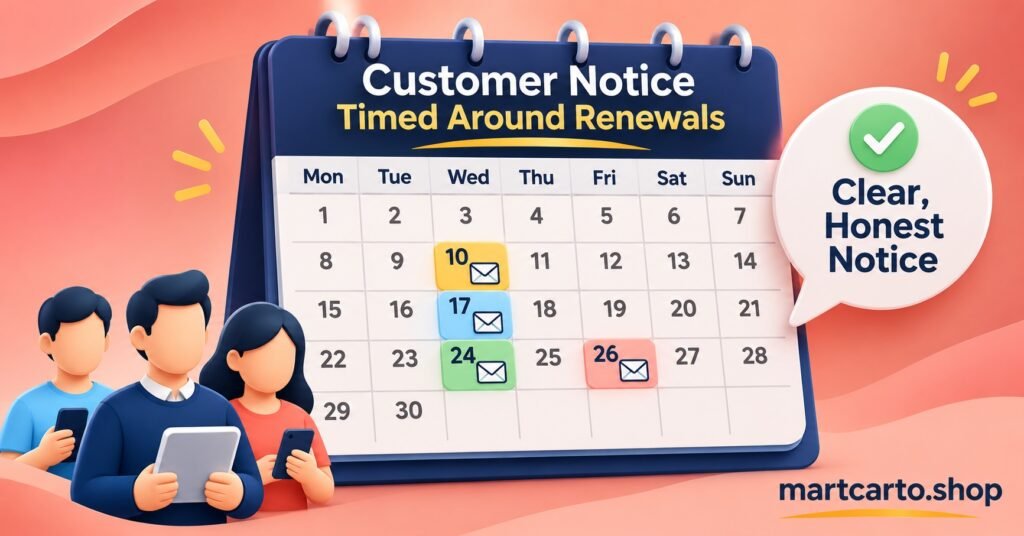
In a planned exit, the cleanest approach is to tell customers shortly before their own renewal date rather than announcing a change to everyone at once. That way, each customer moves at a natural point, the support load is spread across weeks instead of landing in one day, and nobody loses paid time on the old service. Our step-by-step panel migration plan explains how to group customers into renewal waves and keep the old panel alive long enough.
In a forced exit, speed matters more than polish. Send a short, honest message as soon as you know there’s a problem, even before you have every answer. Something along these lines works:
“We’re aware of a service problem affecting your connection. We’re working on a fix and will send new setup details for your device within the next day. Your remaining paid time will be honoured.”
Only include that last sentence if you can genuinely honour it. That’s the most important rule of customer notice: never promise a timeline, a refund or an outcome you don’t control. If you’re moving to a new supplier, you control your own commitment to replace paid time, so you can promise that. You don’t control when an unresponsive supplier comes back, so don’t predict it.
A few further points make notices work better:
Send device-specific setup instructions rather than one generic guide. Customers on a smart TV app need different steps from those on a set-top box, and mixing them generates confused replies.
Use the contact channel each customer actually reads. If your records show which channel they prefer, use it. This is one of the quiet benefits of keeping good records outside the panel.
Keep the reason brief. Customers rarely need the detail of a dispute with a supplier, and criticising the old supplier in writing can create problems later. “We’ve moved to a more reliable platform” is usually enough.
Use customer contact details only for service messages about their account. An exit is not the moment to add people to promotional lists they never agreed to.
Contingency That Exists Before You Need It
The difference between a stressful weekend and a business-ending one is usually whether the backup was arranged in advance. Contingency has three parts: a standby supplier, money set aside and a response routine you have already rehearsed.
A standby supplier you’ve actually tested
Opening an account with a second supplier is not enough on its own. Buy a small number of credits, create test lines and try them on the devices your customers actually use. Check how quickly support answers, how the dashboard handles bulk line creation and whether its renewal tools suit your workflow. Doing this calmly, months ahead, tells you far more than evaluating a supplier in a panic. If you’re comparing options now, our pricing plans and credit packs page shows how credit-based pricing typically works.
Apply the same due diligence on content licensing to your standby supplier as to your current one. Swapping one risky supplier for another isn’t a contingency.
A cash reserve sized to your customer base
If your supplier disappears, you may need to buy enough credits with a new supplier to replace every active customer’s remaining time, while any unused credits with the old supplier may be lost. Work out roughly what that would cost for your current customer numbers and keep that amount available rather than tied up in prepaid credits. The exact figure depends on your customer base and your supplier’s prices, so recalculate it at each quarterly review.
The first 48 hours of a forced exit
Treat the following as a hypothetical sequence to adapt, not a fixed script:
- Confirm the problem is the supplier and not a local or device issue, using a test line and more than one device.
- Try to export or screenshot anything still accessible in the dashboard, then stop relying on it.
- Send the first short notice to all active customers.
- Brief sub-resellers separately, with their own customer lists and the timeline you’re working to.
- Create replacement lines on the standby supplier, starting with customers who have the longest remaining paid time or the most connections.
- Send device-specific setup details in batches you can support, rather than all at once.
- Log every customer as moved, pending or unreachable, so nobody is forgotten.
For the earlier step of working out whether you’re facing an outage or a real exit, our downtime runbook from triage to recovery is a useful companion to this plan.
Questions Resellers Ask About Leaving a Supplier
Can I transfer my customers’ existing lines to a new supplier?
Generally, no. Lines and their credentials exist on the old supplier’s servers, so the new supplier will issue new ones. What you transfer is the customer relationship and your records, which is why keeping your own customer list matters so much.
Will a new supplier honour credits I bought elsewhere?
You shouldn’t expect it. Credits are tied to the supplier that sold them. Some suppliers may offer introductory terms to resellers who are moving, but treat that as a negotiation, not an entitlement.
How much notice should I give customers in a planned exit?
Enough for each customer to set up their device before their current term ends. Timing notices around each customer’s renewal date is usually more practical than a single deadline for everyone.
Should I tell sub-resellers before customers?
Yes. Sub-resellers need time to prepare their own customers, and they’ll be the ones answering many of the questions. Give them their customer lists, the timeline and the setup instructions first.
Is it worth running two suppliers permanently?
For some resellers it is, particularly larger operations where a single outage would affect many customers. It adds administrative work and splits your credit spending, so weigh that against how much disruption your business could absorb.
Before You Buy Your Next Credit Pack
An IPTV Reseller Panel Supplier Exit Strategy comes down to owning what you can own and preparing for what you can’t. Your records, your brand and your customer relationships can travel with you if you keep them outside the panel. Lines, device registrations and unused credits usually can’t, so the plan has to account for replacing them. Clear written terms, customer notices that promise only what you control and a standby supplier tested in calm conditions turn a supplier failure from a crisis into a busy week.